

Understanding ABB Automation Builder Software: Comprehensive Guide for Programming and Configuration
What programming languages are supported by ABB Automation Builder? Is ABB Automation Builder capable of communicating with third-party devices?
 Explore Automation Solutions
Shop Process Control Equipment
Explore Automation Solutions
Shop Process Control Equipment
ABB Automation Builder Software: Complete Guide to Engineering, Programming, and Commissioning Industrial Automation Systems
Industrial automation projects have become increasingly sophisticated, requiring engineers to integrate programmable logic controllers (PLCs), human-machine interfaces (HMIs), motion control, fieldbus communication, and safety functions into a single, reliable control system. As project complexity grows, using multiple engineering tools can slow development, increase programming errors, and make long-term maintenance more difficult.
This is where ABB Automation Builder stands out. Developed by ABB, Automation Builder is an integrated engineering software suite that simplifies the design, programming, commissioning, and maintenance of industrial automation systems. Rather than switching between separate applications, engineers can manage an entire automation project from one unified development environment.
Whether you’re programming an ABB AC500 PLC, configuring distributed I/O, developing an HMI application, or integrating industrial communication protocols, Automation Builder provides the tools needed to streamline engineering workflows while reducing development time.
In this comprehensive guide, you’ll learn what ABB Automation Builder Software is, its key features, supported hardware, programming capabilities, communication options, licensing models, best practices, and how it supports modern Industry 4.0 initiatives.
What Is ABB Automation Builder Software?
ABB Automation Builder is a comprehensive engineering software platform designed for configuring, programming, commissioning, and maintaining ABB automation products. It provides a single development environment for creating industrial control applications using internationally recognized programming standards.
Built around the IEC 61131-3 programming standard, Automation Builder supports multiple programming languages and allows engineers to develop scalable automation solutions ranging from standalone machines to complex manufacturing facilities.
Unlike traditional engineering software that requires separate applications for PLC programming, motion control, communication configuration, and diagnostics, Automation Builder combines these capabilities into one integrated platform.
This unified approach offers several advantages:
Faster project development
Simplified hardware configuration
Consistent engineering workflow
Easier software maintenance
Improved troubleshooting
Better project documentation
Automation Builder is widely used across manufacturing, water treatment, food processing, renewable energy, mining, pharmaceuticals, and infrastructure projects where reliable industrial control systems are essential.
Why Engineers Choose ABB Automation Builder
One of the primary reasons engineers adopt Automation Builder is its ability to reduce engineering complexity without sacrificing flexibility. Instead of manually configuring individual devices, engineers can create complete automation projects using graphical tools, reusable libraries, and intelligent diagnostics.
Some of the major advantages include:
Unified engineering platform
IEC 61131-3 compliant programming
Integrated PLC and HMI development
Motion control configuration
Network configuration tools
Safety programming support
Built-in simulation and diagnostics
Comprehensive device libraries
These capabilities significantly reduce project engineering time while improving software consistency across multiple automation projects.
Key Features of ABB Automation Builder
Unified Engineering Environment
Automation Builder provides one centralized workspace where engineers can configure every aspect of an automation project.
Within a single project file, users can manage:
PLC hardware
CPU configuration
Distributed I/O
Network topology
Motion control
Visualization
Safety applications
Libraries
Diagnostics
This eliminates the need to transfer data between multiple engineering tools.
IEC 61131-3 Programming Support
Automation Builder supports all major IEC 61131-3 programming languages.
These include:
Ladder Diagram (LD)
Ladder Logic remains one of the most widely used programming methods for industrial machinery because it closely resembles traditional electrical relay diagrams.
It is ideal for:
Machine control
Digital logic
Start/stop circuits
Interlocking systems
Function Block Diagram (FBD)
Function Block Diagram programming uses graphical blocks connected together to perform control functions.
It is commonly used for:
Process control
Analog control loops
PID control
Signal processing
Structured Text (ST)
Structured Text resembles high-level programming languages and is particularly useful for advanced calculations and complex algorithms.
Applications include:
Mathematical calculations
Data manipulation
Recipe management
Complex machine logic
Sequential Function Chart (SFC)
SFC simplifies programming for sequential manufacturing processes.
Typical applications include:
Batch processing
Packaging machines
Conveyor systems
Automated assembly
Instruction List (IL)
Although largely replaced in modern applications, legacy projects may still use Instruction List programming for compatibility.
ABB PLC Integration
Automation Builder is primarily designed for ABB’s AC500 PLC family.
Supported PLC platforms include:
AC500
AC500-eCo
AC500-S Safety PLC
AC500-XC for harsh environments
Engineers can configure:
CPU modules
Digital inputs
Digital outputs
Analog inputs
Analog outputs
High-speed counters
Communication modules
Remote I/O
All hardware configuration occurs within the same engineering environment.
Motion Control Engineering
Modern automation often requires synchronized motor control. Automation Builder includes integrated tools for configuring:
Servo drives
Motion axes
Position control
Cam profiles
Electronic gearing
Coordinated motion
These capabilities make the software suitable for:
Packaging machines
Printing equipment
Robotics
Material handling
CNC machinery
Human-Machine Interface (HMI) Development
Operators require intuitive interfaces to monitor and control automated equipment. Automation Builder supports visualization development through integrated HMI engineering tools.
Typical HMI features include:
Process graphics
Alarm management
Historical trends
Recipes
User management
Diagnostic screens
Because HMI development is integrated into the same engineering platform, project consistency improves while reducing engineering effort.
Industrial Communication Protocols
Modern factories rely on communication between hundreds of intelligent devices.
Automation Builder supports numerous industrial communication standards, including:
PROFINET
PROFIBUS
Modbus RTU
Modbus TCP
EtherNet/IP
CANopen
OPC UA
These protocols enable seamless integration between PLCs, HMIs, drives, sensors, and third-party automation equipment.
Diagnostics and Troubleshooting
One of Automation Builder’s strongest features is its comprehensive diagnostic capability.
Engineers can:
Monitor variables in real time
Force PLC inputs and outputs
Trace program execution
Monitor communication status
Identify hardware faults
View event logs
These tools dramatically reduce troubleshooting time during commissioning and maintenance.
Simulation and Testing
Before deploying software to production equipment, engineers can verify program logic using simulation tools.
Simulation allows developers to:
Test PLC logic
Validate machine sequences
Verify alarms
Test HMI functionality
Reduce commissioning risk
Finding programming errors before installation minimizes downtime and reduces project costs.
Industries Using ABB Automation Builder
Automation Builder is deployed across a wide range of industries.
Manufacturing
Machine builders use Automation Builder to develop production equipment with high reliability and repeatability.
Applications include:
Assembly systems
Packaging machinery
Material handling
Robotics
Conveyor systems
Water and Wastewater Treatment
Utilities use ABB automation solutions to monitor and control:
Pump stations
Water treatment plants
Chemical dosing systems
Filtration processes
Distribution networks
Food and Beverage Processing
Automation Builder supports hygienic production environments where precision and traceability are critical.
Applications include:
Filling systems
Mixing equipment
Packaging lines
Pasteurization
Batch control
Oil and Gas
Oil and gas facilities rely on ABB automation for:
Pipeline monitoring
Compressor stations
Tank farms
Process control
Safety shutdown systems
Renewable Energy
Automation Builder helps control:
Solar tracking systems
Wind turbine equipment
Battery energy storage
Microgrids
Power distribution systems
Benefits of Using ABB Automation Builder
Organizations implementing Automation Builder often experience measurable operational improvements.
Key benefits include:
Reduced Engineering Time
Integrated tools eliminate repetitive configuration tasks and simplify project development.
Improved Software Quality
Reusable function blocks and standardized programming reduce coding errors.
Faster Commissioning
Built-in diagnostics and simulation tools accelerate system startup.
Easier Maintenance
Comprehensive documentation and integrated troubleshooting simplify long-term support.
Better Scalability
Projects can grow from small standalone machines to enterprise-wide automation systems without changing engineering software.
Best Practices for Using ABB Automation Builder
To maximize long-term project success, consider these best practices:
Develop standardized programming templates.
Create reusable function block libraries.
Use meaningful variable names and structured documentation.
Organize projects into modular sections.
Implement version control for engineering files.
Regularly back up projects and maintain revision history.
Validate logic with simulation before downloading to production hardware.
Keep firmware and software versions aligned across devices.
These practices improve maintainability and make future upgrades much easier.
ABB Automation Builder and Industry 4.0
As manufacturers move toward digital transformation, Automation Builder plays an important role in supporting Industry 4.0 initiatives.
Its support for open communication standards, data exchange, and scalable architectures enables organizations to build connected production environments.
When integrated with manufacturing execution systems (MES), enterprise resource planning (ERP) platforms, and cloud analytics, Automation Builder becomes part of a broader digital ecosystem that enables predictive maintenance, real-time production monitoring, and data-driven decision-making.
This makes it a strong choice for companies investing in smart factories and future-ready industrial automation.
Related Articles:
- Programmable Logic Controllers (PLCs)
- ABB AC500 PLC
- ABB PLC Programming
- ABB PLC Software
- ABB PLC Communication Protocols
- ABB PLC Applications
- ABB PLC vs Siemens PLC
- ABB PLC Troubleshooting
- ABB PLC I/O Modules
- Buy ABB PLC
Frequently Asked Questions (FAQ)
What is ABB Automation Builder Software?
ABB Automation Builder is an integrated engineering software suite used to configure, program, commission, and maintain ABB PLCs, HMIs, motion control systems, and industrial communication networks from a single development environment.
Which PLCs are supported by ABB Automation Builder?
Automation Builder supports the ABB AC500 family, including AC500, AC500-eCo, AC500-S Safety PLCs, and AC500-XC controllers designed for harsh industrial environments.
Which programming languages does ABB Automation Builder support?
The software supports all major IEC 61131-3 programming languages, including Ladder Diagram (LD), Function Block Diagram (FBD), Structured Text (ST), Sequential Function Chart (SFC), and legacy Instruction List (IL).
Can ABB Automation Builder communicate with third-party devices?
Yes. Automation Builder supports widely used industrial communication protocols such as PROFINET, PROFIBUS, Modbus RTU, Modbus TCP, EtherNet/IP, CANopen, and OPC UA, allowing integration with many third-party devices.
Is ABB Automation Builder suitable for Industry 4.0 applications?
Yes. Automation Builder supports connected manufacturing through open communication standards, scalable system architectures, and integration with MES, ERP, and cloud-based platforms, making it well suited for Industry 4.0 and smart factory deployments.
What industries commonly use ABB Automation Builder?
The software is widely used in manufacturing, food and beverage processing, water and wastewater treatment, oil and gas, mining, pharmaceuticals, renewable energy, and infrastructure projects where reliable and scalable automation systems are required.
ABB Automation Builder Software is much more than a PLC programming tool—it is a comprehensive engineering platform that brings together hardware configuration, control programming, motion control, HMI development, communication setup, simulation, and diagnostics within a single environment. Its adherence to IEC 61131-3 standards, support for the ABB AC500 controller family, and broad industrial protocol compatibility make it a powerful solution for machine builders, system integrators, and industrial facilities.
As manufacturing continues to evolve toward connected, data-driven operations, investing in a unified engineering platform like ABB Automation Builder helps organizations shorten development cycles, improve software quality, simplify maintenance, and build automation systems that can scale with future business needs. Whether you’re upgrading an existing production line or designing a new smart factory, Automation Builder provides the tools needed to deliver efficient, reliable, and future-ready industrial automation solutions.
Check Our Comprehensive Automation Brands Get Latest Industrial Automation NewsYour One-Stop Source for Reliable ABB PLCs Industrial Automation & Process Control Equipment
Access trusted ABB PLCs process control equipment, expert support, and fast sourcing—all in one place.
- ABB EXC3BSE020512R1 Analog Input Output Module AI801 $880.00Add to cart
- ABB 07AB61R1Read more
- ABB 07AC91 Analog Input Output Module ID: GJR5252300R0101 $8,650.00Add to cart
- ABB 07AI91Read more
- ABB 07BE60R1Read more
- ABB 07BT62R1Read more
- ABB 07DC92Read more
- ABB 07DI92Read more
- ABB 07EB61Read more
- ABB 07EB61R1Read more
- ABB 07KR91Read more
- ABB 07KT93Read more
- ABB 07KT94Read more
- ABB 07KT97Read more
- ABB 07KT98Read more
- ABB 07MK92Read more
- ABB 07NG61R2Read more
- ABB 07PS61R2Read more
- ABB 07ZE60Read more
- ABB 086318-001Read more
- ABB 086318-002Read more
- ABB 086329-003Read more
- ABB 086329-004Read more
- ABB 086339-001Read more
- ABB 086348-001Read more
- ABB 086362-001Read more
- ABB 086364-001Read more
- ABB 086366-004Read more
- ABB 086369-001Read more
- ABB 086370-001Read more
- ABB 086387-001Read more
- ABB 086406-002Read more
- ABB 086444-004Read more
- ABB 087629-001Read more
- ABB 1SAP111100R0270 ETHERNET Terminal Base Unit TB511-ETH $880.00Add to cart
- ABB 1SAP112100R0270 ETHERNET Terminal Base TB521-ETH: AC500 $698.00Add to cart
- ABB 1SAP114100R0270 ETHERNET Terminal Base TB541-ETH: AC500 $698.00Add to cart
- ABB 1SAP116300R0278 ETHERNET Terminal Base TB5660-2ETH $4,880.00Add to cart
- ABB 1SAP120600R0001 PLC Digital Analog Module PM554-TP $580.00Add to cart
- ABB 1SAP120700R0001 PLC Digital Analog I/O Module PM554-RP $580.00Add to cart
- ABB 1SAP120800R0001 PLC Digital Analog Module PM554-RP-AC $1,180.00Add to cart
- ABB 1SAP120900R0001 PLC Digital Analog Module PM564-TP: AC500 $986.00Add to cart
- ABB 1SAP120900R0071 PLC Module PM564-TP-ETH: AC500 $780.00Add to cart
- ABB 1SAP121000R0001 PLC Digital Analog I/O Module PM564-RP $580.00Add to cart
- ABB 1SAP121100R0001 PLC Analog I/O Module PM564-RP-AC: AC500 $580.00Add to cart
- ABB 1SAP121100R0071 PLC Digital Module PM564-RP-ETH-AC: AC500 $598.00Add to cart
- ABB 1SAP121200R0071 PLC Digital Analog Module PM556-TP-ETH $880.00Add to cart
- ABB 1SAP130200R0200 PLC SD-Card Slot LCD Display Module PM572 $780.00Add to cart
- ABB 1SAP130300R0271 PLC ETHERNET Module PM573-ETH: AC500 $2,180.00Add to cart
- ABB 1SAP140200R0201 PLC SD-Card Slot LCD Display Module PM582 $1,880.00Add to cart
- ABB 1SAP150100R0271 PLC ETHERNET Module PM591-ETH $4,800.00Add to cart
- ABB 1SAP170902R0101 Communication Module CM579-ETHCAT $1,300.00Add to cart
- ABB 1SAP172800R0001 Communication CANopen Module CM588-CN $753.00Add to cart
- ABB 1SAP181400R0001 Real Time Clock Option Board TA561-RTC $140.00Add to cart
- ABB 1SAP181500R0001 RTC+RS485 Adapter Option Board TA562-RS-RTC $140.00Add to cart
- ABB 1SAP186100R0001 RS485 Isolator D-Sub/5 Pole Terminal TK506 $360.00Add to cart
- ABB 1SAP210800R0001 Bus-Terminal Interface Unit TU510-DP: S500 $380.00Add to cart
- ABB 1SAP211200R0001 Bus-Terminal Fieldbus I/O Unit TU518-CNDN $480.00Add to cart
- ABB 1SAP212000R0001 TU516 I/O Terminal Unit S500 I/O Modules $260.00Add to cart
- ABB 1SAP214400R0001 Bus-Terminal Unit TU520-ETH: S500 $530.00Add to cart
- ABB 1SAP220700R0001 PROFINET Bus-Module CI502-PNIO: S500 $1,080.00Add to cart
- ABB 1SAP221300R0001 Bus-Module CI504-PNIO $992.00Add to cart
- ABB 1SAP221500R0001 Bus-Module CI506-PNIO $1,370.00Add to cart
- ABB 1SAP224100R0001 PROFIBUS-DP Bus-Module CI541-DP $1,350.00Add to cart
- ABB 1SAP224200R0001 Bus-Module CI542-DP $630.00Add to cart
- ABB 1SAP228100R0001 CANopen Bus-Module CI581-CN: S500 $1,046.00Add to cart
- ABB 1SAP228200R0001 PLC CANopen Bus-Module CI582-CN: S500 $840.00Add to cart
- ABB 1SAP230900R0000 Digital I/O Transistor Module DO562 $1,640.00Add to cart
- ABB 1SAP231300R0000 Digital Output Module DO573 $390.00Add to cart
- ABB 1SAP231900R0000 Digital Input Output Module DC562: S500 $320.00Add to cart
- ABB 1SAP233100R0001 Pulse Train Output Module FM562: S500 $498.00Add to cart
- ABB 1SAP240000R0001 Digital Input Module DI524 $580.00Add to cart
- ABB 1SAP240100R0001 PLC Digital Input Output Module DC532: S500 $680.00Add to cart
- ABB 1SAP240500R0001 Digital Input Output Module DC523 $898.00Add to cart
- ABB 1SAP240600R0001 Digital Input Output Module DC522: S500 $970.00Add to cart
- ABB 1SAP245200R0001 Digital Input Output Module DX522 $1,080.00Add to cart
- ABB 1SAP250000R0001 Analog Input Output Module AX522 $1,450.00Add to cart
- ABB 1SAP250100R0001 PLC Analog Input Output Module AX521 $1,098.00Add to cart
- ABB 1SAP250200R0001 Analog Input Output Module AO523 $980.00Add to cart
- ABB 1SAP250300R0001 Analog Input RTD Module 16AI AI523 $890.00Add to cart
- ABB 1SAP250600R0001 Analog Input RTD 8AI Module AI531 $1,098.00Add to cart
- ABB 1TNE968900R0110 PLC Digital Analog Module PM554-TP-ETH $660.00Add to cart
- ABB 1TNE968900R1210 PLC Fixed Terminals Module PM564-R: AC500 $896.00Add to cart
- ABB 1TNE968900R1211 PLC Digital Analog Module PM564-R-ETH-AC $580.00Add to cart
-
 ABB 1TNE968900R1220 PLC Integrated I/O Module PM564-R-AC $380.00Add to cart
- ABB 1TNE968901R1100 Programmable Cable 3M Long TK503 $295.00Add to cart
- ABB 1TNE968901R2100 Programmable Cable TK504 $220.00Add to cart
- ABB 1TNE968901R3101 Terminal Block TA563-9 $12.00Add to cart
- ABB 1TNE968901R3102 Terminal Block TA563-11 $16.00Add to cart
- ABB 1TNE968901R3103 Terminal Block TA564-9 $12.00Add to cart
- ABB 1TNE968901R3104 Terminal Block TA564-11 $12.00Add to cart
- ABB 1TNE968901R3105 Terminal Block TA565-9 $56.00Add to cart
- ABB 1TNE968901R3106 Terminal Block TA565-11/L444711: S500 $12.00Add to cart
- ABB 1TNE968901R3107 Wall Mounting Accessory TA566: AC500 $298.00Add to cart
- ABB 1TNE968901R3203 Option Set Terminal Power Block TA570 $260.00Add to cart
- ABB 1TNE968901R4300 RS485 Serial Adapter Option Board TA562-RS $140.00Add to cart
- ABB 1TNE968902R1101 Analog Input Module AI561 $480.00Add to cart
- ABB 1TNE968902R1102 Analog Input Module AI562 $295.00Add to cart
- ABB 1TNE968902R1103 Analog Input Output Module AI563 $598.00Add to cart
- ABB 1TNE968902R1301 Analog I/O Module AX561 $680.00Add to cart
- ABB 1TNE968902R2001 PLC Digital I/O Module DC561: S500 $380.00Add to cart
- ABB 1TNE968902R2101 Digital Input Module DI561 $115.00Add to cart
- ABB 1TNE968902R2102 Digital Input Module DI562 $245.00Add to cart
- ABB 1TNE968902R2103 Digital Input Module DI571 $298.00Add to cart
- ABB 1TNE968902R2201 Digital Output Module DO561 $290.00Add to cart
- ABB 1TNE968902R2202 Digital Output Relay Module DO571: S500 $398.00Add to cart
- ABB 1TNE968902R2203 Digital Output Module DO572: S500 $230.00Add to cart
- ABB 1TNE968902R2301 Digital Input Output Module DX561 $298.00Add to cart
- ABB 1TNE968902R2302 Digital I/O Module DX571 $240.00Add to cart
- ABB 1TNE968903R0203 Terminal Block TA571-SIM $102.63Add to cart
- ABB 23BA20Read more
- ABB 23BA22Read more
- ABB 23NG23Read more
-
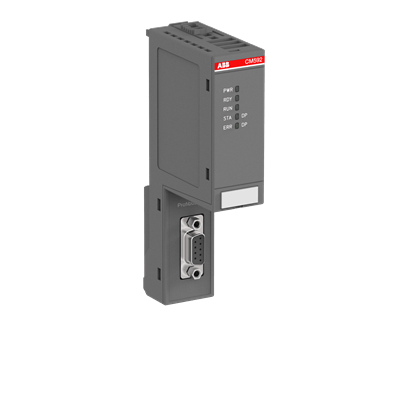 ABB 3ABD00029569 Communication Module CM574-RS $980.00Add to cart
-
ABB 3ABD00038877 Communication Module CM592-DP $1,080.00Add to cart
-
ABB 3ABD00038891 Communication Module CM582-DP $980.00Add to cart
- ABB 3ASC25H705Read more
- ABB 3BSE008510R1 PLC Digital Output Isolated Module DO810 $730.00Add to cart
- ABB 3BSE008514R1 Digital Output Relay Module DO820 $600.00Add to cart
- ABB 3BSE008516R1 Analog Input Output Termination Module AI810 $780.00Add to cart
- ABB 3BSE008544R1 Analog Input Termination Isolated Module AI820 $1,085.00Add to cart
- ABB 3BSE013210R1 Digital Input Isolated Termination Module DI830 $1,080.00Add to cart
- ABB 3BSE013230R1 Compact Termination Module MTU TU810V1 $220.00Add to cart
- ABB 3BSE020514R1 Analog Input Output Module AO801 $750.00Add to cart
- ABB 3BSE022366R1 Communication Interface Digital I/O Module CI801 $898.00Add to cart
- ABB 3BSE028926R1 Incremental Pulse Counter Module DP840 $3,340.00Add to cart
- ABB 3BSE052604R1 PLC Analog Input Module AI815 $1,800.00Add to cart
- ABB 3BUS208728-001Read more
- ABB 3BUS208728-002Read more
- ABB 3BUS208802-001Read more
- ABB 3BUS210755-001Read more
- ABB 3BUS212310-001Read more
- ABB 3BUS212310-002Read more
- ABB 5SHY 3545L0003Read more
- ABB 5STP18F1800Read more
- ABB 6008BZ10000ERead more
- ABB 6009BZ10000KRead more
- ABB 6009BZ10000PRead more
- ABB 6011BZ10001CRead more
- ABB 6026BZ10300GRead more
- ABB 6100BZ10010BRead more
- ABB 6101BZ10010ARead more
- ABB 6204BZ10100DRead more
- ABB 6205BZ10000GRead more
- ABB 6214BZ10120CRead more
- ABB 6214BZ10121GRead more
- ABB 70AA02B-ERead more
- ABB 70AB01C-ESRead more
- ABB 70BA01C-SRead more
- ABB 70BK03B-ESRead more
- ABB 70BT01CRead more
- ABB 70BV01C-ES HESG447260R1 Bus Traffic Director 70BV01CES $2,650.00Add to cart
- ABB 70BV05A-ESRead more
- ABB 81AA03A-ERead more
- ABB 87TS01I-ERead more
- ABB 88VU01B-ERead more
- ABB AF O4LERead more
- ABB AGPS-21CRead more
- ABB AI810Read more
- ABB AI810-EARead more
- ABB AI815Read more
- ABB AI830Read more
- ABB AI830ARead more
- ABB AI830A-EARead more
- ABB AI835Read more
- ABB AI845Read more
- ABB AI880ARead more
- ABB AI895Read more
- ABB AI930SRead more
- ABB AIBP-51Read more
- ABB AINP-01CRead more
- ABB AINT-02CRead more
- ABB AMC-DCRead more
- ABB AO810V2Read more
- ABB AO815Read more
- ABB AO820Read more
- ABB AO820-eARead more
- ABB AO845Read more
- ABB AO845ARead more
- ABB APBU-44C Channel Branching Unit Kit 64669982 APBU44C $3,280.00Add to cart
- ABB ASM810Read more
- ABB AX670Read more
- ABB B4LERead more
- ABB BB174Read more
- ABB BC810Read more
- ABB BC810K01Read more
- ABB C87-11006Read more
- ABB CI501-PNIO 1SAP220600R0001 I/O Bus-Module CI501PNIO $1,380.00Add to cart
- ABB CI522ARead more
- ABB CI546Read more
- ABB CI626V1Read more
- ABB CI627ARead more
- ABB CI801-EARead more
- ABB CI810ARead more
- ABB CI830Read more
- ABB CI840Read more
- ABB CI840ARead more
- ABB CI851K01Read more
- ABB CI853K01Read more
- ABB CI854AK01Read more
- ABB CI854AK01-eARead more
- ABB CI854K01Read more
- ABB CI858K01Read more
- ABB CI867Read more
- ABB CI868K01Read more
- ABB CI920ASRead more
- ABB CMA132Read more
- ABB CP410MRead more
- ABB CP502Read more
- ABB CP555Read more
- ABB CP800Read more
- ABB CPM810Read more
- ABB CPU86-10MHZ+S100MRead more
- ABB CTB811Read more
- ABB DAI 03Read more
- ABB DAI 04Read more
- ABB DAI01Read more
- ABB DAI05Read more
- ABB DAO01Read more
- ABB DAPC100Read more
- ABB DAPI100Read more
- ABB DAPU100Read more
- ABB DATX100Read more
- ABB DATX110Read more
- ABB DATX130Read more
- ABB DCP10Read more
- ABB DDI01Read more
- ABB DDO01Read more
- ABB DI620Read more
- ABB DI801Read more
- ABB DI803Read more
- ABB DI810Read more
- ABB DI810-EARead more
- ABB DI814Read more
- ABB DI820Read more
- ABB DI821Read more
- ABB DI840Read more
- ABB DI880Read more
- ABB DLM02Read more
- ABB DO610Read more
- ABB DO630Read more
- ABB DO801Read more
- ABB DO801-EARead more
- ABB DO802Read more
- ABB DO810-eARead more
- ABB DO821Read more
- ABB DO840Read more
- ABB DO880Read more
- ABB DO890Read more
- ABB DP820Read more
- ABB DRA02Read more
- ABB DSAI110Read more
- ABB DSAI130Read more
- ABB DSAI133Read more
- ABB DSAI133ARead more
- ABB DSAI145Read more
- ABB DSAI146Read more
- ABB DSAI155Read more
- ABB DSAI155ARead more
- ABB DSAO110Read more
- ABB DSAO130Read more
- ABB DSAV110Read more
- ABB DSAX110Read more
- ABB DSAX110ARead more
- ABB DSBB175Read more
- ABB DSBC170Read more
- ABB DSBC172Read more
- ABB DSBC173ARead more
- ABB DSBC175Read more
- ABB DSBC176Read more
- ABB DSCA114Read more
- ABB DSCA190VRead more
- ABB DSCL110ARead more
- ABB DSCS116Read more
- ABB DSCS140Read more
- ABB DSDI110ARead more
- ABB DSDI110AV1Read more
- ABB DSDI115Read more
- ABB DSDI120AV1Read more
- ABB DSDO110Read more
- ABB DSDO115Read more
- ABB DSDO115ARead more
- ABB DSDO131Read more
- ABB DSDP150Read more
- ABB DSDP170Read more
- ABB DSDX180Read more
- ABB DSDX180ARead more
- ABB DSMB-02CRead more
- ABB DSMB144Read more
- ABB DSMB175Read more
- ABB DSMB176Read more
- ABB DSMB178Read more
- ABB DSMB179Read more
- ABB DSMC112Read more
- ABB DSP P4LQRead more
- ABB DSPC155Read more
- ABB DSPC170Read more
- ABB DSPC171Read more
- ABB DSQC601Read more
- ABB DSQC633ARead more
- ABB DSQC658Read more
- ABB DSSB145Read more
- ABB DSSB146Read more
- ABB DSSR122Read more
- ABB DSSR122MRead more
- ABB DSSR170Read more
- ABB DSTA001ARead more
- ABB DSTA001BRead more
- ABB DSTA131Read more
- ABB DSTA133Read more
- ABB DSTA145Read more
- ABB DSTA156Read more
- ABB DSTA156BRead more
- ABB DSTC120Read more
- ABB DSTC121Read more
- ABB DSTC190Read more
- ABB DSTD108Read more
- ABB DSTD110ARead more
- ABB DSTD150ARead more
- ABB DSTD306Read more
- ABB DSTDW130Read more
- ABB DSTDW150Read more
- ABB DSTF620Read more
- ABB DSTX170Read more
- ABB DSTXW110Read more
- ABB DSXS001Read more
- ABB DT 370ARead more
- ABB EAE ANK31Read more
- ABB ED 1803BRead more
- ABB ED 1817Read more
- ABB ED 1822ARead more
- ABB EI803FRead more
- ABB EI813FRead more
- ABB FAU810Read more
- ABB FDIV-8CHRead more
- ABB FEN-11Read more
- ABB FEN-21Read more
- ABB FEN-31Read more
- ABB FI810FRead more
- ABB FI830FRead more
- ABB G1LARead more
- ABB G1LBRead more
- ABB G3LARead more
- ABB G3LCRead more
- ABB G3LHRead more
- ABB G3LRRead more
- ABB HC800Read more
- ABB HIER466587R0200Read more
- ABB HIER466587R0250Read more
- ABB HS840Read more
- ABB ICSE08B5Read more
- ABB ICSK20F1Read more
- ABB IEMMU01Read more
- ABB IEMMU21Read more
- ABB IOD86-TRRead more
- ABB IOD86+MEMRead more
- ABB KUC711AE101Read more
- ABB LD MUI-01Read more
- ABB LD SYN-101Read more
- ABB MB510Read more
- ABB MFS3N-230VRead more
- ABB MPM810Read more
- ABB MPRC086444-005Read more
- ABB NAIO-02Read more
- ABB NAMC-03CRead more
- ABB NAMC-51CRead more
- ABB NCAN-02CRead more
- ABB NCHM-21Read more
- ABB NCSA-01Read more
- ABB NDBU-95Read more
- ABB NDBU-95C 3AFE64008366 DDCS Branching Unit NDBU95C $1,840.00Add to cart
- ABB NDCU-51Read more
- ABB NDCU-51CRead more
- ABB NDPA-02Read more
- ABB NGPS-13CRead more
- ABB NMBA-01Read more
- ABB NMTU-21CRead more
- ABB NPCT-01Read more
- ABB NPCT-01CRead more
- ABB NTAI02Read more
- ABB NTAI03Read more
- ABB NTAI06Read more
- ABB NTAM01Read more
- ABB NTCS04Read more
- ABB NTDI01Read more
- ABB NTMF01Read more
- ABB NTMP01Read more
- ABB NTRO02-ARead more
- ABB P-HA-RPS-PEP21013Read more
- ABB P-HB-IOR-8000N200Read more
- ABB P4LSRead more
- ABB P7LCRead more
- ABB PDD163A02 3BHE013854R0002Read more
- ABB PDP800Read more
- ABB PFBI161Read more
- ABB PFBK164Read more
- ABB PFBK165Read more
- ABB PFEA111-20Read more
- ABB PFEA111-65Read more
- ABB PFSK102Read more
- ABB PFVI 401Read more
- ABB PFVK104Read more
- ABB PFXA 401Read more
- ABB PHARPS32010000Read more
- ABB PHARPS32200000Read more
- ABB PHARPSCH100000Read more
- ABB PHARPSFAN03000Read more
- ABB PL810Read more
- ABB PM151Read more
- ABB PM152Read more
- ABB PM153Read more
- ABB PM154Read more
- ABB PM510V16Read more
- ABB PM511V08Read more
- ABB PM590-ETHRead more
- ABB PM632Read more
- ABB PM633Read more
- ABB PM802FRead more
- ABB PM803FRead more
- ABB PM825Read more
- ABB PM851K01Read more
- ABB PM856K01Read more
- ABB PM858K01Read more
- ABB PM860K01Read more
- ABB PM861AK01Read more
- ABB PM861AK02Read more
- ABB PM864AK01Read more
- ABB PM865K01Read more
- ABB PM866AK01Read more
- ABB PM866K01Read more
- ABB PM866K02Read more
- ABB PSM0004Read more
- ABB PSM0904Read more
- ABB PU515ARead more
- ABB PU516Read more
- ABB PXAH 401Read more
- ABB QHFT200FRead more
- ABB QHFT201Read more
- ABB QHMV306Read more
- ABB QT715A-ERead more
- ABB R100.30-ZSRead more
- ABB RAPI-01CRead more
- ABB RB520Read more
- ABB RDCU-12CRead more
- ABB REP3BSE008522R1 Analog Output Module AO810 $1,480.00Add to cart
- ABB RF615Read more
- ABB RFO800Read more
- ABB RLDA103Read more
- ABB RLM01Read more
- ABB RMBA-01Read more
- ABB RTAC-01Read more
- ABB SA610Read more
- ABB SA801FRead more
- ABB SA811FRead more
- ABB SAFT 110 POWRead more
- ABB SAFT 125 CHCRead more
- ABB SAFT 136 CTSRead more
- ABB SAFT 138 CHSRead more
- ABB SAFT 160F 380Read more
- ABB SAFT 169 PACRead more
- ABB SAFT 170 PACRead more
- ABB SAFT 171 PACRead more
- ABB SAFT 181 INFRead more
- ABB SAFT 185 TBCRead more
- ABB SAFT 187 CONRead more
- ABB SAFT 189 TSIRead more
- ABB SAFT 190 APCRead more
- ABB SAFT 192 POWRead more
- ABB SAMC 11 POWRead more
- ABB SAMC 19 INFRead more
- ABB SB171Read more
- ABB SB822Read more
- ABB SC510Read more
- ABB SC560Read more
- ABB SD802FRead more
- ABB SD812FRead more
- ABB SD822Read more
- ABB SD822ZRead more
- ABB SD823Read more
- ABB SD834Read more
- ABB SDCS-AMC-DC-2Read more
- ABB SDCS-COM-1Read more
- ABB SDCS-CON-1Read more
- ABB SDCS-CON-2Read more
- ABB SDCS-CON-4Read more
- ABB SDCS-IOB-23Read more
- ABB SDCS-IOE-1Read more
- ABB SDCS-IOE-2Read more
- ABB SDCS-IOE-2CRead more
- ABB SDCS-PIN-41ARead more
- ABB SDCS-PIN-48-SDRead more
- ABB SDCS-REB-1Read more
- ABB SIM810Read more
- ABB SM811K01Read more
- ABB SNAT7640Read more
- ABB SPBLK01Read more
- ABB SPGU240A1Read more
- ABB SPHSS03Read more
- ABB SPHSS13Read more
- ABB SPSED01Read more

Leave a Reply