

Understanding a step-by-step troubleshooting guide covering hardware failures, communication errors, power issues, I/O faults, firmware updates, preventive maintenance, and diagnostics.
How do I troubleshoot communication problems with an ABB PLC?, What is the most common cause of ABB PLC failures?
 Explore Automation Solutions
Shop Process Control Equipment
Explore Automation Solutions
Shop Process Control Equipment
ABB PLC Troubleshooting Guide: Common Faults, Diagnostics & Maintenance Tips
ABB PLC Troubleshooting Guide: Common Faults, Diagnostics & Maintenance Tips
Industrial automation systems are only as reliable as the controllers at their core. In thousands of manufacturing plants, processing facilities, and utility operations around the world, ABB Programmable Logic Controllers (PLCs) provide the intelligence that keeps production running efficiently. From controlling conveyor systems and robotic cells to managing pumps, compressors, and process equipment, ABB PLCs are designed for exceptional reliability. However, like any industrial control system, they can occasionally experience faults caused by hardware failures, communication issues, electrical disturbances, programming errors, or environmental conditions.
When an unexpected PLC fault occurs, production downtime can escalate quickly. Every minute of unplanned downtime may translate into lost productivity, increased maintenance costs, delayed customer deliveries, and unnecessary stress for operations teams. Fortunately, many PLC-related problems can be identified and resolved systematically using the built-in diagnostic capabilities of ABB controllers combined with sound troubleshooting practices.
This comprehensive guide explains the most common ABB PLC faults, how to diagnose them efficiently, and the preventive maintenance strategies that help maximize controller reliability. Whether you are a maintenance technician, controls engineer, system integrator, or plant manager, these best practices can help reduce downtime and extend the service life of your automation equipment.
Understanding ABB PLC Systems
ABB PLCs are industrial computers specifically designed to automate machinery and industrial processes under demanding operating conditions. Unlike conventional computers, PLCs are engineered to withstand vibration, electrical noise, temperature fluctuations, and continuous operation.
ABB’s PLC portfolio includes several controller families designed for different applications, including compact machine automation, distributed control, and large-scale industrial systems. Popular product families include:
ABB AC500 PLC
ABB AC500-eCo PLC
ABB AC500-XC Extreme Condition PLC
ABB AC500 Safety PLC
Each controller typically consists of several integrated components:
Central Processing Unit (CPU)
Power Supply Module
Digital Input Modules
Digital Output Modules
Analog I/O Modules
Communication Modules
Expansion Modules
These devices communicate through industrial networks while continuously monitoring sensors and controlling actuators throughout the production process.
Why ABB PLC Faults Occur
Although ABB PLCs are extremely dependable, failures rarely happen without a reason. In most cases, the PLC itself is functioning correctly while external factors create abnormal operating conditions.
The most common causes include:
Power supply instability
Damaged field wiring
Loose terminal connections
Network communication failures
I/O module faults
Software programming errors
Electromagnetic interference (EMI)
Overheating
Moisture or contamination inside control cabinets
Aging electronic components
Understanding these root causes is the first step toward solving problems efficiently rather than simply replacing components.
Common ABB PLC Faults
CPU Faults
The CPU is the brain of the PLC. If it stops functioning correctly, the entire control system may halt.
Common CPU fault symptoms include:
CPU Fault LED illuminated
PLC remains in STOP mode
Unexpected controller reboot
Watchdog timer faults
Memory errors
Possible causes include:
Corrupted application program
Firmware incompatibility
Internal processor failure
Power interruption during programming
Excessive scan time
Diagnostic Tips
Begin by examining the controller’s LED indicators. ABB CPUs display valuable status information through RUN, STOP, ERROR, and COMM LEDs.
Next:
Connect to the PLC using ABB Automation Builder.
Review diagnostic messages.
Check the event log.
Verify firmware compatibility.
Compare the running project with the backup program.
If memory corruption is suspected, restore the validated project from backup before replacing the controller.
Power Supply Problems
Many PLC problems originate from unstable or inadequate power rather than controller failure.
Symptoms include:
Random PLC resets
Intermittent communication
Controller shutdown
Input/output modules dropping offline
Common causes include:
Low input voltage
Failed power supply module
Loose wiring
Voltage spikes
Overloaded power supply
Troubleshooting Procedure
Use a calibrated multimeter to verify:
Input voltage
Output voltage
Ground continuity
Inspect power terminals for loose connections and signs of overheating.
Also verify that the power supply has sufficient capacity for all connected expansion modules.
Input Module Faults
Input modules receive signals from field devices such as:
Limit switches
Push buttons
Pressure switches
Photoelectric sensors
Proximity sensors
Typical symptoms include:
Missing input signals
Constant ON/OFF status
False triggering
Multiple failed channels
Common Causes
Input problems often result from:
Broken sensor wiring
Failed sensors
Incorrect wiring
Short circuits
Damaged input cards
Diagnostic Steps
Use the PLC diagnostics to monitor individual input channels.
Then:
Verify sensor power.
Check cable continuity.
Measure input voltage.
Test sensors individually.
Many technicians replace PLC cards prematurely when the actual problem lies with a faulty field sensor.
Output Module Failures
Output modules control field equipment including:
Contactors
Solenoid valves
Motor starters
Relays
Indicator lamps
Symptoms include:
Outputs not energizing
Outputs permanently energized
Partial channel failures
Root Causes
Possible causes include:
Burned relay contacts
Overloaded outputs
Short circuits
Wiring damage
Failed actuators
Before replacing an output module, disconnect the field load and verify whether the output responds correctly.
Communication Faults
Modern ABB PLC systems rely heavily on industrial communication networks.
Communication failures often affect:
Remote I/O
HMIs
Variable frequency drives
SCADA systems
Industrial Ethernet devices
Symptoms include:
Communication timeout
Lost connection
Network unavailable
Offline devices
Common causes include:
Damaged Ethernet cable
Incorrect IP address
Duplicate IP addresses
Failed communication module
Switch failure
Network congestion
Network Diagnostics
Always begin by checking physical connections.
Then verify:
Link LEDs
Network configuration
IP addressing
Communication protocols
Device status
ABB diagnostic software provides detailed communication statistics that help identify unstable network segments.
Program Logic Errors
Not every PLC fault is caused by hardware. Programming mistakes frequently produce unexpected machine behavior.
Examples include:
Incorrect timers
Wrong interlocks
Duplicate outputs
Incorrect scaling
Invalid arithmetic
Infinite loops
Best Practices
Whenever production problems occur:
Compare the current PLC program with the approved version.
Review recent program modifications.
Test changes offline whenever possible.
Maintain version-controlled backups.
Analog Signal Problems
Analog inputs and outputs require greater precision than digital signals.
Common issues include:
Incorrect sensor readings
Unstable values
Noise
Calibration drift
Potential causes:
Shield grounding issues
Electrical interference
Incorrect scaling
Faulty transmitters
Damaged analog cards
Calibration should always be verified before replacing expensive hardware.
Environmental Issues
Environmental conditions significantly affect PLC reliability.
Potential hazards include:
High temperatures
Excess humidity
Condensation
Dust accumulation
Oil contamination
Corrosive gases
ABB recommends maintaining appropriate cabinet temperatures, clean ventilation filters, and adequate airflow around PLC components. Installing surge protection and environmental monitoring devices can greatly improve long-term reliability.
Using ABB Diagnostic Tools
ABB provides several diagnostic capabilities that simplify troubleshooting.
Useful tools include:
Automation Builder Diagnostics
CPU Event Logs
Module Status Monitoring
Communication Diagnostics
Online Variable Monitoring
Watch Tables
System Logs
Rather than relying on trial and error, these tools allow technicians to pinpoint faults quickly and accurately.
Preventive Maintenance Best Practices
Reactive maintenance is expensive. Preventive maintenance helps avoid unexpected failures before they occur. Recommended maintenance schedule includes:
Daily
Check PLC status LEDs
Verify communication health
Review active alarms
Weekly
Inspect cabinet cooling
Check power supply voltages
Review communication logs
Monthly
Tighten terminal connections
Inspect field wiring
Clean cabinet filters
Verify grounding
Quarterly
Backup PLC programs
Update documentation
Inspect Ethernet switches
Test UPS systems
Annually
Perform thermal inspection
Replace worn cooling fans
Verify firmware versions
Test battery condition (where applicable)
Calibrate analog devices
Consistent maintenance significantly reduces emergency repairs and extends equipment life.
Best Practices for Faster ABB PLC Troubleshooting
Experienced automation engineers follow a structured troubleshooting methodology rather than guessing.
An effective workflow includes:
Clearly define the fault.
Review PLC alarms and diagnostics.
Verify power quality.
Inspect wiring and field devices.
Check communication networks.
Review recent software changes.
Test individual components systematically.
Confirm normal operation before returning the system to production.
This disciplined approach minimizes downtime and reduces unnecessary replacement of functioning components.
Related Articles:
- Programmable Logic Controllers (PLCs)
- ABB AC500 PLC
- ABB PLC Programming
- ABB PLC Software
- ABB PLC Communication Protocols
- ABB PLC Applications
- ABB PLC vs Siemens PLC
- ABB PLC Troubleshooting
- ABB PLC I/O Modules
- Buy ABB PLC
Frequently Asked Questions
Why is my ABB PLC showing a CPU fault?
A CPU fault may result from firmware incompatibility, corrupted application memory, watchdog timer errors, hardware failure, or power interruptions. Reviewing the controller’s diagnostic logs is the best starting point before considering hardware replacement.
How do I troubleshoot communication problems with an ABB PLC?
Begin by checking physical Ethernet or fieldbus connections, verify network settings such as IP addresses, inspect communication module status LEDs, and review diagnostic information within ABB Automation Builder. Many communication issues are caused by incorrect configuration rather than defective hardware.
What is the most common cause of ABB PLC failures?
External factors such as unstable power supplies, faulty field wiring, sensor failures, electrical noise, overheating, and communication problems are more common than failures of the PLC itself.
How often should ABB PLCs be maintained?
Basic visual inspections should be performed daily, while electrical checks and cabinet cleaning should occur monthly. Comprehensive preventive maintenance—including firmware verification, thermal inspection, and backup validation—is generally recommended at least once a year.
Can electrical interference affect ABB PLC performance?
Yes. Electromagnetic interference (EMI) from variable frequency drives, large motors, welding equipment, or improperly grounded cables can cause communication errors, unstable analog signals, and intermittent controller behavior. Proper shielding, grounding, and cable routing help minimize these issues.
Should I replace the PLC immediately when a fault occurs?
Not necessarily. Many PLC faults originate from external devices such as sensors, actuators, wiring, power supplies, or communication networks. A systematic diagnostic process should always be completed before replacing the controller.
ABB PLCs have earned a reputation for reliability in some of the world’s most demanding industrial environments. Even so, no automation system is immune to faults. The key to minimizing downtime is not simply reacting to alarms but understanding the underlying causes and following a structured troubleshooting methodology.
By combining built-in ABB diagnostic tools with disciplined maintenance practices, technicians can identify problems more quickly, avoid unnecessary component replacement, and restore production with greater confidence. Preventive maintenance—including routine inspections, firmware management, wiring verification, and regular backups—further reduces the likelihood of unexpected failures and extends the operational life of your control system.
Whether you operate a single machine or manage a complex manufacturing facility, investing time in proper ABB PLC troubleshooting and maintenance will improve system reliability, enhance productivity, and support long-term operational success.
Check Our Comprehensive Automation Brands Get Latest Industrial Automation NewsYour One-Stop Source for Reliable ABB PLCs Industrial Automation & Process Control Equipment
Access trusted ABB PLCs process control equipment, expert support, and fast sourcing—all in one place.
- ABB EXC3BSE020512R1 Analog Input Output Module AI801 $880.00Add to cart
- ABB 07AB61R1Read more
- ABB 07AC91 Analog Input Output Module ID: GJR5252300R0101 $8,650.00Add to cart
- ABB 07AI91Read more
- ABB 07BE60R1Read more
- ABB 07BT62R1Read more
- ABB 07DC92Read more
- ABB 07DI92Read more
- ABB 07EB61Read more
- ABB 07EB61R1Read more
- ABB 07KR91Read more
- ABB 07KT93Read more
- ABB 07KT94Read more
- ABB 07KT97Read more
- ABB 07KT98Read more
- ABB 07MK92Read more
- ABB 07NG61R2Read more
- ABB 07PS61R2Read more
- ABB 07ZE60Read more
- ABB 086318-001Read more
- ABB 086318-002Read more
- ABB 086329-003Read more
- ABB 086329-004Read more
- ABB 086339-001Read more
- ABB 086348-001Read more
- ABB 086362-001Read more
- ABB 086364-001Read more
- ABB 086366-004Read more
- ABB 086369-001Read more
- ABB 086370-001Read more
- ABB 086387-001Read more
- ABB 086406-002Read more
- ABB 086444-004Read more
- ABB 087629-001Read more
- ABB 1SAP111100R0270 ETHERNET Terminal Base Unit TB511-ETH $880.00Add to cart
- ABB 1SAP112100R0270 ETHERNET Terminal Base TB521-ETH: AC500 $698.00Add to cart
- ABB 1SAP114100R0270 ETHERNET Terminal Base TB541-ETH: AC500 $698.00Add to cart
- ABB 1SAP116300R0278 ETHERNET Terminal Base TB5660-2ETH $4,880.00Add to cart
- ABB 1SAP120600R0001 PLC Digital Analog Module PM554-TP $580.00Add to cart
- ABB 1SAP120700R0001 PLC Digital Analog I/O Module PM554-RP $580.00Add to cart
- ABB 1SAP120800R0001 PLC Digital Analog Module PM554-RP-AC $1,180.00Add to cart
- ABB 1SAP120900R0001 PLC Digital Analog Module PM564-TP: AC500 $986.00Add to cart
- ABB 1SAP120900R0071 PLC Module PM564-TP-ETH: AC500 $780.00Add to cart
- ABB 1SAP121000R0001 PLC Digital Analog I/O Module PM564-RP $580.00Add to cart
- ABB 1SAP121100R0001 PLC Analog I/O Module PM564-RP-AC: AC500 $580.00Add to cart
- ABB 1SAP121100R0071 PLC Digital Module PM564-RP-ETH-AC: AC500 $598.00Add to cart
- ABB 1SAP121200R0071 PLC Digital Analog Module PM556-TP-ETH $880.00Add to cart
- ABB 1SAP130200R0200 PLC SD-Card Slot LCD Display Module PM572 $780.00Add to cart
- ABB 1SAP130300R0271 PLC ETHERNET Module PM573-ETH: AC500 $2,180.00Add to cart
- ABB 1SAP140200R0201 PLC SD-Card Slot LCD Display Module PM582 $1,880.00Add to cart
- ABB 1SAP150100R0271 PLC ETHERNET Module PM591-ETH $4,800.00Add to cart
- ABB 1SAP170902R0101 Communication Module CM579-ETHCAT $1,300.00Add to cart
- ABB 1SAP172800R0001 Communication CANopen Module CM588-CN $753.00Add to cart
- ABB 1SAP181400R0001 Real Time Clock Option Board TA561-RTC $140.00Add to cart
- ABB 1SAP181500R0001 RTC+RS485 Adapter Option Board TA562-RS-RTC $140.00Add to cart
- ABB 1SAP186100R0001 RS485 Isolator D-Sub/5 Pole Terminal TK506 $360.00Add to cart
- ABB 1SAP210800R0001 Bus-Terminal Interface Unit TU510-DP: S500 $380.00Add to cart
- ABB 1SAP211200R0001 Bus-Terminal Fieldbus I/O Unit TU518-CNDN $480.00Add to cart
- ABB 1SAP212000R0001 TU516 I/O Terminal Unit S500 I/O Modules $260.00Add to cart
- ABB 1SAP214400R0001 Bus-Terminal Unit TU520-ETH: S500 $530.00Add to cart
- ABB 1SAP220700R0001 PROFINET Bus-Module CI502-PNIO: S500 $1,080.00Add to cart
- ABB 1SAP221300R0001 Bus-Module CI504-PNIO $992.00Add to cart
- ABB 1SAP221500R0001 Bus-Module CI506-PNIO $1,370.00Add to cart
- ABB 1SAP224100R0001 PROFIBUS-DP Bus-Module CI541-DP $1,350.00Add to cart
- ABB 1SAP224200R0001 Bus-Module CI542-DP $630.00Add to cart
- ABB 1SAP228100R0001 CANopen Bus-Module CI581-CN: S500 $1,046.00Add to cart
- ABB 1SAP228200R0001 PLC CANopen Bus-Module CI582-CN: S500 $840.00Add to cart
- ABB 1SAP230900R0000 Digital I/O Transistor Module DO562 $1,640.00Add to cart
- ABB 1SAP231300R0000 Digital Output Module DO573 $390.00Add to cart
- ABB 1SAP231900R0000 Digital Input Output Module DC562: S500 $320.00Add to cart
- ABB 1SAP233100R0001 Pulse Train Output Module FM562: S500 $498.00Add to cart
- ABB 1SAP240000R0001 Digital Input Module DI524 $580.00Add to cart
- ABB 1SAP240100R0001 PLC Digital Input Output Module DC532: S500 $680.00Add to cart
- ABB 1SAP240500R0001 Digital Input Output Module DC523 $898.00Add to cart
- ABB 1SAP240600R0001 Digital Input Output Module DC522: S500 $970.00Add to cart
- ABB 1SAP245200R0001 Digital Input Output Module DX522 $1,080.00Add to cart
- ABB 1SAP250000R0001 Analog Input Output Module AX522 $1,450.00Add to cart
- ABB 1SAP250100R0001 PLC Analog Input Output Module AX521 $1,098.00Add to cart
- ABB 1SAP250200R0001 Analog Input Output Module AO523 $980.00Add to cart
- ABB 1SAP250300R0001 Analog Input RTD Module 16AI AI523 $890.00Add to cart
- ABB 1SAP250600R0001 Analog Input RTD 8AI Module AI531 $1,098.00Add to cart
- ABB 1TNE968900R0110 PLC Digital Analog Module PM554-TP-ETH $660.00Add to cart
- ABB 1TNE968900R1210 PLC Fixed Terminals Module PM564-R: AC500 $896.00Add to cart
- ABB 1TNE968900R1211 PLC Digital Analog Module PM564-R-ETH-AC $580.00Add to cart
-
 ABB 1TNE968900R1220 PLC Integrated I/O Module PM564-R-AC $380.00Add to cart
- ABB 1TNE968901R1100 Programmable Cable 3M Long TK503 $295.00Add to cart
- ABB 1TNE968901R2100 Programmable Cable TK504 $220.00Add to cart
- ABB 1TNE968901R3101 Terminal Block TA563-9 $12.00Add to cart
- ABB 1TNE968901R3102 Terminal Block TA563-11 $16.00Add to cart
- ABB 1TNE968901R3103 Terminal Block TA564-9 $12.00Add to cart
- ABB 1TNE968901R3104 Terminal Block TA564-11 $12.00Add to cart
- ABB 1TNE968901R3105 Terminal Block TA565-9 $56.00Add to cart
- ABB 1TNE968901R3106 Terminal Block TA565-11/L444711: S500 $12.00Add to cart
- ABB 1TNE968901R3107 Wall Mounting Accessory TA566: AC500 $298.00Add to cart
- ABB 1TNE968901R3203 Option Set Terminal Power Block TA570 $260.00Add to cart
- ABB 1TNE968901R4300 RS485 Serial Adapter Option Board TA562-RS $140.00Add to cart
- ABB 1TNE968902R1101 Analog Input Module AI561 $480.00Add to cart
- ABB 1TNE968902R1102 Analog Input Module AI562 $295.00Add to cart
- ABB 1TNE968902R1103 Analog Input Output Module AI563 $598.00Add to cart
- ABB 1TNE968902R1301 Analog I/O Module AX561 $680.00Add to cart
- ABB 1TNE968902R2001 PLC Digital I/O Module DC561: S500 $380.00Add to cart
- ABB 1TNE968902R2101 Digital Input Module DI561 $115.00Add to cart
- ABB 1TNE968902R2102 Digital Input Module DI562 $245.00Add to cart
- ABB 1TNE968902R2103 Digital Input Module DI571 $298.00Add to cart
- ABB 1TNE968902R2201 Digital Output Module DO561 $290.00Add to cart
- ABB 1TNE968902R2202 Digital Output Relay Module DO571: S500 $398.00Add to cart
- ABB 1TNE968902R2203 Digital Output Module DO572: S500 $230.00Add to cart
- ABB 1TNE968902R2301 Digital Input Output Module DX561 $298.00Add to cart
- ABB 1TNE968902R2302 Digital I/O Module DX571 $240.00Add to cart
- ABB 1TNE968903R0203 Terminal Block TA571-SIM $102.63Add to cart
- ABB 23BA20Read more
- ABB 23BA22Read more
- ABB 23NG23Read more
-
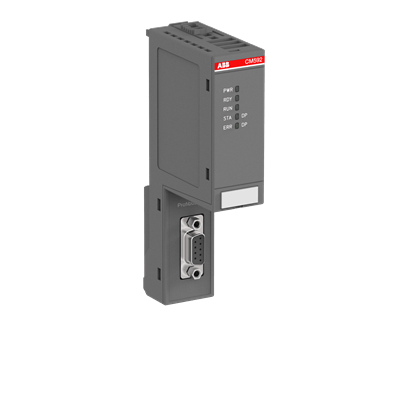 ABB 3ABD00029569 Communication Module CM574-RS $980.00Add to cart
-
ABB 3ABD00038877 Communication Module CM592-DP $1,080.00Add to cart
-
ABB 3ABD00038891 Communication Module CM582-DP $980.00Add to cart
- ABB 3ASC25H705Read more
- ABB 3BSE008510R1 PLC Digital Output Isolated Module DO810 $730.00Add to cart
- ABB 3BSE008514R1 Digital Output Relay Module DO820 $600.00Add to cart
- ABB 3BSE008516R1 Analog Input Output Termination Module AI810 $780.00Add to cart
- ABB 3BSE008544R1 Analog Input Termination Isolated Module AI820 $1,085.00Add to cart
- ABB 3BSE013210R1 Digital Input Isolated Termination Module DI830 $1,080.00Add to cart
- ABB 3BSE013230R1 Compact Termination Module MTU TU810V1 $220.00Add to cart
- ABB 3BSE020514R1 Analog Input Output Module AO801 $750.00Add to cart
- ABB 3BSE022366R1 Communication Interface Digital I/O Module CI801 $898.00Add to cart
- ABB 3BSE028926R1 Incremental Pulse Counter Module DP840 $3,340.00Add to cart
- ABB 3BSE052604R1 PLC Analog Input Module AI815 $1,800.00Add to cart
- ABB 3BUS208728-001Read more
- ABB 3BUS208728-002Read more
- ABB 3BUS208802-001Read more
- ABB 3BUS210755-001Read more
- ABB 3BUS212310-001Read more
- ABB 3BUS212310-002Read more
- ABB 5SHY 3545L0003Read more
- ABB 5STP18F1800Read more
- ABB 6008BZ10000ERead more
- ABB 6009BZ10000KRead more
- ABB 6009BZ10000PRead more
- ABB 6011BZ10001CRead more
- ABB 6026BZ10300GRead more
- ABB 6100BZ10010BRead more
- ABB 6101BZ10010ARead more
- ABB 6204BZ10100DRead more
- ABB 6205BZ10000GRead more
- ABB 6214BZ10120CRead more
- ABB 6214BZ10121GRead more
- ABB 70AA02B-ERead more
- ABB 70AB01C-ESRead more
- ABB 70BA01C-SRead more
- ABB 70BK03B-ESRead more
- ABB 70BT01CRead more
- ABB 70BV01C-ES HESG447260R1 Bus Traffic Director 70BV01CES $2,650.00Add to cart
- ABB 70BV05A-ESRead more
- ABB 81AA03A-ERead more
- ABB 87TS01I-ERead more
- ABB 88VU01B-ERead more
- ABB AF O4LERead more
- ABB AGPS-21CRead more
- ABB AI810Read more
- ABB AI810-EARead more
- ABB AI815Read more
- ABB AI830Read more
- ABB AI830ARead more
- ABB AI830A-EARead more
- ABB AI835Read more
- ABB AI845Read more
- ABB AI880ARead more
- ABB AI895Read more
- ABB AI930SRead more
- ABB AIBP-51Read more
- ABB AINP-01CRead more
- ABB AINT-02CRead more
- ABB AMC-DCRead more
- ABB AO810V2Read more
- ABB AO815Read more
- ABB AO820Read more
- ABB AO820-eARead more
- ABB AO845Read more
- ABB AO845ARead more
- ABB APBU-44C Channel Branching Unit Kit 64669982 APBU44C $3,280.00Add to cart
- ABB ASM810Read more
- ABB AX670Read more
- ABB B4LERead more
- ABB BB174Read more
- ABB BC810Read more
- ABB BC810K01Read more
- ABB C87-11006Read more
- ABB CI501-PNIO 1SAP220600R0001 I/O Bus-Module CI501PNIO $1,380.00Add to cart
- ABB CI522ARead more
- ABB CI546Read more
- ABB CI626V1Read more
- ABB CI627ARead more
- ABB CI801-EARead more
- ABB CI810ARead more
- ABB CI830Read more
- ABB CI840Read more
- ABB CI840ARead more
- ABB CI851K01Read more
- ABB CI853K01Read more
- ABB CI854AK01Read more
- ABB CI854AK01-eARead more
- ABB CI854K01Read more
- ABB CI858K01Read more
- ABB CI867Read more
- ABB CI868K01Read more
- ABB CI920ASRead more
- ABB CMA132Read more
- ABB CP410MRead more
- ABB CP502Read more
- ABB CP555Read more
- ABB CP800Read more
- ABB CPM810Read more
- ABB CPU86-10MHZ+S100MRead more
- ABB CTB811Read more
- ABB DAI 03Read more
- ABB DAI 04Read more
- ABB DAI01Read more
- ABB DAI05Read more
- ABB DAO01Read more
- ABB DAPC100Read more
- ABB DAPI100Read more
- ABB DAPU100Read more
- ABB DATX100Read more
- ABB DATX110Read more
- ABB DATX130Read more
- ABB DCP10Read more
- ABB DDI01Read more
- ABB DDO01Read more
- ABB DI620Read more
- ABB DI801Read more
- ABB DI803Read more
- ABB DI810Read more
- ABB DI810-EARead more
- ABB DI814Read more
- ABB DI820Read more
- ABB DI821Read more
- ABB DI840Read more
- ABB DI880Read more
- ABB DLM02Read more
- ABB DO610Read more
- ABB DO630Read more
- ABB DO801Read more
- ABB DO801-EARead more
- ABB DO802Read more
- ABB DO810-eARead more
- ABB DO821Read more
- ABB DO840Read more
- ABB DO880Read more
- ABB DO890Read more
- ABB DP820Read more
- ABB DRA02Read more
- ABB DSAI110Read more
- ABB DSAI130Read more
- ABB DSAI133Read more
- ABB DSAI133ARead more
- ABB DSAI145Read more
- ABB DSAI146Read more
- ABB DSAI155Read more
- ABB DSAI155ARead more
- ABB DSAO110Read more
- ABB DSAO130Read more
- ABB DSAV110Read more
- ABB DSAX110Read more
- ABB DSAX110ARead more
- ABB DSBB175Read more
- ABB DSBC170Read more
- ABB DSBC172Read more
- ABB DSBC173ARead more
- ABB DSBC175Read more
- ABB DSBC176Read more
- ABB DSCA114Read more
- ABB DSCA190VRead more
- ABB DSCL110ARead more
- ABB DSCS116Read more
- ABB DSCS140Read more
- ABB DSDI110ARead more
- ABB DSDI110AV1Read more
- ABB DSDI115Read more
- ABB DSDI120AV1Read more
- ABB DSDO110Read more
- ABB DSDO115Read more
- ABB DSDO115ARead more
- ABB DSDO131Read more
- ABB DSDP150Read more
- ABB DSDP170Read more
- ABB DSDX180Read more
- ABB DSDX180ARead more
- ABB DSMB-02CRead more
- ABB DSMB144Read more
- ABB DSMB175Read more
- ABB DSMB176Read more
- ABB DSMB178Read more
- ABB DSMB179Read more
- ABB DSMC112Read more
- ABB DSP P4LQRead more
- ABB DSPC155Read more
- ABB DSPC170Read more
- ABB DSPC171Read more
- ABB DSQC601Read more
- ABB DSQC633ARead more
- ABB DSQC658Read more
- ABB DSSB145Read more
- ABB DSSB146Read more
- ABB DSSR122Read more
- ABB DSSR122MRead more
- ABB DSSR170Read more
- ABB DSTA001ARead more
- ABB DSTA001BRead more
- ABB DSTA131Read more
- ABB DSTA133Read more
- ABB DSTA145Read more
- ABB DSTA156Read more
- ABB DSTA156BRead more
- ABB DSTC120Read more
- ABB DSTC121Read more
- ABB DSTC190Read more
- ABB DSTD108Read more
- ABB DSTD110ARead more
- ABB DSTD150ARead more
- ABB DSTD306Read more
- ABB DSTDW130Read more
- ABB DSTDW150Read more
- ABB DSTF620Read more
- ABB DSTX170Read more
- ABB DSTXW110Read more
- ABB DSXS001Read more
- ABB DT 370ARead more
- ABB EAE ANK31Read more
- ABB ED 1803BRead more
- ABB ED 1817Read more
- ABB ED 1822ARead more
- ABB EI803FRead more
- ABB EI813FRead more
- ABB FAU810Read more
- ABB FDIV-8CHRead more
- ABB FEN-11Read more
- ABB FEN-21Read more
- ABB FEN-31Read more
- ABB FI810FRead more
- ABB FI830FRead more
- ABB G1LARead more
- ABB G1LBRead more
- ABB G3LARead more
- ABB G3LCRead more
- ABB G3LHRead more
- ABB G3LRRead more
- ABB HC800Read more
- ABB HIER466587R0200Read more
- ABB HIER466587R0250Read more
- ABB HS840Read more
- ABB ICSE08B5Read more
- ABB ICSK20F1Read more
- ABB IEMMU01Read more
- ABB IEMMU21Read more
- ABB IOD86-TRRead more
- ABB IOD86+MEMRead more
- ABB KUC711AE101Read more
- ABB LD MUI-01Read more
- ABB LD SYN-101Read more
- ABB MB510Read more
- ABB MFS3N-230VRead more
- ABB MPM810Read more
- ABB MPRC086444-005Read more
- ABB NAIO-02Read more
- ABB NAMC-03CRead more
- ABB NAMC-51CRead more
- ABB NCAN-02CRead more
- ABB NCHM-21Read more
- ABB NCSA-01Read more
- ABB NDBU-95Read more
- ABB NDBU-95C 3AFE64008366 DDCS Branching Unit NDBU95C $1,840.00Add to cart
- ABB NDCU-51Read more
- ABB NDCU-51CRead more
- ABB NDPA-02Read more
- ABB NGPS-13CRead more
- ABB NMBA-01Read more
- ABB NMTU-21CRead more
- ABB NPCT-01Read more
- ABB NPCT-01CRead more
- ABB NTAI02Read more
- ABB NTAI03Read more
- ABB NTAI06Read more
- ABB NTAM01Read more
- ABB NTCS04Read more
- ABB NTDI01Read more
- ABB NTMF01Read more
- ABB NTMP01Read more
- ABB NTRO02-ARead more
- ABB P-HA-RPS-PEP21013Read more
- ABB P-HB-IOR-8000N200Read more
- ABB P4LSRead more
- ABB P7LCRead more
- ABB PDD163A02 3BHE013854R0002Read more
- ABB PDP800Read more
- ABB PFBI161Read more
- ABB PFBK164Read more
- ABB PFBK165Read more
- ABB PFEA111-20Read more
- ABB PFEA111-65Read more
- ABB PFSK102Read more
- ABB PFVI 401Read more
- ABB PFVK104Read more
- ABB PFXA 401Read more
- ABB PHARPS32010000Read more
- ABB PHARPS32200000Read more
- ABB PHARPSCH100000Read more
- ABB PHARPSFAN03000Read more
- ABB PL810Read more
- ABB PM151Read more
- ABB PM152Read more
- ABB PM153Read more
- ABB PM154Read more
- ABB PM510V16Read more
- ABB PM511V08Read more
- ABB PM590-ETHRead more
- ABB PM632Read more
- ABB PM633Read more
- ABB PM802FRead more
- ABB PM803FRead more
- ABB PM825Read more
- ABB PM851K01Read more
- ABB PM856K01Read more
- ABB PM858K01Read more
- ABB PM860K01Read more
- ABB PM861AK01Read more
- ABB PM861AK02Read more
- ABB PM864AK01Read more
- ABB PM865K01Read more
- ABB PM866AK01Read more
- ABB PM866K01Read more
- ABB PM866K02Read more
- ABB PSM0004Read more
- ABB PSM0904Read more
- ABB PU515ARead more
- ABB PU516Read more
- ABB PXAH 401Read more
- ABB QHFT200FRead more
- ABB QHFT201Read more
- ABB QHMV306Read more
- ABB QT715A-ERead more
- ABB R100.30-ZSRead more
- ABB RAPI-01CRead more
- ABB RB520Read more
- ABB RDCU-12CRead more
- ABB REP3BSE008522R1 Analog Output Module AO810 $1,480.00Add to cart
- ABB RF615Read more
- ABB RFO800Read more
- ABB RLDA103Read more
- ABB RLM01Read more
- ABB RMBA-01Read more
- ABB RTAC-01Read more
- ABB SA610Read more
- ABB SA801FRead more
- ABB SA811FRead more
- ABB SAFT 110 POWRead more
- ABB SAFT 125 CHCRead more
- ABB SAFT 136 CTSRead more
- ABB SAFT 138 CHSRead more
- ABB SAFT 160F 380Read more
- ABB SAFT 169 PACRead more
- ABB SAFT 170 PACRead more
- ABB SAFT 171 PACRead more
- ABB SAFT 181 INFRead more
- ABB SAFT 185 TBCRead more
- ABB SAFT 187 CONRead more
- ABB SAFT 189 TSIRead more
- ABB SAFT 190 APCRead more
- ABB SAFT 192 POWRead more
- ABB SAMC 11 POWRead more
- ABB SAMC 19 INFRead more
- ABB SB171Read more
- ABB SB822Read more
- ABB SC510Read more
- ABB SC560Read more
- ABB SD802FRead more
- ABB SD812FRead more
- ABB SD822Read more
- ABB SD822ZRead more
- ABB SD823Read more
- ABB SD834Read more
- ABB SDCS-AMC-DC-2Read more
- ABB SDCS-COM-1Read more
- ABB SDCS-CON-1Read more
- ABB SDCS-CON-2Read more
- ABB SDCS-CON-4Read more
- ABB SDCS-IOB-23Read more
- ABB SDCS-IOE-1Read more
- ABB SDCS-IOE-2Read more
- ABB SDCS-IOE-2CRead more
- ABB SDCS-PIN-41ARead more
- ABB SDCS-PIN-48-SDRead more
- ABB SDCS-REB-1Read more
- ABB SIM810Read more
- ABB SM811K01Read more
- ABB SNAT7640Read more
- ABB SPBLK01Read more
- ABB SPGU240A1Read more
- ABB SPHSS03Read more
- ABB SPHSS13Read more
- ABB SPSED01Read more

Leave a Reply