
Siemens TIA Portal: Complete Guide to PLC Programming, HMI & Automation
Siemens TIA Portal is the engineering environment used to configure, program, diagnose, and integrate many Siemens automation systems, bringing PLCs, HMI, distributed I/O, motion, networking, and safety engineering into a common workflow. At the center of the platform is SIMATIC STEP 7, which Siemens describes as the engineering software for configuring and programming SIMATIC controllers, while HMI engineering is handled through the integrated WinCC environment.
In short, TIA Portal gives automation engineers one engineering environment for turning a control concept into a working PLC-HMI system, testing it, diagnosing faults, and maintaining the application. It is particularly important for engineers working with Siemens S7-1200 and S7-1500 controllers, although the broader SIMATIC ecosystem includes other generations and technologies. The real value of TIA Portal is not simply that it lets you write PLC code; it connects hardware configuration, control logic, visualization, communications, diagnostics, and commissioning into a coherent engineering workflow.
For industrial automation engineers, technicians, system integrators, and engineering managers, understanding TIA Portal means understanding more than software menus. You need to understand how the project is structured, how the PLC executes logic, how data moves between the controller and HMI, how devices communicate over industrial networks, and how the entire system is tested before it reaches production.
This guide provides a practical, engineering-focused introduction to Siemens TIA Portal PLC programming, HMI configuration, automation architecture, communications, simulation, diagnostics, and best practices.
What Is Siemens TIA Portal?
TIA Portal, short for Totally Integrated Automation Portal, is Siemens’ integrated engineering environment for designing and managing automation systems.
Rather than using separate engineering applications for every part of an automation project, TIA Portal brings major engineering tasks into a common environment. Depending on the products and licenses involved, engineers can use the platform for PLC configuration and programming, HMI development, network configuration, diagnostics, safety engineering, motion-related functions, and simulation.
The platform is particularly valuable because automation projects rarely consist of a PLC alone.
A typical machine might contain:
-
A Siemens S7-1200 or S7-1500 PLC
-
Distributed I/O
-
Siemens HMI
-
PROFINET devices
-
Variable frequency drives
-
Servo drives and motors
-
Safety controllers or safety I/O
-
Sensors and actuators
-
Industrial Ethernet switches
-
SCADA or higher-level systems
The engineering challenge is making all of those devices operate as one system.
TIA Portal addresses that problem by providing a common engineering framework.
TIA Portal vs. STEP 7: What Is the Difference?
This distinction causes confusion among people learning Siemens automation.
TIA Portal is the engineering platform. STEP 7 is the PLC engineering component within TIA Portal.
SIMATIC STEP 7 provides the tools used to configure and program Siemens controllers. Siemens currently describes STEP 7 in TIA Portal as supporting controller configuration, programming, testing, and diagnostics, with Basic and Professional versions serving different controller and engineering requirements.
WinCC, meanwhile, provides the HMI engineering environment within the TIA Portal ecosystem.
Therefore, when an engineer says, “I am programming a Siemens PLC in TIA Portal,” the actual PLC programming environment is STEP 7 inside TIA Portal.
TIA Portal Architecture: How the Pieces Fit Together
A good TIA Portal project starts with the automation architecture, not with writing ladder logic.
Before creating program blocks, an engineer should understand what the machine is supposed to do, what devices are involved, what signals need to be controlled, and how those devices communicate.
PLC and Controller Layer
The PLC is responsible for executing the control strategy.
For example, a machine controller may:
-
Read proximity sensors
-
Monitor pressure switches
-
Control motors
-
Open and close valves
-
Manage sequences
-
Detect faults
-
Control machine modes
-
Generate alarms
-
Exchange data with an HMI
Siemens’ SIMATIC controller portfolio covers applications ranging from compact machines to high-performance systems, with S7-1200 and S7-1500 controllers being particularly important within modern TIA Portal engineering.
Automation Pioneer also maintains a broad range of Siemens PLC systems, including S7-1200, S7-1500 and legacy SIMATIC platforms. (Automation Pioneer Siemens PLC Systems)
HMI Layer
The HMI provides the operator interface.
A properly designed HMI should allow an operator to understand:
-
What the machine is doing
-
What mode it is in
-
Whether an alarm exists
-
Which component has failed
-
What production values are being measured
-
Which controls are available
The HMI should not simply reproduce PLC tags on a screen. It should present information in a way that supports fast and safe operator decisions.
Distributed I/O
Modern machines frequently use distributed I/O instead of wiring every field device directly to the central PLC cabinet. Distributed I/O can be installed closer to sensors and actuators, reducing wiring and simplifying machine architecture. TIA Portal allows engineers to configure these devices as part of the automation project.
Industrial Networking
Networking provides the communication backbone.
A typical Siemens machine may use PROFINET for Ethernet-based communication between the controller, distributed I/O, HMI, drives, and other devices.
Higher-level systems may also use technologies such as OPC UA for data exchange.
The important engineering point is this: the network should be designed as part of the control system, not treated as an afterthought.
Siemens PLC Programming in TIA Portal
PLC programming is where TIA Portal becomes particularly powerful. However, good PLC programming is not about writing the largest amount of code. It is about creating logic that another engineer can understand, troubleshoot, modify, and safely maintain several years later.
Creating a PLC Project
A typical project begins by creating a new TIA Portal project and adding the required controller.
The engineer then configures:
-
PLC model
-
CPU
-
Signal modules
-
Communication interfaces
-
Distributed I/O
-
Network configuration
-
Device addresses
-
Program structure
Once the hardware is configured, the software can generate the appropriate hardware configuration and project structure.
The exact workflow depends on the controller generation and TIA Portal version, so engineers should always verify compatibility before starting a new project.
Understanding Organization Blocks
Organization Blocks, commonly called OBs, define important execution contexts within a Siemens PLC program.
The cyclic program typically runs through the main organization block, while other OBs can handle specific events or system conditions.
For example, an application may use different OBs for:
-
Cyclic execution
-
Startup
-
Time-based execution
-
Hardware interrupts
-
Diagnostic events
-
Error handling
Understanding execution order is fundamental. A PLC program is not a collection of independent instructions. The controller executes the program according to its defined scan and event structure.
Function Blocks and Functions
Two of the most important programming structures are Function Blocks (FBs) and Functions (FCs).
A Function Block has associated instance data, making it useful when the same control structure needs to maintain its own state.
For example, a pump control FB could manage:
-
Start command
-
Stop command
-
Run feedback
-
Fault status
-
Runtime
-
Permissives
-
Interlocks
You could then instantiate that FB for Pump 1, Pump 2, Pump 3, and so on without duplicating the entire logic structure. Functions are useful for reusable operations that do not require instance memory in the same way. This distinction becomes increasingly important as projects grow.
PLC Programming Languages in TIA Portal
TIA Portal supports several programming approaches, allowing engineers to select a language appropriate to the application.
Siemens’ current controller guidance identifies LAD, FBD, and SCL among the core programming languages, while other Siemens documentation also covers STL and GRAPH in applicable environments.
Ladder Logic (LAD)
Ladder Logic, or LAD, is one of the most widely recognized PLC programming languages.
Its graphical structure resembles traditional relay logic, making it particularly useful for:
-
Digital logic
-
Interlocks
-
Motor control
-
Start/stop circuits
-
Permissive logic
-
Troubleshooting
For maintenance technicians familiar with electrical control circuits, LAD can be especially intuitive.
Function Block Diagram (FBD)
FBD uses graphical function blocks connected by signals.
It works well for:
-
Boolean logic
-
Analog processing
-
Control functions
-
Signal conditioning
-
Reusable logic blocks
The graphical nature of FBD makes complex relationships easier to visualize in some applications.
Structured Control Language (SCL)
SCL is Siemens’ high-level textual programming language and corresponds to Structured Text concepts under IEC 61131-3.
SCL becomes particularly valuable when the application involves:
-
Arrays
-
Data processing
-
Mathematical calculations
-
Loops
-
Algorithms
-
Complex data structures
-
Recipe handling
Siemens documentation notes that SCL can coexist with LAD and FBD blocks, allowing engineers to use different programming languages within the same project where appropriate. That flexibility is important. There is no engineering prize for forcing an entire project into one programming language. Use the language that makes the control problem easiest to understand and maintain.
Data Blocks and PLC Data Management
Data Blocks, or DBs, are fundamental to structured Siemens programming. They provide organized storage for process data, parameters, machine states, recipes, alarms, and other application information.
For example, a machine DB might contain:
-
Motor status
-
Motor command
-
Speed reference
-
Fault code
-
Runtime
-
Temperature
-
Maintenance counter
Instead of scattering individual variables throughout a project, structured data allows the engineer to create logical data models. This becomes particularly powerful when working with reusable Function Blocks.
A well-designed data structure also makes HMI integration much easier because the HMI can reference clearly organized PLC data.
HMI Engineering with TIA Portal and WinCC
PLC control without effective visualization creates a poor operator experience.
TIA Portal integrates HMI engineering through the WinCC environment, allowing engineers to develop operator screens alongside the PLC project.
Designing an Effective HMI
A good HMI should answer three questions immediately:
What is happening?
Is anything wrong?
What should I do about it?
That means screen design should focus on operational information rather than decorative graphics.
A machine overview might display:
-
Machine mode
-
Production state
-
Motor status
-
Sensor states
-
Current production count
-
Active alarms
-
Safety status
The operator should not have to navigate through six screens to determine why a machine stopped.
HMI Tags
HMI tags connect the visualization layer to PLC data.
These tags may represent:
-
Boolean states
-
Integer values
-
Real numbers
-
Strings
-
Commands
-
Alarm conditions
Consistent tag naming is critical.
If the PLC uses cryptic names such as M104.3 everywhere, the HMI becomes difficult to maintain. Structured and descriptive tags make commissioning and troubleshooting much easier.
Alarms and Events
Alarm design is one of the most underestimated parts of HMI engineering.
A poor alarm might simply say:
FAULT
A useful alarm tells the operator:
Conveyor Motor Overload – Check motor protection and mechanical obstruction.
The second message gives the operator something actionable.
However, alarm systems should also avoid overwhelming operators with hundreds of simultaneous messages. Prioritization matters.
TIA Portal and PROFINET Communication
Industrial automation depends heavily on reliable communications.
TIA Portal allows engineers to configure network relationships between automation devices rather than treating every device as an isolated component.
PLC-to-HMI Communication
A common configuration connects an S7 PLC and Siemens HMI through an Ethernet/PROFINET network. The HMI reads process data from the PLC and writes operator commands back to the controller.
For example:
PLC → HMI
-
Motor running
-
Tank level
-
Temperature
-
Fault status
HMI → PLC
-
Start command
-
Stop command
-
Auto/manual selection
-
Speed setpoint
-
Recipe selection
This two-way relationship forms the basis of many machine-control systems.
PLC-to-Drive Communication
TIA Portal can also be used to integrate drives into the automation architecture.
Instead of treating a drive as a standalone device, the engineer can integrate:
-
Start/stop commands
-
Speed references
-
Status information
-
Fault information
-
Diagnostic data
This provides much better visibility than simply controlling a drive through basic discrete signals.
OPC UA and Higher-Level Integration
For larger automation systems, the PLC and HMI may need to exchange information with other systems.
OPC UA provides a standardized, manufacturer-independent mechanism for industrial data exchange. Siemens documentation for WinCC Unified describes OPC UA connectivity across SIMATIC and third-party environments.
This is increasingly important as manufacturers connect machine-level automation with MES, analytics, historians, and enterprise systems.
Simulation, Testing and Commissioning in TIA Portal
One of the most valuable capabilities in a modern engineering workflow is the ability to test logic before deploying it to physical equipment.
Siemens provides S7-PLCSIM for simulation of supported SIMATIC controllers. Siemens documentation describes starting simulation directly from STEP 7 and supports simulation workflows for controllers such as S7-1200, S7-1500, and ET 200SP in applicable versions.
Why PLC Simulation Matters
Consider a machine with:
-
30 motors
-
100 sensors
-
50 valves
-
Several safety conditions
-
Multiple production sequences
Testing all of that for the first time on a live machine is poor engineering practice.
Simulation lets engineers identify many logic problems before commissioning.
Typical tests include:
-
Start/stop sequences
-
Sensor failures
-
Motor interlocks
-
Valve sequences
-
Alarm conditions
-
Automatic/manual modes
-
Fault recovery
-
Sequence transitions
Virtual Commissioning
For advanced projects, simulation can go beyond testing individual PLC signals.
Virtual commissioning can connect PLC logic to simulated machine behavior, allowing engineers to test the interaction between automation software and a virtual representation of the equipment.
Siemens’ current simulation ecosystem includes PLCSIM Advanced and integration with other simulation environments for testing PLC and machine behavior.
The practical benefit is straightforward: find software problems before they become commissioning problems.
Diagnostics and Troubleshooting in TIA Portal
Writing the PLC program is only half the job.
Industrial equipment eventually fails. When it does, engineers need to determine whether the problem is electrical, mechanical, network-related, configuration-related, or software-related.
TIA Portal provides integrated diagnostic capabilities for supported automation components. Siemens specifically highlights integrated diagnostics as a way to identify problems earlier and simplify troubleshooting.
Online Monitoring
Engineers can monitor program execution and variable states while connected to the controller.
For example, you might monitor:
-
A sensor input
-
A motor command
-
A permissive condition
-
A timer
-
A sequence step
-
A fault bit
This helps determine exactly where the control sequence is breaking down.
Cross-References
Cross-reference tools are extremely useful when troubleshooting.
Suppose an output is unexpectedly turning on.
Rather than searching through hundreds of networks manually, the engineer can identify where that tag is used.
This can quickly reveal:
-
Which block writes the value
-
Which logic conditions affect it
-
Which HMI element references it
-
Where the variable is being monitored
Hardware Diagnostics
If a distributed I/O device loses communication, the problem may have nothing to do with the PLC logic.
Possible causes include:
-
Network cable failure
-
Device power loss
-
Incorrect configuration
-
IP addressing problems
-
PROFINET device faults
-
Module failure
TIA Portal’s online diagnostic tools help engineers separate these problems from application logic.
Best Practices for Siemens TIA Portal PLC Programming
A technically correct PLC program can still be a badly engineered PLC program.
The difference is maintainability.
Use Consistent Naming
Use descriptive names.
Instead of:
M10.4
prefer something conceptually meaningful such as:
Conveyor_1_RunCmd
The exact naming standard should be established at project level.
Build Reusable Function Blocks
If five pumps perform essentially the same control function, do not create five unrelated copies of the same logic.
Create a reusable control structure and instantiate it.
That makes future modifications safer.
Separate Control Logic From Visualization
The PLC should remain responsible for machine control.
The HMI should provide commands and visualization.
Do not bury critical control logic inside HMI scripts simply because it appears convenient.
Document Interlocks
An interlock should be understandable.
For example:
A pump may only start when:
-
Emergency stop circuit is healthy
-
Pump is not faulted
-
Suction valve is open
-
Discharge path is available
-
Auto mode is selected
-
Start command is active
That logic should be clear enough for another engineer to troubleshoot without reverse-engineering the entire project.
Design for Maintenance
A production machine may operate for ten years.
The engineer who commissioned it may not be the person maintaining it five years later.
Therefore, use:
-
Clear names
-
Structured blocks
-
Comments where they add value
-
Consistent architecture
-
Diagnostic information
-
Meaningful alarms
-
Version-controlled project backups
Siemens’ programming guidance also emphasizes structured programming practices and appropriate use of SCL, LAD, and FBD according to the type of logic being implemented.
Common TIA Portal Programming Mistakes to Avoid
Several mistakes repeatedly appear in poorly structured PLC projects.
Putting Everything in One Large Block
A massive PLC block may work, but it becomes difficult to troubleshoot and modify. Break the application into logical functions.
For example:
-
Motor control
-
Valve control
-
Conveyor control
-
Recipe management
-
Alarm management
-
Sequence control
Using Excessive Global Memory Bits
Global memory bits can become difficult to track as the project grows. Structured data and well-designed FB interfaces usually produce cleaner architectures.
Poor Alarm Design
An alarm should tell the operator what happened and, where appropriate, what action to take.
Avoid meaningless messages such as:
Machine Error
Instead, identify the actual condition.
Ignoring Failure Modes
Do not program only the normal production sequence.
Ask what happens when:
-
A sensor fails
-
A motor trips
-
A valve does not move
-
Communication is lost
-
An operator switches to manual mode
-
Power is restored
-
A sequence is interrupted
A production system is judged by how it handles abnormal conditions—not only how well it runs when everything works.
TIA Portal for Different Automation Applications
TIA Portal can support a wide range of industrial applications.
Automation Pioneer serves industrial sectors including manufacturing, oil and gas, water treatment, aerospace, pharmaceuticals, food and beverage, energy, and other industrial environments.
Machine Automation
For machine builders, TIA Portal is particularly useful for integrating:
The objective is usually fast, repeatable machine control with strong diagnostics.
Process Automation
Process applications place greater emphasis on:
-
Analog signals
-
Pressure
-
Flow
-
Temperature
-
Level
-
PID control
-
Recipes
-
Alarms
-
Data acquisition
Here, the PLC becomes part of a broader process-control architecture.
Material Handling
Conveyors, sortation systems, automated storage, packaging machines, and logistics equipment benefit from structured sequencing and extensive sensor integration.
The PLC must coordinate many devices while maintaining predictable timing and fault recovery.
How to Learn Siemens TIA Portal Effectively
If you are learning TIA Portal, do not begin by memorizing every menu.
Start with control fundamentals.
A sensible progression is:
Step 1: Learn PLC Fundamentals
Understand:
-
Inputs
-
Outputs
-
Scan cycles
-
Boolean logic
-
Timers
-
Counters
-
Interlocks
Step 2: Learn LAD
Build simple programs such as:
-
Start/stop motor
-
Conveyor control
-
Pump control
-
Tank level control
Step 3: Learn FBs, FCs and DBs
This is where your programming begins to move from simple PLC exercises toward professional engineering.
Step 4: Learn HMI Development
Connect the PLC to an HMI and create:
-
Overview screens
-
Manual controls
-
Alarms
-
Status indicators
-
Setpoint screens
Step 5: Learn Networking
Understand:
-
PROFINET
-
IP addressing
-
Device names
-
Distributed I/O
-
Drive communication
Step 6: Learn Diagnostics
Deliberately introduce faults and learn how to identify them.
That is much more valuable than simply getting a green “RUN” indicator.
Siemens TIA Portal: The Bottom Line
TIA Portal is best understood as an engineering ecosystem rather than simply Siemens PLC programming software. STEP 7 provides the PLC engineering capabilities, while the wider TIA Portal environment connects controller configuration, HMI engineering, networking, diagnostics, safety, motion, and simulation into a unified workflow.
For engineers, the biggest advantage is consistency. Once the project architecture is properly designed, hardware, software, visualization, and diagnostics can be developed around the same automation model.
For manufacturers, the bigger advantage is maintainability. A well-engineered TIA Portal project gives the maintenance team a structured way to understand what the machine is doing, diagnose failures, and make controlled changes without rebuilding the application from scratch.
And for machine builders and system integrators, that matters enormously. The objective is not merely to make a PLC run; it is to build an automation system that runs reliably, communicates correctly, can be commissioned efficiently, and remains understandable years after the original engineer has left the project.
For organizations sourcing Siemens automation hardware, Automation Pioneer provides a broad Siemens PLC Product Range, including SIMATIC controller hardware and related automation components. (Automation Pioneer Siemens PLC Systems)
You can also explore Automation Pioneer’s broader Automation Pioneer Siemens PLC Systems, which include Siemens PLCs, HMI systems, drives, sensors, power supplies, and other automation products. (Automation Pioneer Product Categories)
Frequently Asked Questions About Siemens TIA Portal
1. What is Siemens TIA Portal used for?
Siemens TIA Portal is used to engineer industrial automation systems, including PLC configuration and programming, HMI development, network configuration, diagnostics, and other automation functions. STEP 7 is the PLC engineering component within the TIA Portal environment.
2. Is TIA Portal the same as STEP 7?
No. TIA Portal is the integrated engineering platform, while STEP 7 is the Siemens PLC engineering software within that platform.
3. Which Siemens PLCs can be programmed with TIA Portal?
TIA Portal supports multiple SIMATIC controller generations, with modern engineering centered strongly around platforms such as the S7-1200 and S7-1500. The exact supported devices depend on the TIA Portal and STEP 7 version being used.
4. What programming languages are used in TIA Portal?
Common PLC programming languages include Ladder Logic (LAD), Function Block Diagram (FBD), and Structured Control Language (SCL). Applicable Siemens environments may also support technologies such as STL and GRAPH.
5. Can TIA Portal program Siemens HMI panels?
Yes. HMI engineering is integrated into the TIA Portal ecosystem through WinCC, allowing PLC and HMI projects to be engineered within the same project environment.
6. What is S7-PLCSIM used for?
S7-PLCSIM allows engineers to simulate supported Siemens PLCs so that control programs can be tested without immediately connecting the software to physical controller hardware.
7. Can TIA Portal communicate with PROFINET devices?
Yes. TIA Portal provides tools for configuring Siemens automation networks and PROFINET-connected devices, including controllers, distributed I/O, HMI systems, and compatible field equipment.
8. Is TIA Portal suitable for beginners?
Yes, but beginners should learn PLC fundamentals before attempting complex TIA Portal projects. Siemens itself positions STEP 7 as usable by both new engineers and experienced automation professionals.
9. What is the difference between TIA Portal Basic and Professional?
STEP 7 Basic is a more limited, price-optimized version, while STEP 7 Professional provides broader controller engineering capabilities. The appropriate license depends on the controller family and engineering requirements of the project.
10. How do you troubleshoot a Siemens PLC in TIA Portal?
Start by separating the problem into hardware, network, and software domains. Check controller diagnostics, device status, I/O states, network connections, program execution, interlocks, alarms, and relevant data values. TIA Portal’s integrated diagnostic tools and online monitoring capabilities are designed to help engineers identify these problems systematically.
Recommended Automation Pioneer Resources
To deepen your understanding of industrial automation, critical power infrastructure, and digital transformation, explore these related resources on Automation Pioneer:
- PLCs & Controllers
- Siemens Programmable Logic Controllers (PLCs)
- Siemens S7-1200 PLC
- Siemens S7-1500 PLC
- Siemens S7-1200 vs S7-1500
- Siemens TIA Portal
- Siemens PLC Programming
- Siemens PLC Communication
- Siemens PLC Troubleshooting
- Siemens PLC Accessories
- Siemens PLC Selection Guide
These articles offer additional technical insights into the automation, networking, monitoring, and control technologies that support modern industrial automation and mission-critical infrastructure.
Check Our Comprehensive Automation Brands Get Latest Industrial Automation NewsYour One-Stop Source for Reliable Siemens PLCs, Industrial Automation & Process Control Equipment
Access trusted Siemens PLCs, process control equipment, expert support, and fast sourcing—all in one place.
Check Our Comprehensive Siemens Programmable Logic Controllers (PLCs)- 6ES7 392-4BB00-0AA0 Siemens Cable 6ES73924BB000AA0 $95.00Add to cart
- 6ES73157TJ100AB0 SIMATIC S7-300 CPU 6ES7315-7TJ10-0AB0 $5,220.00Add to cart
- 6FC5357-0BB25-0AA0 SIEMENS SINUMERIK 840D/DE CNC-HARDWARE NCU 572.5Read more
- 6FX3002-2CT10-1AF0 Siemens Cable 6FX30022CT101AF0 $120.00Add to cart
- 6FX30025CL011AF0 Siemens Cable 6FX3002-5CL01-1AF0 $115.00Add to cart
- 6XV18300ET50 Siemens Bus Cable 6XV1830-0ET50 $1,890.00Add to cart
- HOT SELLING SIEMENS PLC ADAPTER 6GK15710AB000AA0Read more
- Original SIEMENS SIMATIC IPC547D 6AG41042DD424FB4Read more
- Original Siemens SIWAREX U Weighing module 7MH49502AA01Read more
- Original siemens step 7 6ES73317HF010AB0Read more
- QLCDM024DCBAN(16809-41/5)Read more
- S7-1200 PLC, SIEMENS CPU 1211C,CPU 1212C ,CPU1214C. 6ES72111BD300XB0Read more
- SIEMENS SIMATIC DP, DISTRIBUTED I/O module NEW/ IN STOCK 6ES79720AC800XA0Read more
- SIEMENS 12v Power Supply in Stock 6EP13343BA00Read more
- Siemens 300PLC siemens SIMATIC S7-300 6ES73135BF030AB0Read more
- Siemens 300PLC siemens SIMATIC S7-300 6ES73541AH010AE0 SIEMENS PLC 6ES7 6ES7354-1AH01-0AE0 ON SALERead more
- Siemens 39BCMNBNRead more
- Siemens 3RH2921-1DA11 Auxiliary Switch Lateral Block 3RH29211DA11 $20.00Add to cart
- Siemens 505-4332Read more
- Siemens 505-4908Read more
- Siemens 6AR1001-3BG20-0AA0Read more
- Siemens 6AR1301-0CA31-0AA0Read more
- Siemens 6AR1302-0AD00-0AA0Read more
- Siemens 6AR1302-0AE00-0AA0Read more
- Siemens 6AR1303-0BA00-0AA0Read more
- Siemens 6AR1304-0CA00-0AA0Read more
- Siemens 6AR1502-0AA04-0AA0Read more
- Siemens 6AV3970-1XB31-0AA0Read more
- Siemens 6AV3971-1NA03-0DA0Read more
- Siemens 6DD1601-0AH0Read more
- Siemens 6DD1602-0AE0Read more
- Siemens 6DD1607-0AA0Read more
- Siemens 6DD1607-0EA0Read more
- Siemens 6DD1610-0AG1Read more
- Siemens 6DD1611-0AF0Read more
- Siemens 6DD1640-0AC0Read more
- Siemens 6DD1662-0AB0Read more
- Siemens 6DD1670-0AF0Read more
- Siemens 6DD1681-0AJ1 TDC Converter SU12 Module 6DD16810AJ1 $700.00Add to cart
- Siemens 6DD1681-0CA2Read more
- Siemens 6DD1681-0CB2Read more
- Siemens 6DD1684-0FH0Read more
- Siemens 6DD1684-0GC0Read more
- Siemens 6DD1684-0GE0Read more
- Siemens 6DD2920-0AB1Read more
- Siemens 6DD2920-0AV0Read more
- Siemens 6DS1618-8CARead more
- Siemens 6DS1703-8RRRead more
- Siemens 6DS1722-8RRRead more
- Siemens 6DS1723-8RRRead more
- Siemens 6DS1723-8RURead more
- Siemens 6DS1731-8RRRead more
- Siemens 6EP power supply SITOP 10A 6EP13321SH43Read more
-
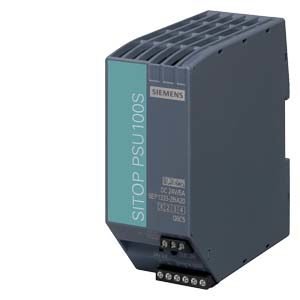 Siemens 6EP Power Supply sitop 6EP13332BA20Read more
- Siemens 6EP1336-3BA00Read more
- SIEMENS 6ES7 193-6AR00-0AA0 SIMATIC ET 200SP 6ES71936AR000AA0 $70.00Add to cart
- SIEMENS 6ES7 232-4HA30-0XB0 Analog Output Module 6ES72324HA300XB0 $200.00Add to cart
- Siemens 6ES7 321-1BL00-0AA0 Module S7-300 6ES73211BL000AA0 $600.00Add to cart
- Siemens 6ES7153-1AA03-0XB0 Interface Module 6ES71531AA030XB0 $380.00Add to cart
- Siemens 6ES7193-4CF50-0AA0Read more
- Siemens 6ES7212-1AE40-0XB0 PLC Controller 6ES72121AE400XB0 $498.00Add to cart
- Siemens 6ES7221-1BH22-0XA8Read more
- Siemens 6ES7223-1HF22-0XA0 S7-200 PLC Digital EM223 6ES72231HF220XA0 $480.00Add to cart
- Siemens 6ES7231-0HF22-0XA0 Analog Module 6ES72310HF220XA0 $300.00Add to cart
- SIEMENS 6ES7231-4HD32-0XB0 SIMATIC Analog Input 6ES72314HD320XB0 $248.00Add to cart
- Siemens 6ES7231-5PD32-0XB0 Analog Input Module 6ES72315PD320XB0 $320.00Add to cart
- Siemens 6ES7231-5PF32-0XB0 Input Module 6ES72315PF320XB0 $560.00Add to cart
- Siemens 6ES72317PL220XA0 16AI Thermocouple $470.00Add to cart
- SIEMENS 6ES7277-0AA22-0XA0 S7-1200 CPU Module 6ES72770AA220XA0 $200.00Add to cart
- Siemens 6ES7290-6AA20-0XA0 Extension Cable 6ES72906AA200XA0 $80.00Add to cart
- SIEMENS 6ES7292-1AG20-0AA0 I/O Terminal Block 6ES72921AG200AA0 $380.00Add to cart
- Siemens 6ES7400-2JA00-0AA0Read more
- Siemens 6ES7407-0DA01-0AA0Read more
- Siemens 6ES7678-1RA00-0XB0Read more
- Siemens 6FX2002-1DC00-1AD0Read more
- Siemens 6GK1571-1AA00Read more
- Siemens 6GK5008-0BA10-1AB2 Industrial Ethernet Switch 6GK50080BA101AB2 $200.00Add to cart
- Siemens 6GK5116-0BA00-2AC2 Unmanaged Switch 6GK51160BA002AC2 $980.00Add to cart
- Siemens 6GK5212-2BB00-2AA3 SCALANCE X212-2 Managed IE Switch $1,998.00Add to cart
- SIEMENS 6GK7277-1AA10-0AA0 Switch Module 6GK72771AA100AA0 $190.00Add to cart
- SIEMENS 6RA80 Dc Converter Board C98043A7100L41Read more
- Siemens 6SE7031-5EF84-1BH0Read more
- Siemens 6SE7035-1EJ84-1JC2Read more
- Siemens Analog Input module Simatic S5 460 6ES54604UA13Read more
- Siemens C8451-A12-A73Read more
- Siemens Communication Processor cp 342 5 for Simatic s7 300 6GK73425DA020XE0Read more
- Siemens CP 1542-5 Communication Processor 6GK7542-5FX00-0XE0 $870.00Add to cart
- Siemens CP 443-1 Communication Processor 6GK7443-1GX30-0XE0 $2,990.00Add to cart
- Siemens CP 5623 Communication Processor 6GK1562-3AA00 $1,390.00Add to cart
- Siemens DP Master Module for im 151-7 cpu simatic 6ES71384HA000AB0Read more
- Siemens ET 200m Interface IM 153-4 6ES71534AA010XB0Read more
- Siemens ET-200 PLC ANALOG IO MODULE 6ES71384DF110AB0Read more
- Siemens ET-200 PLC ANALOG IO MODULE SM331 SM332 6ES71344GB010AB0Read more
- Siemens ET-200 PLC ANALOG IO MODULE SM331 SM332 6ES71344JB51OABORead more
- Siemens ET-200 PLC ANALOG IO MODULE SM331 SM332 6ES71934CB300AA0Read more
- SIEMENS ET200 SIEMENS ET200S SIEMENS ET200M PLC ,6ES71344JB510AB0Read more
- SIEMENS ET200 SIEMENS ET200S SIEMENS ET200M PLC ,6ES71518AB010AB0Read more
- SIEMENS ET200 SIEMENS ET200S SIEMENS ET200M PLC ,6ES71957HC000XA0Read more
- SIEMENS ET200M PLC SIEMENS ET200M 6ES71532BA020AB0Read more
- SIEMENS ET200M PLC SIEMENS ET200M modules 6ES71951GG300XA0Read more
- SIEMENS ET200S SIEMENS ET 200S Digital Module 6ES71324BB310AA0Read more
- Siemens ET200S PLC MODULE 6ES71511CA000AB0 ET200S PLCRead more
- SIEMENS ET200S siemens Et200 PLC Modules SIEMENS PLC 6ES71384DF010AB0Read more
- SIEMENS ET200S siemens Et200 PLC Modules 6ES71344NB510AB0Read more
- Siemens Front Connector For S7-300 40 Pole 6ES79223BC500AC0Read more
- Siemens Fum232 original siemens plc 6DP12328BARead more
- SIEMENS INTERFACE MODULE IM151-1 HIGH FEATURE F 6ES71511BA020AB0Read more
- SIEMENS IR SOURCE C79451-A3468-B206 U23 Source Gas Analyzer $860.00Add to cart
- Siemens module SIMOVERT MASTERDRIVES CONVERTER 6SE70150EP60Read more
- SIEMENS PLC Analog Digital Controller 6AG13071EA017AA0Read more
- Siemens PLC CPU Simatic S7 300 I/O Module 6ES73340CE010AA0Read more
- Siemens PLC HMI Cambridge MA 6ED10551MD000BA1Read more
- Siemens PLC Logo 230RC 6ED10551FB000BA1Read more
- SIEMENS PLC LOGO! 8 6ED10551CB100BA2 Expansion Module $160.00Add to cart
- Siemens PLC Memory Card 6ES79538LG200AA0Read more
- SIEMENS PLC Modules SIEMENS Controller 6ES73262BF010AB0Read more
- SIEMENS PLC Modules siemens TOUCH MULTI PANEL SIEMENS panel 6AV66430CD011AX0Read more
- Siemens PLC PDF 6ES7152-3AA23-0AB0Read more
- SIEMENS PLC S7-200 6ES72110BA230XB0Read more
- SIEMENS PLC S7-200 Digital I/O EM221 6ES72211EF220XA0Read more
- SIEMENS PLC S7-200 EM231 6ES72317PD220XA8Read more
- SIEMENS PLC S7-200 EM231 6ES72317PF220XA0Read more
- Siemens PLC S7-200 Manual 6ES73152AF030AB0Read more
- Siemens PLC S7-300 6ES73136CG040AB0Read more
- SIEMENS PLC S7-300 CPU SIEMENS S7-300 6ES73121AE130AB0Read more
- Siemens PLC S7-400 Micro Memory Card 6ES79538LP100AA0Read more
- Siemens PLC SIEMENS S7-300 6ES73921BM010AA0Read more
- Siemens PLC siemens S7-300 PLC 6ES7 6ES73071EA000AA0Read more
- Siemens PLC Simatic PCS7 6ES76585AA170YA5Read more
- Siemens PLC Simatic S7 300 CPU 317-2 PN DP Processing Unit 6ES73172EK140AB0Read more
- Siemens PLC Simatic S7 300 CPU Digital Output Module 6ES73221BH010AA0Read more
- Siemens PLC Simatic S7 300 CPU Digital Output Module 6ES73221BL000AA0Read more
- Siemens PLC Simatic S7 300 Digital Output Module 6ES73221BF010AA0Read more
- Siemens PLC Simatic S7 400 CPU 416 2 6ES74162XN050AB0Read more
- Siemens PLC Simatic S7 400 CPU 416 2 Central Processor Unit 6ES74162XK040AB0Read more
-
 SIEMENS PLC SIMATIC S7-200 CP 243-1 6GK7243-1EX00-0XE0Read more
- SIEMENS PLC SIMATIC S7-200 GSM GPRS modem 6NH97203AA00Read more
- Siemens PLC Simatic S7-400 Communication Module CP443-1 6GK74431EX200XE0Read more
- SIEMENS PLC SIMATIC S7-400, CPU 414-3 PN/DP CENTRAL PROCESSING UNIT 6ES7 414-3EM05-0AB0Read more
- SIEMENS POWER Modules SIEMENS PLC Modules 6SN11231AA010FA1Read more
- Siemens Profibus Connector DP Bus Connector 6ES79720BA410XA0Read more
- Siemens QLCCM36AANRead more
- Siemens QLCDM024DCBAN(16809-41/4)Read more
- Siemens QLCDM024DCBAN(A5E00247448/06)Read more
- Siemens S30810-K2310-X-5Read more
- Siemens S7 300 PLC CPU Analog Input Module 6ES73311KF010AB0Read more
- Siemens s7 MPI USB cable 6ED10571AA010BA0Read more
- Siemens S7-1200 PLC 6ES72141BG310XB0Read more
- SIEMENS S7-1200 PLC, SIEMENS CPU 1211C,CPU 1212C ,CPU1214C 6ES72231BH300XB0Read more
- SIEMENS S7-1200 PLC, SIEMENS CPU 1211C,CPU 1212C ,CPU1214C,6ES72231BL300XB0Read more
- SIEMENS S7-1200 PLC, SIEMENS CPU 1211C,CPU 1212C ,CPU1214C,6ES72231PH300XB0Read more
- SIEMENS S7-1200 PLC, SIEMENS CPU 1211C,CPU 1212C ,CPU1214C.Read more
- SIEMENS S7-1200 PLC, SIEMENS CPU 1211C,CPU 1212C ,CPU1214C.,6ES72213AD300XB0Read more
- SIEMENS S7-1200 PLC, SIEMENS CPU 1211C,CPU 1212C ,CPU1214C.,6ES72213BD300XB0Read more
- SIEMENS S7-1200 PLC, SIEMENS CPU 1211C,CPU 1212C ,CPU1214C.,6ES72221AD300XB0Read more
- SIEMENS S7-200 S7-200 PLC SIMATIC S7-200 CPU PLCRead more
- SIEMENS S7-200 PLC CPU 224 6ES72142AS230XB0Read more
- SIEMENS S7-200 PLC Digital I/O EM222 6ES72221HF220XA0Read more
- Siemens S7-300 Analog Output Module 6ES73325HB010AB0Read more
- SIEMENS S7-300 PLC SIMATIC S7-300 6ES73411CH020AE0Read more
- Siemens S7-300 PLC Digital I/O MODULE 6ES73211BH100AA0Read more
- Siemens S7-300 SIMATIC PLC 6ES73211FF100AA0Read more
- Siemens S7-300 SIMATIC PLC 6ES73221HF100AA0Read more
- Siemens S7-300 SIMATIC PLC 6ES73225FF000AA0Read more
- Siemens S7-300 SIMATIC PLC 6ES73225HF000AA0Read more
- Siemens S7-300 SIMATIC PLC 6ES73228BF000AA0Read more
- SIEMENS S7-400 SIMATIC S7-400, CPU 417-4 CENTRAL PROCESSING UNIT 6AG74174XT050AB0Read more
- SIEMENS S7-400 PLC 6ES74144HR140AB0 6ES74144HR140AB0Read more
- siemens s7-400 plc modules SIMATIC S7-400 SIGNAL MODULES 6ES74031TA010AA0Read more
- siemens S7-400 PLC SIEMENS PS407 Power supply 6EP13342AA01Read more
- Siemens S7-400 Power Supply 6ES74070DA020AA0Read more
- Siemens S7-400 Siemens CPU 412 6ES73146CF020AB0Read more
- Siemens SCALANCE M874 Router 6GK5874-2AA00-2AA2 $1,850.00Add to cart
- Siemens SIEMENS PLC S7-400 PLC 6ES79521AM000AA0Read more
- Siemens Simatic 6ES72231BH22XAA0 EM223 8 inputs outputs $295.00Add to cart
- Siemens simatic 6ES54307LA12 digital input moduleRead more
- SIEMENS SIMATIC Analog output module 6ES7135-6GB00-0BA1 $248.00Add to cart
- SIEMENS SIMATIC C7-635 TOUCH PANEL 6ES76352EB020AE3Read more
- Siemens Simatic Digital Input Module 6ES54318MA11Read more
- Siemens Simatic Digital Output Module 6ES54414UA14Read more
- Siemens Simatic Digital Output Module 6ES73262BF100AB0Read more
- Siemens Simatic DP Analog Output Module 6ES73328TF010AB0Read more
- SIEMENS SIMATIC DP bus connection plug 6ES79720BA300XA0 $130.00Add to cart
- Siemens Simatic DP BUS Connector 6ES79720BA120XA0Read more
- Siemens Simatic DP Bus Connector 6ES79720BA520XA0 $80.00Add to cart
- Siemens Simatic DP Bus Connector 6ES79720BB120XA0Read more
- Siemens Simatic DP Bus connector 6ES79720BB610XA0 $78.00Add to cart
- Siemens Simatic DP Bus Unit 6ES71957HD100XA0Read more
- Siemens Simatic DP Coupling module power supply 6ES71580AD010XA0Read more
- Siemens Simatic Dp Electron Module 6ES71344GB110AB0Read more
- Siemens Simatic dp electronic block 6ES71311BL120XB0Read more
- Siemens Simatic DP Electronic Block 6ES71321BL000XB0Read more
- Siemens Simatic DP Electronic Module 6ES71314BF000AA0Read more
- Siemens Simatic DP Electronic Module Digital 6ES71310BH000XB0Read more
- Siemens Simatic DP Electronic Module Digital s7 plc 6ES71310BL000XB0Read more
- Siemens Simatic DP Hart Analog Input 6ES73317TF010AB0Read more
- Siemens Simatic DP module 6ES71344MB020AB0Read more
- Siemens Simatic DP RS 485 Repeater 6ES79720AA010XA0Read more
- Siemens Simatic DP Terminal Block 6ES71930CA200XA0Read more
- Siemens Simatic DP Terminal Block tb1/dc 6ES71930CA100XA0Read more
- Siemens Simatic DP Terminal Block tb2-4/dc 6ES71930CB200XA0Read more
- Siemens Simatic DP Terminal Block tb2/dc 6ES71930CB100XA0Read more
- Siemens SIMATIC DP, CPU 6ES7512-1DK01-0AB0 $1,400.00Add to cart
- Siemens Simatic ET 200m Interface IM 153-2 6ES71532BA010XB0Read more
- Siemens Simatic ET 200m interface module dp 6ES71532AA020XB0Read more
- SIEMENS SIMATIC ET 200SP BusAdapter 6ES7193-6AF00-0AA0 $85.00Add to cart
- Siemens Simatic ET 200sp I/O Scalable IP20 6ES75101DJ010AB0 $1,270.00Add to cart
- Siemens Simatic Micro Memory Card 6ES79538LF300AA0Read more
- Siemens Simatic PCS 7 Process 6ES74105HX080AB0Read more
- SIEMENS SIMATIC PCS7 Hardware and Software 6ES7656-8EF33-1CF0Read more
- Siemens Simatic Plc new and original 6ES72141BD230XB8Read more
- Siemens Simatic S5 16DE Electronic Module 6ES54312BA11 ET 200BRead more
- Siemens Simatic S5 430 digital input module 6ES54307LA11Read more
- Siemens Simatic S5 441 Digital Output Module 6ES54418MA11Read more
- Siemens Simatic S5 451 Digital Output Module 6ES54518MA11Read more
- Siemens Simatic S5 451-4 Digital Output Module 6ES54514UA14Read more
- Siemens Simatic S5 464 Analog Input Module 6ES5464-8MC11Read more
- Siemens Simatic S5 465 Analog Input Module 6ES54654UA13Read more
- Siemens Simatic S5 466 Analog Input Module 6ES54663LA11Read more
- Siemens Simatic S5 470 Analog Output Module 6ES54704UA12Read more
- Siemens Simatic S5 470 Analog Output Module 6ES54704UB12Read more
- Siemens Simatic S5 470 Analog Output Module 6ES54704UC12Read more
- Siemens Simatic S5 470 Analog Output Module 6ES54704UC13Read more
- Siemens Simatic S5 470 Analog Output Module 6ES54707LC13Read more
- Siemens Simatic S5 482 digital i/o Module 6ES54828MA13Read more
- Siemens Simatic S5 Bus unit plc 6ES57008MA11Read more
- Siemens Simatic S5 CP 521 communications Processor 6ES55218MA21Read more
- Siemens Simatic S5 CP525 communication processor 6ES55253UA21Read more
- Siemens Simatic S5 CPU 6ES59437UB21Read more
- Siemens Simatic S5 CPU 944 6ES59447UB21Read more
- Siemens Simatic S5 CPU 948r 6ES59483UR23Read more
- Siemens Simatic S5 CPU central controller module 6ES59283UA12Read more
- Siemens Simatic S5 CPU plc 6ES59283UB12Read more
- Siemens Simatic S5 CPU plc 6ES59283UB21Read more
- Siemens Simatic S5 CPU plc 6ES59437UB11Read more
- Siemens Simatic S5 Digital Output Module 6ES54417LA13Read more
- Siemens Simatic S5 Fiber opt. cable 6ES57221BC00Read more
- Siemens Simatic S5 Measuring Range Module 6ES54981AA41Read more
- Siemens Simatic S5 Screw connector 6ES54908MB11Read more
- Siemens Simatic S5-115u plc 6ES59427UB11Read more
- Siemens Simatic S7 1200 communication board CB 1241 6ES72411CH301XB0Read more
- Siemens Simatic S7 1200 cpu 1214c compact cpu 6ES72141AG310XB0Read more
- Siemens Simatic S7 1200 digital i/o SM 1223 6ES72231PH320XB0Read more
- Siemens Simatic S7 200 analog output EM 232 6ES72320HB220XA0Read more
- Siemens Simatic S7 200 battery module 6ES72918BA200XA0Read more
- Siemens Simatic S7 200 CPU 224 Compact Unit 6ES72141AD230XB0Read more
- Siemens Simatic S7 200 CPU 224 compact unit 6ES72141BD220XB0Read more
- Siemens Simatic S7 200 CPU 224 compact unit plc module 6ES72141BD230XB0Read more
- Siemens Simatic S7 200 CPU 224xp compact unit 6ES72142BD230XB0Read more
- Siemens Simatic S7 200 cpu 226 compact unit 6ES72162BD230XB0Read more
- Siemens Simatic S7 200 digital i/o EM 223 6ES72231BL220XA0 $397.00Add to cart
- Siemens Simatic S7 200 digital input EM 221 module 6ES72211BF000XA0Read more
- Siemens Simatic S7 200 Digital output module EM 222 6ES72221BF000XA0Read more
- Siemens Simatic S7 200 digital output module EM 222 6ES72221BF220XA0Read more
- Siemens Simatic S7 200 EM231 PLC 6ES72317PB220XA8Read more
- Siemens Simatic S7 200 USB/PPI Cable 6ES79013DB300XA0Read more
- Siemens Simatic S7 300 24V DC 0.5A CPU Digital Module 6ES73231BL000AA0Read more
- Siemens Simatic S7 300 Analog Input 6ES73317RD000AB0Read more
- Siemens Simatic S7 300 Analog Input Module 6ES73317KB010AB0Read more
- Siemens Simatic S7 300 Analog Module 6ES73340KE000AB0Read more
- Siemens Simatic S7 300 Analog Module 6ES73357HG010AB0Read more
- Siemens Simatic S7 300 Bus Connector 6ES73900AA000AA0Read more
- Siemens Simatic S7 300 Communication Processor 6ES73401AH010AE0Read more
- Siemens Simatic S7 300 CP 341CPU PLC Communication Processor 6ES73411CH020AE0Read more
- Siemens Simatic S7 300 cpu 312 Interface Module 6ES73121AE140AB0Read more
- Siemens Simatic S7 300 CPU 312c compact unit 6ES73125BF040AB0Read more
- Siemens Simatic S7 300 cpu 313 compact cpu 6ES73135BG040AB0Read more
- Siemens Simatic S7 300 cpu 313c-2dp compact cpu 6ES73136CF030AB0Read more
- Siemens Simatic S7 300 CPU 314c PN/DP compact 6ES73146EH040AB0Read more
- Siemens Simatic S7 300 CPU 314c-2 DP compact 6ES73146CH040AB0Read more
- Siemens Simatic S7 300 CPU 314c-2dp compact 6ES73146CG030AB0Read more
- Siemens Simatic S7 300 CPU 315 2 pn DP 6ES73152EH140AB0Read more
- Siemens Simatic S7 300 CPU 315 2DP Interface 6ES73152AG100AB0Read more
- Siemens Simatic S7 300 CPU 315F Central Unit 6ES73156FF010AB0Read more
- Siemens Simatic S7 300 CPU 317 2 DP Processing Unit 6ES73172AJ100AB0Read more
- Siemens Simatic S7 300 CPU 317F-2 PN/DP Processing Unit 6ES73172FK140AB0Read more
- Siemens Simatic S7 300 CPU 318-2 DP Product 6ES73182AJ000AB0Read more
- Siemens Simatic S7 300 CPU 319 3 PN/DP Processing Unit 6ES73183EL010AB0Read more
- Siemens Simatic S7 300 CPU 319-3 PNDP Module 6ES73183EL000AB0Read more
- Siemens Simatic S7 300 CPU Analog Output Module 6ES73325HF000AB0Read more
- Siemens Simatic S7 300 Digital Input Module SM 321 6ES73211BH020AA0Read more
- Siemens Simatic S7 300 Digital Module 6ES73231BH010AA0Read more
- Siemens Simatic S7 300 Digital Output Module 6ES73221HF010AA0Read more
- Siemens Simatic S7 300 Digital Output Module 6ES73221HH010AA0Read more
- Siemens Simatic S7 300 Digital Output Module 6ES73228BF000AB0Read more
- Siemens Simatic S7 300 Dummy Module 6ES73700AA010AA0Read more
- Siemens Simatic S7 300 Front Connector 6ES73921AJ000AA0Read more
- Siemens Simatic S7 300 Front Connector 6ES73921AM000AA0Read more
- Siemens Simatic S7 300 Front Connector 6ES73921BJ000AA0Read more
- Siemens Simatic S7 300 Function Module 6ES73531AH010AE0Read more
- Siemens Simatic S7 300 PLC CPU Analog Input 6ES73311KF020AB0Read more
- Siemens Simatic S7 300 PLC CPU Analog Input 6ES73317NF000AB0Read more
- Siemens Simatic S7 300 PLC CPU Analog Input 6ES73317PF010AB0Read more
- Siemens Simatic S7 300 PLC CPU Analog Input 6ES73317PF110AB0Read more
- Siemens Simatic S7 300 PLC CPU Analog Input Module 6ES73317KB020AB0Read more
- Siemens Simatic S7 300 PLC CPU Analog Input Module 6ES73317KF020AB0Read more
- Siemens Simatic S7 300 PLC CPU Analog Output 6ES73325HD010AB0Read more
- Siemens Simatic S7 300 PLC CPU Counter Module 6ES73501AH030AE0Read more
- Siemens Simatic S7 300 PLC CPU Digital Input SM 326 6ES73261BK020AB0Read more
- Siemens Simatic S7 300 PLC CPU Interface Module 6ES73603AA010AA0Read more
- Siemens Simatic S7 300 PLC CPU Interface Module 6ES73613CA010AA0Read more
- Siemens Simatic S7 300 PLC CPU Interface Module 6ES73650BA010AA0Read more
- Siemens Simatic S7 300 PLC CPU Signal Module 6ES73384BC010AB0Read more
- Siemens Simatic S7 300 RAIL L=160MM 6ES73901AB600AA0Read more
- Siemens Simatic S7 300 RAIL L=480MM 6ES73901AE800AA0Read more
- Siemens Simatic S7 300 RAIL L=530MM 6ES73901AF300AA0Read more
- Siemens Simatic S7 300 Signal Module 6ES73384BC000AB0Read more
- Siemens Simatic S7 300 SM 322 Digital Output Module 6ES73221FH000AA0Read more
- Siemens Simatic S7 300 SM 322 Digital Output Module 6ES73225GH000AB0Read more
- Siemens Simatic S7 300 SM 323 Digital Module 6ES73231BH000AA0Read more
- siemens simatic s7 400 cpu 414 2 6ES74142XK050AB0Read more
- Siemens Simatic S7 400 CPU 414 3 6ES74143XM050AB0Read more
- Siemens Simatic S7 400 CPU 414 3 768 KB Working Memory 6ES74143XJ000AB0Read more
- Siemens Simatic S7 400 CPU 414-3 6ES74143XJ040AB0Read more
- Siemens Simatic S7 400 CPU 417-4 6ES74174XT050AB0Read more
- Siemens Simatic S7 400 CPU416F-3 PN/DP 6ES74163FR050AB0Read more
- Siemens Simatic S7 400 Digital Output Module 6ES74221BL000AA0Read more
- Siemens Simatic S7 400 FM 450-1 Module 6ES74501AP000AE0Read more
- Siemens Simatic S7 400 Memory Card 6ES79521KM000AA0Read more
- Siemens Simatic S7 400 PLC CPU Module 6ES74142XG030AB0Read more
- Siemens Simatic S7 400 UR2 Rack 6ES74001JA010AA0Read more
- Siemens Simatic S7 400H CPU 414H 6ES74144HJ000AB0Read more
- Siemens Simatic S7 400H CPU 414H 6ES74144HM140AB0Read more
- Siemens Simatic S7 400h CPU 417H 6ES74174HL040AB0Read more
- Siemens Simatic S7 400h CPU 417h 6ES74174HL010AB0Read more
- Siemens Simatic S7 400H CPU 417H 6ES74174HT140AB0Read more
- Siemens Simatic S7 400H Sync Sub Module 6ES79601AA040XA0Read more
- Siemens Simatic S7 400H, CPU 412-3H Central Unit 6ES74123HJ140AB0Read more
- Siemens Simatic S7 633 DP 6ES76332BF020AE3Read more
- Siemens Simatic S7 635 Keys 6ES76352EC000AE3Read more
- Siemens Simatic S7 Analog Input 6ES73317SF000AB0Read more
- Siemens Simatic S7 Analog Input Module 6ES73364GE000AB0Read more
- Siemens Simatic S7 CPU PLC Analog Output Module 6ES73327ND020AB0Read more
- Siemens Simatic S7 Digital Input Module 6ES73217RD000AB0Read more
- Siemens Simatic S7 Digital Input Module 6ES73261BK010AB0Read more
- Siemens Simatic S7 IF964-DP Interface Module 6ES79642AA010AB0Read more
- Siemens Simatic S7 Memory Card 6ES79510KJ000AA0Read more
- Siemens Simatic S7 Memory Card For S7 300 6ES79510KF000AA0Read more
- Siemens Simatic S7 Memory Card For S7 300 6ES79511KH000AA0Read more
- Siemens Simatic S7 Memory Card For S7 400 6ES79521KK000AA0Read more
- Siemens Simatic S7 memory module MC 291 6ES72918GF230XA0Read more
- Siemens Simatic S7 Micro Memory 6ES79538LL200AA0Read more
- Siemens Simatic S7 Micro Memory Card 6ES79538LF110AA0Read more
- Siemens Simatic S7 Micro Memory Card 6ES79538LF200AA0Read more
- Siemens Simatic S7 Micro Memory Card 6ES79538LG110AA0Read more
- Siemens Simatic S7 Micro Memory Card 6ES79538LG300AA0Read more
- Siemens Simatic S7 Micro Memory Card 6ES79538LJ100AA0Read more
- Siemens Simatic S7 Micro Memory Card 6ES79538LJ200AA0Read more
- Siemens Simatic S7 Micro Memory Card 6ES79538LJ300AA0Read more
- Siemens Simatic S7 Micro Memory Card 6ES79538LL310AA0Read more
- Siemens Simatic S7 Micro Memory Card 6ES79538LM200AA0Read more
- Siemens Simatic S7 Micro Memory Card 6ES79538LP200AA0Read more
- Siemens Simatic S7 MPI Cable 6ES79010BF000AA0 $80.00Add to cart
- Siemens Simatic S7 PLC DP ET 200m Interface Module 6ES71532BA020XB0Read more
- Siemens Simatic S7 RAM Memory Card 400 6ES79521AP000AA0Read more
- Siemens Simatic S7 Ram Memory Card 6ES79511AL000AA0Read more
- Siemens Simatic S7 Ram Memory Card 6ES79521AL000AA0Read more
- SIEMENS SIMATIC S7-1500 Analog input/output module 6ES7534-7QE00-0AB0 $880.00Add to cart
- Siemens SIMATIC S7-1500 CPU 6ES7511-1AK02-0AB0 $990.00Add to cart
- Siemens SIMATIC S7-1500, CPU 6ES7515-2AM01-0AB0 $3,410.00Add to cart
- Siemens SIMATIC S7-1500F CPU 6ES7515-2FM01-0AB0 $4,450.00Add to cart
- SIEMENS SIMATIC S7-200 PLC Digital I/O 6ES72211BH220XA0Read more
- SIEMENS SIMATIC S7-300 CPU319F-3 PN/DPRead more
- SIEMENS SIMATIC S7-300 I/O Modules,SIEMENS SIMATIC S7-300 I/O Modules 6ES73225HD010AB0Read more
- Siemens SIMATIC S7-300 PLC SIMATIC S7-300 PLC 6ES73136BF030AB0 >> 6ES73136BG040AB0Read more
- Siemens Simatic S7-300 Siemens PLC Price 6ES73211CH000AA0Read more
- Siemens SIMATIC S7-400 CPU 417-4 siemens plc 6ES74174XL040AB0Read more
- SIEMENS SIMATIC S7-400H CPU 414-5H 6ES74145HM060AB0Read more
- SIEMENS SIMATIC S7-400H CPU 417-5H 6ES74175HT060AB0Read more
- Siemens Simatic SC Electronic Submodule 6ES71221BB000AA0Read more
- Siemens Simatic SC Electronic SubModule 6ES71231GB000AB0Read more
- Siemens Simatic SC interface module 6ES71381XL000XB0Read more
- Siemens Simatic SP 1 Electron Module 6ES71324BF000AA0Read more
- SIEMENS SIMOVERT MASTERDRIVES MODULE PLC 6SE70900XX841GH0Read more
- Siemens SIPLUS NET PN/NP COUPLER Coupling module 6ES71580AD010AX0Read more
- Siemens SIPLUS S7-300 CPU 314 SIEMENS CPU PLC 6AG13141AG142AY0Read more
- SIEMENS SIPLUS S7-300 SM322 PLC MODULES 6AG13221HH012AA0Read more
- Siemens SIRIUS 3RW Soft Starter 3RW44466BC44Read more
-
 SIEMENS SITOP POWER SUPPLY 6EP13331SL11Read more
- SIEMENS SITOP POWER SUPPLY 6EP13341SL12Read more
- Siemens spare part 6AG16430AA014AX0Read more
- SIEMENS USB SIEMENS SIMATIC PC, USB-FLASHDRIVE, 512 MB, USB2.0, INCL. 6ES76480DC200AA0Read more
- SIMAITC S7-300 512KB MEMORY CARD 6ES79538LJ310AA0Read more
- SIMAITC SIPLUS S7-1200 CPU 1215C 6AG12151HG312XB0Read more
- SIMAITC SIPLUS S7-300 CPU 315-2DP 6AG13152AH147AB0Read more
- SIMATIC COMMUNICATION MODULE CM 1242-5 6GK72425DX300XE0Read more
- SIMATIC ETHERNET SWITCH 6GK5005-0BA00-1AB2 $80.00Add to cart
- SIMATIC IE FC RJ45 PLUG 180 6GK1 9011BB102AA0Read more
- SIMATIC S7-1200 ANALOG INPUT SM 1231 TC 6ES72315QF300XB0Read more
- SIMATIC S7-300 CPU 315-2 PN/DP 6ES73 152EH130AB0Read more
- SIMATIC SIPLUS S7-1200 CPU 1212C 6AG12121BE404XB0Read more
- SIMATIC SIPLUS S7-1200 CPU 1214C 6AG12141HG312XB0Read more
- SIMATIC 6DD1601-0AE0 Processor Module 6DD16010AE0 $1,850.00Add to cart
- SIMATIC 6ES7 214-2AD23-0XB0 Compact Module 6ES72142AD230XB0 $1,200.00Add to cart
- SIMATIC 6ES7 215-1AG31-0XB0 CPU Module 6ES72151AG310XB0 $840.00Add to cart
- SIMATIC 6ES7 216-2AD23-0XB0 S7-200 CPU Module 6ES72162AD230XB0 $1,090.00Add to cart
- Simatic 6ES7 223-1PL22-0XA0 Digital I/O Module 6ES72231PL220XA0 $300.00Read more
- SIMATIC 6ES7 231-4HA30-0XB0 Analog Input Module 6ES72314HA300XB0 $60.00Add to cart
- SIMATIC 6ES7 231-5QD30-0XB0 Analog Input Module 6ES72315QD300XB0 $340.00Add to cart
- SIMATIC 6ES7 231-5QD32-0XB0 Input Module 6ES72315QD320XB0 $560.00Add to cart
- SIMATIC 6ES7 231-7PD22-0XA0 Analog Input Module 6ES72317PD220XA0 $295.00Read more
- Simatic 6ES7131-4BD01-0AA0 DP 5 Electron Module 6ES71314BD010AA0 $150.00Add to cart
- Simatic 6ES7132-4BD02-0AA0 DP 5 Electron Modules 6ES71324BD020AA0 $200.00Add to cart
- SIMATIC 6ES7134-6FF00-0AA1 Analog Input Module 6ES71346FF000AA1 $200.00Add to cart
- SIMATIC 6ES7134-6GD00-0BA1 Analog Input Module 6ES71346GD000BA1 $770.00Add to cart
- SIMATIC 6ES7134-6HB00-0CA1 Input Module 6ES71346HB000CA1 $440.00Add to cart
- Simatic 6ES7138-4CA01-0AA0 DP Power Module 6ES71384CA010AA0 $30.00Add to cart
- SIMATIC 6ES7138-4DA04-0AB0 DP Electronics Module 6ES71384DA040AB0 $360.00Add to cart
- Simatic 6ES7151-1AA05-0AB0 S7 DP Interface Module 6ES71511AA050AB0 $320.00Add to cart
- Simatic 6ES7153-2BA10-0XB0 DP ET 200m Interface 6ES71532BA100XB0 $580.00Add to cart
- SIMATIC 6ES7211-1BE40-0XB0 S7-1200 CPU 6ES72111BE400XB0 $320.00Add to cart
- Simatic 6ES7211-1HE40-0XB0 S7 1200 CPU Module 6ES72111HE400XB0 $298.00Add to cart
- Simatic 6ES7212-1BE40-0XB0 S7-1200 CPU Module 6ES72121BE400XB0 $360.00Add to cart
- Simatic 6ES7212-1HE40-0XB0 S7 1200 CPU Module 6ES72121HE400XB0 $360.00Add to cart
- Simatic 6ES7214-1AG40-0XB0 S7-1200 CPU Module 6ES72141AG400XB0 $680.00Add to cart
- SIMATIC 6ES7214-1HG40-0XB0 S7-1200 CPU 6ES72141HG400XB0 $1,080.00Add to cart
- Simatic 6ES7215-1AG40-0XB0 CPU Module 6ES72151AG400XB0 $680.00Add to cart
- Simatic 6ES7216-2BD23-0XB8 CPU Compact Unit 6ES72162BD230XB8 $1,500.00Add to cart
- SIMATIC 6ES7221-1BF22-0XA0 S7-200 Digital Input 6ES72211BF220XA0 $350.00Add to cart
- Simatic 6ES7221-1BH32-0XB0 S7 1200 Digital Input Module 6ES72211BH320XB0 $300.00Add to cart
- Simatic 6ES7222-1BD22-0XA0 Output Module 6ES72221BD220XA0 $200.00Add to cart
- SIMATIC 6ES7222-1BF32-0XB0 Output Module 6ES72221BF320XB0 $250.00Add to cart
- SIMATIC 6ES7223-1BH22-0XA0 S7-200 Digital I/O 6ES72231BH220XA0 $680.00Add to cart
- Simatic 6ES7223-1PL22-0XA8 Digital I/O Module 6ES72231PL220XA8 $730.00Add to cart
- SIMATIC 6ES7231-0HC22-0XA0 Analog Input Module 6ES72310HC220XA0 $150.00Add to cart
- Simatic 6ES7231-4HF32-0XB0 S7-1200 Analog Input 6ES72314HF320XB0 $550.00Add to cart
- SIMATIC 6ES7231-5PD30-0XB0 PLC S7-1200 Analog Input RTD Module $380.00Add to cart
- SIMATIC 6ES7231-5QA30-0XB0 Thermocouple Signal Board 6ES72315QA300XB0 $140.00Add to cart
- SIMATIC 6ES7231-5QF32-0XB0 Analog Input Module 6ES72315QF320XB0 $1,100.00Add to cart
- Simatic 6ES7231-7PB22-0XA0 Analog Input Module 6ES72317PB220XA0 $350.00Add to cart
- Simatic 6ES7232-0HD22-0XA0 Analog Output Module 6ES72320HD220XA0 $310.00Add to cart
- SIMATIC 6ES7232-4HB32-0XB0 Analog Output Module 6ES72324HB320XB0 $200.00Add to cart
- Simatic 6ES7232-4HD32-0XB0 Analog Output Module 6ES72324HD320XB0 $330.00Read more
- SIMATIC 6ES7235-0KD22-0XA0 S7-200 EM235 6ES72350KD220XA0 $380.00Add to cart
- Simatic 6ES7241-1CH32-0XB0 S7 1200 Module 6ES72411CH320XB0 $120.00Add to cart
- Simatic 6ES7321-7BH01-0AB0 Digital Input Module 6ES73217BH010AB0 $520.00Add to cart
- SIMATIC 6ES7350-2AH01-0AE0 S7-300 Counter Module 6ES73502AH010AE0 $1,195.00Add to cart
- SIMATIC 6ES7414-4HJ04-0AB0 S7-400 CPU Unit 6ES74144HJ040AB0 $6,200.00Add to cart
- Simatic 6ES7960-1AA04-5AA0 Patch Cable 1M 6ES79601AA045AA0 $110.00Add to cart
- Simatic 6ES7972-0BA42-0XA0 DP Bus Connector 6ES79720BA420XA0 $90.00Add to cart
- SIMATIC 6GK1162-3AA00 Communication Processor Module 6GK11623AA00 $1,780.00Add to cart
- SIMATIC 6GK7243-1GX00-0XE0 S7-200 CP 243-1 6GK72431GX000XE0 $750.00Add to cart
- SIMATIC C7-634 DP 6ES7 6342BF000AE3Read more
- SIMATIC C7-634 DP 6ES76342BF000AE3Read more
- SIMATIC DP 6ES7135-4FB01-0AB0 Electronics Module 6ES71354FB010AB0 $150.00Add to cart
- SIMATIC DP bus module ET200M 6ES71957HA000XA0 $99.00Add to cart
- SIMATIC DP ET200L-SC 6ES71331BL110XB0Read more
- SIMATIC DP ET200M PLC 6ES71934CA400AA0Read more
- SIMATIC DP ET200M PROFILSCHIENE FUER ET 200M SIEMENS DP PLC 6ES71951GA000XA0Read more
- SIMATIC DP ET200M-RED 6ES71532AR040XA0Read more
- SIMATIC DP ET200S 6ES71384DB030AB0Read more
- SIMATIC DP INTERFACE MODULE IM151-1 6ES71511AA030AB0Read more
- SIMATIC DP INTERFACE MODULE IM151-1 6ES71511AA040AB0Read more
- SIMATIC ET 200SP 6ES7193-6BP00-0BA0 Base Unit BU15-P16+A0+2B $76.00Add to cart
- SIMATIC ET 200SP Analog Input Module 6ES7134-6GF00-0AA1 $389.00Add to cart
- SIMATIC ET 200SP Analog Input Module 6ES7134-6JF00-0CA1 $430.00Add to cart
- SIMATIC ET 200SP BaseUnit 0B 6ES7193-6BP00-0BD0 $70.00Add to cart
- SIMATIC ET 200SP BaseUnit 6ES7193-6BP00-0BA1 $70.00Add to cart
- SIMATIC ET 200SP BaseUnit 6ES7193-6BP40-0DA1 $60.00Add to cart
- SIMATIC ET 200SP BaseUnit 6ES71936BP400BA1 $58.00Add to cart
- SIMATIC ET 200SP I/O System 6ES7193-6BP00-0DA1 $60.00Add to cart
- SIMATIC ET 200SP I/O System 6ES7193-6BP20-0BA0 $60.00Add to cart
- SIMATIC ET 200SP I/O System 6ES7193-6BP20-0BB0 $68.00Add to cart
- SIMATIC ET 200SP I/O System 6ES7193-6BP20-0BC1 $60.00Add to cart
- SIMATIC ET 200SP I/O System 6ES7193-6BP20-0DA0 $56.00Add to cart
- SIMATIC ET 200SP I/O System 6ES7193-6BP20-0DC0 $60.00Add to cart
- SIMATIC ET-200M PLC ANALOG IO MODULE 6ES71532AR030XA0 SIMATIC DPRead more
- SIMATIC Front connector 6ES79223BD200AC0Read more
- SIMATIC IE SWITCH 6GK51080BA002AA3Read more
- SIMATIC LOGO MODEM CABLE 6ED10571CA000BA0Read more
- SIMATIC NET CP 343-1 6GK73431EX200XE0Read more
- SIMATIC NET HARDNET-IE S7 REDCONNECT V13 INCL 6GK17160HB130AA0Read more
- SIMATIC PLUG 180 6GK19011BB122AE0Read more
- SIMATIC S7 256KB RAM MEMORY CARD 6ES79521AH000AA0Read more
- Simatic S7 300 CP 340 CPU Module Communication Processor 6ES73401CH020AE0Read more
- Simatic S7 300 CP 340 CPU PLC Module Communication Processor 6ES73401AH020AE0Read more
- Simatic S7 300 CPU 315 2 DP Mpi Interface Plc Module 6ES73152AH140AB0 $2,096.67Add to cart
- Simatic S7 300 CPU 317 2 PN DP Processing Unit PLC Module 6ES73172EK130AB0Read more
- Simatic S7 300 SM 321 PLC Digital Input Module 6ES73211BH500AA0Read more
- Simatic s7 400 CPU 416 2 1.6 MB working memory 6ES74162XK020AB0Read more
- Simatic S7 400 CPU 416-3 3.2 MB Working Memory 6ES74163XL000AB0Read more
- Simatic s7 400 CPU 416-3 Central Processing Unit 6ES74163XL040AB0Read more
- Simatic S7 400 PLC Central Processor Unit CPU 414-2 6ES74142XG040AB0Read more
- Simatic S7 400 SM 421 Digital Input Module 24V DC 6ES74211BL010AA0Read more
- Simatic S7 400 SM 431 Analog Input Module 6ES74311KF100AB0Read more
- Simatic S7 400 SM 431 Analog Input Module 6ES74311KF200AB0Read more
- Simatic S7 400H synchronization Module 6ES79601AA000XA0Read more
- SIMATIC S7 6ES71971LB000XA0Read more
- SIMATIC S7 bus module 6ES7654-7HY00-0XA0 $135.00Add to cart
- SIMATIC S7 MEMORY MODULE MC 291 6ES72918GH230XA0Read more
- SIMATIC S7 MICRO MEMORY CARD 4MB 6ES79538LM000AA0Read more
- SIMATIC S7 MICRO MEMORY CARD 8MB 6ES79538LP310AA0Read more
- SIMATIC S7-1200 ANALOG I/O SM 1234 6ES7 2344HE300XB0Read more
- SIMATIC S7-1200 CPU 1211C 6ES72111AD300XB0Read more
- SIMATIC S7-1200 CPU 1212C 6ES72121BD300XB0Read more
- SIMATIC S7-1200 CPU 1214C 6ES72141BE300XB0Read more
- SIMATIC S7-1200 DIGITAL I/O SM 1223 6ES72231PL300XB0Read more
- SIMATIC S7-1200 DIGITAL INPUT SM 1221 6ES72211BF300XB0Read more
- SIMATIC S7-1200 DIGITAL INPUT SM 1221 6ES72211BH300XB0Read more
- Simatic S7-1200 PLC price 6ES72121HD300XB0Read more
Leave a Reply