
Omron PLC Troubleshooting Guide: Common Faults, Diagnostics & Maintenance Best Practices
nexpected PLC faults can stop production within seconds, making fast and accurate troubleshooting essential for minimizing downtime. This guide explains how to diagnose common Omron PLC faults, interpret status indicators and error codes, use Sysmac Studio and CX-Programmer effectively, and implement preventive maintenance practices that improve long-term system reliability. Whether you’re maintaining a CP1, CJ2, NX, NJ, or Sysmac controller, you’ll find practical troubleshooting steps that help you identify root causes instead of simply resetting alarms.
Industrial automation systems depend on reliable controllers to keep machines and production processes operating safely and efficiently. Among the world’s most trusted automation manufacturers, Omron has earned a strong reputation for delivering high-performance PLCs used across industries such as automotive, food and beverage, pharmaceutical manufacturing, semiconductor production, packaging, logistics, water treatment, and machine building.
Although Omron PLCs are engineered for exceptional reliability, no controller is immune to hardware failures, wiring problems, communication interruptions, programming errors, or environmental issues. Even a minor input fault or network interruption can stop an entire production line, resulting in costly downtime, missed production targets, and increased maintenance expenses.
The difference between a short interruption and several hours of lost production often comes down to the technician’s troubleshooting process. Rather than replacing components by trial and error, experienced engineers use a structured diagnostic approach to isolate the source of a fault, verify corrective actions, and prevent the problem from recurring.
This guide walks through the most common Omron PLC problems, explains how to interpret diagnostic information, and shares practical maintenance strategies that improve system availability while reducing unexpected failures.
Why Effective PLC Troubleshooting Matters
A programmable logic controller serves as the central decision-making device for an automated machine. Every sensor input, timer, counter, safety condition, and actuator command passes through the PLC before machinery performs an operation. When a PLC experiences a fault, the consequences can extend far beyond one controller.
A single processor error may cause:
Production downtime
Machine safety shutdowns
Product quality issues
Conveyor stoppages
Communication failures
Lost production data
Equipment damage
Missed delivery schedules
For facilities operating around the clock, even thirty minutes of downtime can represent thousands of dollars in lost production. Consequently, maintenance teams increasingly focus on predictive diagnostics and systematic troubleshooting rather than reactive repairs.
Effective troubleshooting also prevents unnecessary component replacement. Many issues initially believed to be PLC failures are actually caused by loose wiring, failed sensors, unstable power supplies, damaged communication cables, or incorrect software configuration.
Understanding Omron PLC Product Families
Before diagnosing a fault, it’s important to understand which Omron PLC platform is installed. Each family offers different diagnostic capabilities, communication options, and software tools.
Omron CP Series PLCs
The CP Series—including the CP1E, CP1L, and CP1H—is widely used for compact machine automation. These controllers are commonly found in packaging equipment, conveyors, small assembly machines, and OEM equipment.
Common characteristics include:
Compact design
Integrated digital I/O
Pulse output control
Ethernet options on selected models
Programming with CX-Programmer
Because many CP Series controllers remain in service after years of operation, technicians frequently encounter aging hardware, battery warnings, and communication issues during maintenance.
Omron CJ Series PLCs
The CJ2 Series is designed for medium to large industrial automation applications.
Typical installations include:
Manufacturing cells
Material handling systems
Process automation
Packaging lines
Industrial machinery
These modular PLCs support:
High-speed CPUs
Multiple expansion racks
Advanced networking
EtherNet/IP
DeviceNet
Serial communications
Their modular architecture simplifies expansion but also introduces additional diagnostic considerations, such as backplane communication, module configuration, and power distribution.
Omron NJ and NX Sysmac Controllers
The Sysmac platform represents Omron’s next-generation automation architecture.
Rather than functioning solely as PLCs, NJ and NX controllers integrate:
Motion control
Robotics
Vision systems
Safety
Industrial networking
Machine control
Programming is performed using Sysmac Studio, which combines multiple engineering disciplines into a single development environment. Because these controllers manage numerous technologies simultaneously, troubleshooting often involves analyzing both PLC logic and network communication.
Legacy Omron PLC Systems
Many factories continue operating legacy Omron PLCs that have delivered reliable performance for decades.
Examples include:
CQM1
CPM1A
CPM2A
CVM1
CS1 Series
Although these systems remain dependable, spare parts have become increasingly difficult to obtain. Facilities operating legacy hardware should maintain backup programs and develop migration plans before hardware obsolescence creates extended downtime.
Common Causes of Omron PLC Failures
Contrary to popular belief, PLC CPUs themselves rarely fail. In most situations, external conditions create symptoms that appear to be controller failures. Understanding these root causes significantly reduces troubleshooting time.
Power Supply Problems
Power quality remains one of the leading causes of PLC-related faults. Common issues include:
Voltage fluctuations
Blown fuses
Failed 24 VDC power supplies
Loose terminal connections
Ground faults
Electrical noise
Symptoms may include:
Unexpected CPU resets
Random communication failures
Loss of outputs
Controller restart loops
A digital multimeter should always be one of the first diagnostic tools used during troubleshooting.
Verify:
Input voltage
Output voltage
Ground continuity
Ripple voltage
Power supply loading
Many technicians immediately suspect the PLC when the actual failure is an unstable power source.
Input Device Failures
PLC inputs only reflect what field devices report. If a sensor fails, the PLC program responds exactly as designed—even though operators may assume the controller has malfunctioned.
Frequently encountered input failures include:
Photoelectric sensor contamination
Inductive proximity sensor damage
Broken limit switches
Loose terminal wiring
Damaged encoder signals
Failed pressure switches
Faulty safety interlocks
A structured troubleshooting process begins by verifying whether the PLC input actually changes state when the field device operates. If the physical input LED never changes, the issue usually lies outside the controller.
Output Device Problems
Output failures are another common source of machine stoppages.
Examples include:
Burned relay contacts
Failed contactors
Solenoid valve failures
Motor starter faults
Damaged output wiring
Short circuits
Overloaded outputs
Technicians should verify both:
PLC output status
Actual field voltage
An illuminated PLC output indicator does not necessarily mean the field device receives the required voltage.
Environmental Conditions
Industrial environments can be extremely demanding. Common environmental hazards include:
Excessive cabinet temperatures
Moisture
Oil contamination
Conductive dust
Corrosive chemicals
Mechanical vibration
Over time, these conditions accelerate component aging and increase the likelihood of intermittent failures. Maintaining clean control cabinets and proper ventilation significantly improves controller reliability.
Recognizing Omron PLC Status Indicators
One of the fastest ways to identify a fault is by observing the LEDs on the PLC itself. Experienced technicians often determine the nature of a problem before connecting a programming computer simply by interpreting these indicators.
Power (PWR)
The PWR LED confirms that the PLC is receiving adequate operating voltage.
If the indicator is off:
Check incoming power
Inspect fuses
Verify power supply output
Inspect terminal connections
If voltage is present but the indicator remains off, the power supply module or CPU may require replacement.
Run (RUN)
The RUN indicator confirms that the controller is actively executing the user program.
A flashing or inactive RUN light may indicate:
Program execution stopped
CPU startup mode
Fatal processor error
Memory initialization
Program transfer in progress
Determining why the controller entered STOP mode is one of the first diagnostic priorities before attempting to restart the machine.
Understanding Omron PLC Error Indicators and Fault Codes
One of the greatest advantages of modern Omron PLCs is their comprehensive diagnostic capabilities. Rather than simply displaying a generic fault, most controllers record detailed error information that helps technicians quickly identify the root cause. Instead of clearing alarms immediately, always review the controller’s diagnostic history first. Historical fault data often reveals recurring issues that would otherwise go unnoticed.
CPU Error Indicators
CPU faults generally fall into two categories:
Non-Fatal Errors
These faults allow the PLC to continue running while notifying operators that attention is required.
Examples include:
Low backup battery
Minor communication timeout
Configuration mismatch
Expansion module warning
Network retry events
Although production may continue, these warnings should not be ignored. They often indicate developing problems that can eventually lead to unexpected shutdowns.
Fatal Errors
Fatal errors stop CPU execution to protect the automation system.
Common examples include:
Memory corruption
Program execution fault
Hardware watchdog timeout
CPU overheating
Internal processor failure
When a fatal error occurs:
Record the error code.
Save the PLC diagnostic log.
Verify power quality.
Inspect recently modified programs.
Check hardware modules before restarting.
Repeated fatal errors should never be solved simply by cycling power. Doing so treats the symptom rather than the underlying cause.
Memory Errors
Memory-related problems usually occur after years of operation or following unsuccessful program downloads.
Symptoms may include:
Missing PLC program
Unexpected PLC startup behavior
Corrupted parameters
Lost I/O configuration
Boot failures
To minimize risk:
Maintain current PLC backups.
Archive project files after every program revision.
Verify backup integrity regularly.
Diagnosing Communication Problems
Communication failures account for a large percentage of PLC service calls. Fortunately, they are often easier to resolve than hardware failures once a structured troubleshooting process is followed.
EtherNet/IP Network Issues
EtherNet/IP is widely used on Omron CJ2, NX, and NJ controllers.
Common symptoms include:
Devices appearing offline
Lost communication with HMIs
SCADA data interruptions
Remote I/O failures
Intermittent alarms
Possible causes include:
Incorrect IP addressing
Duplicate IP addresses
Damaged Ethernet cables
Faulty switches
Network congestion
Firewall configuration issues
Always verify physical connectivity before changing software settings. A simple cable replacement often resolves intermittent communication faults.
EtherCAT Motion Network Problems
EtherCAT networks require precise synchronization between devices.
Typical faults include:
Servo amplifier offline
Motion synchronization error
Network initialization failure
Missing slave devices
Begin troubleshooting by checking:
EtherCAT topology
Cable integrity
Slave addressing
Device firmware compatibility
Controller configuration
Even a loose connector can interrupt the entire EtherCAT network.
Serial Communication Errors
Many legacy Omron systems still communicate using RS-232 or RS-485 networks. Typical causes of communication failure include:
Incorrect baud rate
Wrong parity setting
Incorrect station address
Damaged serial cable
Loose terminal connections
Before replacing hardware, compare communication parameters between both devices.
Using CX-Programmer for Troubleshooting
CX-Programmer remains one of the most valuable diagnostic tools for CP and CJ Series PLCs. Experienced technicians rarely troubleshoot blindly. Instead, they monitor the program while the machine operates.
Useful diagnostic functions include:
Online monitoring
Force ON/OFF testing
Watch windows
Cross-reference search
I/O status monitoring
Error log viewing
Data memory monitoring
Watching ladder logic execute in real time often reveals the exact condition preventing machine operation. However, forcing I/O should only be performed during controlled maintenance activities after following all applicable lockout/tagout procedures and site safety requirements.
Using Sysmac Studio for Advanced Diagnostics
For NJ and NX controllers, Sysmac Studio provides a much deeper level of diagnostic information.
Engineers can analyze:
PLC logic execution
Motion synchronization
EtherCAT health
Network traffic
Safety controller status
Vision system diagnostics
Variable monitoring
Servo performance
One particularly valuable feature is the Event Log. Rather than displaying only active faults, the Event Log records historical events in chronological order, making intermittent problems much easier to diagnose.
A Structured PLC Troubleshooting Workflow
Experienced maintenance engineers follow a logical troubleshooting process instead of replacing parts randomly.
Step 1 – Define the Problem
Gather information before touching the machine.
Ask:
What happened?
When did it start?
Was maintenance recently performed?
Was software modified?
Is the fault repeatable?
A detailed description often points directly toward the root cause.
Step 2 – Observe Before Acting
Inspect:
PLC LEDs
Network indicators
Servo alarms
HMI messages
Safety relays
Power supplies
Never reset alarms until they have been documented.
Step 3 – Verify Power
Power-related problems remain one of the most common causes of intermittent PLC failures.
Check:
Incoming AC voltage
24 VDC supply
Ground continuity
Fuse integrity
Terminal tightness
Step 4 – Verify Inputs
Confirm that sensors actually change state.
Examples:
Limit switches
Photoelectric sensors
Proximity switches
Pressure switches
Safety devices
Use both the input LEDs and software monitoring tools.
Step 5 – Verify Outputs
If the PLC commands an output but the machine does not respond:
Check:
Output LED
Output voltage
Relay operation
Wiring
Contactors
Solenoid valves
Many “PLC failures” ultimately prove to be actuator failures.
Step 6 – Analyze the Program
Use CX-Programmer or Sysmac Studio to determine why the logic is preventing machine operation. Avoid making immediate program changes.
Instead:
Trace the logic
Monitor variables
Verify timers
Examine interlocks
Confirm safety conditions
Step 7 – Confirm Root Cause
Before closing the work order:
Verify the machine cycles correctly.
Repeat the original operating condition.
Confirm alarms no longer occur.
Document corrective actions.
This documentation becomes invaluable during future maintenance.
Preventive Maintenance Best Practices
Preventive maintenance remains the most effective way to reduce unexpected PLC failures. Rather than waiting for components to fail, maintenance teams should routinely inspect, test, and document system health.
Inspect Control Cabinets Regularly
At scheduled intervals:
Remove dust buildup.
Check cooling fans.
Verify cabinet ventilation.
Inspect wiring.
Tighten loose terminals.
Check for moisture.
Clean electrical panels operate cooler and experience fewer intermittent faults.
Replace Backup Batteries
Many Omron PLCs use batteries to retain memory during power loss. Low batteries may eventually cause:
Program loss
Parameter corruption
Startup failures
Replace batteries according to Omron’s maintenance recommendations rather than waiting for a battery alarm.
Verify Backup Files
Every automation system should have current backups stored securely.
Maintain copies of:
PLC programs
Network configuration
HMI applications
Servo parameters
Safety controller projects
Store backups both onsite and in a secure offsite location.
Monitor Environmental Conditions
Excessive temperature significantly shortens electronic component life.
Maintain:
Proper cabinet airflow
Appropriate ambient temperature
Low humidity
Clean electrical enclosures
Environmental monitoring can prevent many failures before they occur.
Perform Scheduled Communication Checks
Regularly inspect:
Ethernet cables
Fiber connections
Network switches
Patch panels
Communication statistics
Identifying deteriorating network performance early helps avoid future production interruptions.
Recommended Automation Pioneer Resources
Continue exploring related Omron Programmable Logic Controllers (PLCs) in industrial automation topics:
- PLCs & Controllers
- Omron Programmable Logic Controllers (PLCs)
- Omron NX Series PLC
- Omron NJ Series PLC
- Omron CP Series PLC
- Omron PLC Programming
- Omron PLC Communication Protocols
- Omron PLC vs Siemens PLC
- Omron PLC Troubleshooting
- Omron PLC Applications
- Omron PLC Selection Guide
These related articles provide additional insights into industrial control architectures, networking technologies, and automation best practices.
Frequently Asked Questions (FAQ)
1. What causes an Omron PLC to stop running?
The most common causes include power supply issues, hardware faults, communication failures, programming errors, watchdog timeouts, and failed field devices.
2. How do I diagnose an Omron PLC fault?
Start by checking the PLC status LEDs, reviewing error logs, verifying power supplies, monitoring inputs and outputs, and using CX-Programmer or Sysmac Studio to inspect program execution and diagnostics.
3. What is the difference between a PLC warning and a fatal error?
Warnings allow the PLC to continue operating while indicating that maintenance is needed. Fatal errors stop program execution to protect the controller or connected equipment.
4. Why won’t my Omron PLC communicate over Ethernet?
Typical causes include incorrect IP addresses, duplicate IP conflicts, damaged Ethernet cables, faulty switches, subnet mismatches, or firewall restrictions.
5. How often should Omron PLC backup batteries be replaced?
Battery replacement intervals depend on the controller model and operating conditions. Follow the manufacturer’s maintenance recommendations and replace batteries before they reach the end of their service life.
6. Can I troubleshoot an Omron PLC without stopping production?
Many diagnostics can be performed online using CX-Programmer or Sysmac Studio. However, any action that could affect machine operation should follow your facility’s safety procedures and change-control process.
7. What software is used for Omron PLC diagnostics?
CX-Programmer is commonly used for CP and CJ Series PLCs, while Sysmac Studio is the primary engineering environment for NJ and NX Series controllers.
8. What should I check before replacing a PLC?
Verify the power supply, wiring, field devices, communication networks, and program status. Many apparent PLC failures originate from external components rather than the controller itself.
9. How can preventive maintenance reduce PLC downtime?
Routine inspections, cabinet cleaning, battery replacement, backup verification, environmental monitoring, and periodic communication checks help identify issues before they cause production interruptions.
10. When should an Omron PLC be upgraded instead of repaired?
Consider upgrading when replacement parts become obsolete, recurring hardware failures increase maintenance costs, cybersecurity requirements exceed the capabilities of legacy hardware, or production demands require features such as integrated motion control, high-speed networking, or enhanced diagnostics.
Reliable PLC troubleshooting is built on process, not guesswork. By understanding Omron controller architecture, interpreting diagnostic information correctly, and following a structured troubleshooting workflow, maintenance teams can resolve faults more quickly and avoid unnecessary component replacement.
Equally important, preventive maintenance transforms troubleshooting from a reactive task into a proactive reliability strategy. Regular inspections, verified backups, healthy communication networks, and well-documented maintenance practices reduce downtime, extend equipment life, and help keep production running safely and efficiently
Check Our Comprehensive Automation Brands Get Latest Industrial Automation NewsYour One-Stop Source for Reliable Omron PLCs, Industrial Automation & Process Control Equipment
Access trusted Omron PLCs process control equipment, expert support, and fast sourcing—all in one place.
Check Our Comprehensive Omron Programmable Logic Controllers (PLCs)- Omron Analog I/O Option Board NX1W-ADB21 $98.00Add to cart
- Omron Analog I/O Option Board NX1W-MAB221 $170.00Add to cart
- Omron Analog I/O Terminal DRT2-AD04 $630.00Add to cart
- Omron Analog I/O Terminal DRT2-DA02 $530.00Add to cart
- Omron Analog Output Module CJ1W-DA041 $860.00Add to cart
- Omron Applicable B7A Link Terminal B7A-T6E3 $180.00Add to cart
- Omron Backplane CS1W-BI033 $325.00Add to cart
- Omron CJ1M-CPU12 Programmable Logic Controller CPU Unit CJ1MCPU12 $1,280.00Add to cart
-
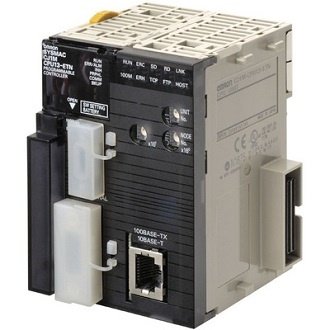 Omron CJ1M-CPU12-ETN PLC CPU Ethernet Unit CJ1MCPU12ETN $1,080.00Add to cart
- Omron CJ1W-AD041-V1 PLC Input Module CJ1WAD041V1 $798.00Add to cart
- Omron CJ1W-OD212 PLC DC Digital Output Module CJ1WOD212 $298.00Add to cart
- Omron CJ2M-CPU12 I/O Control Communication Unit CJ2MCPU12 $698.00Add to cart
- Omron CJ2M-CPU31 PLC Ethernet IP CPU Unit 40 I/O CJ2MCPU31 $1,200.00Add to cart
- Omron Communication Module CS1W-SCB41-V1 $680.00Add to cart
- Omron Communication Module DRT1-COM $710.00Add to cart
- Omron Communications Option Board NX1W-CIF11 $58.00Add to cart
- Omron Communications Option Board NX1W-CIF12 $86.00Add to cart
- Omron CP1L-EM30DR-D PLC CPU Unit I/O Module CP1LEM30DRD $480.00Add to cart
- Omron CP1L-EM30DT-D PLC CPU Unit CP1LEM30DTD $680.00Add to cart
- Omron CP1L-M60DT1-D PLC CPU Unit Logic Module CP1LM60DT1D $830.00Add to cart
- Omron CP1W-32ER Expansion Output Module Unit CP1W32ER $550.00Add to cart
- Omron CP1W-40EDT1 PLC I/O Expansion Module CP1W40EDT1 $420.00Add to cart
- Omron CP1W-8ED 8-Channel DC Digital Input Module CP1W8ED $260.00Add to cart
- Omron CP1W-8ET1 DC Digital Output Expansion Module CP1W8ET1 $145.00Add to cart
- Omron CP1W-DAM01 PLC LCD Option Board CP1WDAM01 $280.00Add to cart
- Omron CPU Control Logic Unit CP1E-E10DT-D $150.00Add to cart
- Omron CPU I/O MODULE Unit CJ2M-CPU11 $450.00Add to cart
- Omron CPU Unit CP1E-N40SDR-A $410.00Add to cart
- Omron CPU Unit CP1H-X40DR-A $680.00Add to cart
- Omron CPU Unit CP1L-M30DT-A $480.00Add to cart
- Omron CS1 PLC Rack Base Unit CS1W-BC103 $450.00Add to cart
- Omron CS1W-AD081-V1 Analog Input Module CS1WAD081V1 $1,050.00Add to cart
- Omron CS1W-EIP21 EtherNet Analog Communication Module CS1WEIP21 $880.00Add to cart
- Omron DeviceNet Communications Unit GRT1-DA2C $510.00Add to cart
- Omron Digital I/O Unit GT1-ID16 $280.00Add to cart
- Omron Digital I/O Unit GT1-ID16-1 $405.00Add to cart
- Omron Digital I/O Unit GT1-ID16DS $310.00Add to cart
- Omron Digital I/O Unit GT1-ID16ML $350.00Add to cart
- Omron Digital I/O Unit GT1-ID16ML-1 $370.00Add to cart
- Omron Digital I/O Unit GT1-ID16MX $360.00Add to cart
- Omron Digital I/O Unit GT1-ID16MX-1 $370.00Add to cart
- Omron Digital I/O Unit GT1-ID32ML $510.00Add to cart
- Omron Digital I/O Unit GT1-ID32ML-1 $520.00Add to cart
- Omron Digital I/O Unit GT1-OD16 $402.00Add to cart
- Omron Digital I/O Unit GT1-OD16-1 $430.00Add to cart
- Omron Digital I/O Unit GT1-OD16DS $420.00Add to cart
- Omron Digital I/O Unit GT1-OD16DS-1 $420.00Add to cart
- Omron Digital I/O Unit GT1-OD16ML $420.00Add to cart
- Omron Digital I/O Unit GT1-OD16ML-1 $420.00Add to cart
- Omron Digital I/O Unit GT1-OD16MX $350.00Add to cart
- Omron Digital I/O Unit GT1-OD16MX-1 $410.00Add to cart
- Omron Digital I/O Unit GT1-OD32ML $480.00Add to cart
- Omron Digital I/O Unit GT1-OD32ML-1 $495.00Add to cart
- Omron Digital Input Module CJ1W-ID261 $705.00Add to cart
- Omron Expansion I/O Unit ZEN-8E1AR $115.00Add to cart
- Omron Expansion Unit CP1W-MAD44 $580.00Add to cart
- Omron Expansion Unit XWT-OD08-1 $260.00Add to cart
- Omron GRT1-DRT DeviceNet Communications Unit GRT1DRT $2,600.00Add to cart
-
 Omron GRT1-ID8 Digital Input Output Module GRT1ID8 $190.00Add to cart
-
Omron GRT1-ID8-1 DC Digital Input Output Module GRT1ID81 $190.00Add to cart
- Omron GT1-AD04 Digital Input Output Module GT1AD04 $900.00Add to cart
- Omron GT1-AD08MX Analog Input Output Module GT1AD08MX $600.00Add to cart
- Omron GT1-DA04MX Analog Input Output Unit Module GT1DA04MX $720.00Add to cart
- Omron GT1-ID16DS-1 Digital Input Output Unit GT1ID16DS1 $900.00Add to cart
- Omron HMC-EF183 128MB Compact Flash Memory Card HMCEF183 $130.00Add to cart
- Omron I/O Module CJ2M-MD211 $298.00Add to cart
- Omron I/O Terminal Block SRT2-OD16 $408.00Add to cart
- Omron I/O Terminal Block SRT2-OD16-1 $420.00Add to cart
- Omron Input Unit CJ1W-IA111 $330.00Add to cart
- Omron IO-Link Master Unit NX-ILM400 $380.00Add to cart
- Omron Mixed I/O Unit CJ1W-MD231 $410.00Add to cart
- Omron Mixed I/O Unit CJ1W-MD233 $410.00Add to cart
- Omron NX-ID3417 PLC 4 Digital Input Module NXID3417 $280.00Add to cart
- Omron NX-OD4121 PLC 8 Digital Output Module NXOD4121 $130.00Add to cart
- Omron NX-OD5256 PLC Expansion Output Module NXOD5256 $398.00Add to cart
- Omron NX1P2-1140DT CPU Input Output Module NX1P21140DT $2,450.00Add to cart
- Omron NX1P2-1140DT1 PLC Input Output Module NX1P21140DT1 $2,460.00Add to cart
- Omron NX1W-CIF01 Communications Option Board NX1WCIF01 $88.00Add to cart
- Omron NX1W-DAB21V Analog Input Output Module NX1WDAB21V $200.00Add to cart
- Omron PLC 8 Slot Back Plane C200HW-BC081-V1 $310.00Add to cart
- Omron PLC 8PT Isolated RTU Input Unit CS1W-PTS56 $1,590.00Add to cart
- Omron PLC Adapter CP1W-EXT01 $110.00Add to cart
- Omron PLC Analog I/O Module CJ1W-AD081-V1 $940.00Add to cart
- Omron PLC Analog I/O Module CP1W-MAD11 $350.00Add to cart
- Omron PLC Analog Input Module CJ1W-AD04U $610.00Add to cart
- Omron PLC Analog Module CJ1W-MAD42 $660.00Add to cart
- Omron PLC Analog Output Unit CS1W-DA08C $1,300.00Add to cart
- Omron PLC Applicable Connector C500-CE404 $84.00Add to cart
- Omron PLC Backplane CS1W-BC083 $430.00Add to cart
- Omron PLC Battery CP1W-BAT01 $30.00Add to cart
- Omron PLC Battery CS1W-BAT01 $109.00Add to cart
- Omron PLC Board CP1W-CIF11 $52.00Add to cart
- Omron PLC Cable CS1W-CN114 $138.00Add to cart
- Omron PLC Cable CS1W-CN118 $140.00Add to cart
- Omron PLC Cable CS1W-CN713 $210.00Add to cart
- Omron PLC CJ-series Quick-response Input Unit CJ1W-IDP01 $430.00Add to cart
- Omron PLC CJ1W-PA202 $200.00Add to cart
- Omron PLC Communication Unit CJ1W-SCU31-V1 $650.00Add to cart
- Omron PLC Communications Module CJ1W-SCU41-V1 $620.00Add to cart
- Omron PLC Communications Module Unit CJ1W-SRM21 $386.00Add to cart
- Omron PLC Control Logic CP1H-X40DT-D $810.00Add to cart
- Omron PLC Control Logic CP1H-XA40DR-A $1,040.00Add to cart
- Omron PLC Control Logic CP1H-XA40DT-D $1,020.00Add to cart
- Omron PLC Control Logic CP1H-XA40DT1-D $1,060.00Add to cart
- Omron PLC CONTROL LOGIC CP1H-Y20DT-D $990.00Add to cart
- Omron PLC Control Logic CP1L-EL20DR-D $420.00Add to cart
- Omron PLC Control Logic CP1L-EM40DR-D $690.00Add to cart
- Omron PLC CONTROL LOGIC CP1L-EM40DT-D $670.00Add to cart
- Omron PLC Control Logic CP1L-L14DR-A $325.00Add to cart
- Omron PLC CONTROL LOGIC CP1L-L14DR-D $340.00Add to cart
- Omron PLC Control Logic CP1L-L14DT-A $390.00Add to cart
- Omron PLC CONTROL LOGIC CP1L-L14DT-D $330.00Add to cart
- Omron PLC CONTROL LOGIC CP1L-L14DT1-D $330.00Add to cart
- Omron PLC Control logic CP1L-L20DR-A $410.00Add to cart
- Omron PLC CONTROL LOGIC CP1L-L20DR-D $330.00Add to cart
- Omron PLC CONTROL LOGIC CP1L-L20DT-D $410.00Add to cart
- Omron PLC CONTROL LOGIC CP1L-L20DT1-D $396.00Add to cart
- Omron PLC CONTROL LOGIC CP1L-M30DR-A $430.00Add to cart
- Omron PLC CONTROL LOGIC CP1L-M30DR-D $440.00Add to cart
- Omron PLC CONTROL LOGIC CP1L-M30DT-D $452.00Add to cart
- Omron PLC Control Logic CP1L-M40DR-A $610.00Add to cart
- Omron PLC Control Logic CP1L-M40DR-D $650.00Add to cart
- Omron PLC Control Logic CP1L-M40DT-D $605.00Add to cart
- Omron PLC Control Logic CP1L-M40DT1-D $605.00Add to cart
- Omron PLC Control Logic CP1L-M60DR-D $850.00Add to cart
- Omron PLC CONTROL LOGIC EIP CJ2M-CPU32 $1,300.00Add to cart
- Omron PLC Control Logig CP1L-M30DT1-D $600.00Add to cart
- Omron PLC CP1E-E30SDR-A $216.00Add to cart
- Omron PLC CP1E-E40SDR-A $598.00Add to cart
- Omron PLC CP1E-N60S1DR-A $442.00Add to cart
- Omron PLC CPU Unit CJ1M-CPU21 $960.00Add to cart
- Omron PLC CPU Unit CJ2H-CPU64-EIP $3,010.00Add to cart
- Omron PLC CPU Unit CJ2M-CPU13 $885.00Add to cart
- Omron PLC CPU Unit CJ2M-CPU33 $1,270.00Add to cart
- Omron PLC CPU Unit CP1E-E10DR-A $190.00Add to cart
- Omron PLC CPU Unit CP1E-N20DR-A $280.00Add to cart
- Omron PLC CPU Unit CP1E-N20DT-D $310.00Add to cart
- Omron PLC CPU Unit CP1E-N20DT1-A $330.00Add to cart
- Omron PLC CPU Unit CP1E-N20DT1-D $280.00Add to cart
- Omron PLC CPU Unit CP1E-N30DT-A $356.00Add to cart
- Omron PLC CPU Unit CP1E-N30DT-D $380.00Add to cart
- Omron PLC CPU Unit CP1E-N30DT1-A $380.00Add to cart
- Omron PLC CPU Unit CP1E-N30DT1-D $330.00Add to cart
- Omron PLC CPU Unit CP1E-N30SDR-A $350.00Add to cart
- Omron PLC CPU Unit CP1E-N40DR-A $530.00Add to cart
- Omron PLC CPU Unit CP1E-N40DR-D $510.00Add to cart
- Omron PLC CPU Unit CP1E-N40DT-A $510.00Add to cart
- Omron PLC CPU Unit CP1E-N40DT-D $500.00Add to cart
- Omron PLC CPU Unit CP1E-N40DT1-A $490.00Add to cart
- Omron PLC CPU Unit CP1E-N40DT1-D $560.00Add to cart
- Omron PLC CPU Unit CP1E-NA20DR-A $530.00Add to cart
- Omron PLC CPU Unit CP1E-NA20DT-D $520.00Add to cart
- Omron PLC CPU Unit CP1L-EM30DT1-D $600.00Add to cart
- Omron PLC CPU Unit CP1L-M60DR-A $820.00Add to cart
- Omron PLC CPU Unit CP1L-M60DT-D $590.00Add to cart
- Omron PLC CPU Unit CS1G-CPU44H $1,550.00Add to cart
- Omron PLC CPU Unit ZEN-10C3DR-D-V2 $165.00Add to cart
-
 Omron PLC CPU Unit ZEN-20C3DR-D-V2 $205.00Add to cart
- Omron PLC DC Input Module CJ1W-ID232 $298.00Add to cart
- Omron PLC DeviceNet Master Unit CJ1W-DRM21 $640.00Add to cart
- Omron PLC Digital Output Module CJ1W-OD261 $550.00Add to cart
- Omron PLC END PLATE Module CJ1W-TER01 $125.00Add to cart
- Omron PLC Ethernet Module CJ1W-ETN21 $1,190.00Add to cart
- Omron PLC Ethernet Option Board CP1W-CIF12 $105.00Add to cart
- Omron PLC Ethernet Option Board CP1W-CIF41 $298.00Add to cart
- Omron PLC Expansion Backplane CS1W-BI103 $480.00Add to cart
- Omron PLC Expansion Module CP1W-16ET1 $270.00Add to cart
- Omron PLC Expansion Module CP1W-20EDR1 $300.00Add to cart
- Omron PLC Expansion Module CP1W-20EDT $225.00Add to cart
- Omron PLC Extension Module CP1W-8ET $140.00Add to cart
- Omron PLC I/O Cable CP1W-CN811 $85.00Add to cart
- Omron PLC I/O Control Unit CJ1W-IC101 $210.00Add to cart
- Omron PLC I/O Module CP1W-20EDT1 $300.00Add to cart
- Omron PLC I/O Module CP1W-40EDR $496.00Add to cart
- Omron PLC I/O Unit CJ1W-II101 $245.00Add to cart
- Omron PLC Input Module CJ1W-B7A14 $530.00Add to cart
- Omron PLC Input Module CJ1W-ID211 $300.00Add to cart
- Omron PLC Input Module CJ1W-ID231 $380.00Add to cart
- Omron PLC Input Module CJ1W-ID262 $520.00Add to cart
- Omron PLC Input Module CJ1W-PTS52 $695.00Add to cart
- Omron PLC Input Module CP1W-8ER $210.00Add to cart
- Omron PLC Input Module CP1W-AD041 $420.00Add to cart
- Omron PLC Input Module CP1W-TS001 $305.00Add to cart
- Omron PLC Input Module CP1W-TS002 $350.00Add to cart
- Omron PLC Input Module CP1W-TS101 $280.00Add to cart
- Omron PLC Input Module CS1W-ID211 $318.00Add to cart
- Omron PLC Input Module NX-ID3317 $107.00Add to cart
- Omron PLC Input Module NX-ID3343 $152.00Add to cart
- Omron PLC Input Module NX-ID3443 $150.00Add to cart
- Omron PLC Input Module NX-ID4342 $126.00Add to cart
- Omron PLC Input Module NX-ID4442 $126.00Add to cart
- Omron PLC Input Module NX-ID5142-1 $230.00Add to cart
- Omron PLC Input Module NX-ID5342 $165.00Add to cart
- Omron PLC Input Module NX-ID5442 $167.00Add to cart
- Omron PLC Input Module NX-ID6142-5 $315.00Add to cart
- Omron PLC Input Module NX-ID6142-6 $395.00Add to cart
- Omron PLC Input Module NX-OD2154 $118.00Add to cart
- Omron PLC Input Module NX-OD2258 $128.00Add to cart
- Omron PLC Logic Control CP1H-X40DT1-D $830.00Add to cart
- Omron PLC Module CJ1W-SCU21-V1 $599.00Add to cart
- Omron PLC Module CP1W-40EDT $370.00Add to cart
- Omron PLC Module NX-IA3117 $108.00Add to cart
- Omron PLC Module NX-ID3344 $170.00Add to cart
- Omron PLC Module NX-ID3444 $210.00Add to cart
- Omron PLC Module NX-ID5142-5 $199.00Add to cart
- Omron PLC Module NX1P2-1040DT $1,490.00Add to cart
- Omron PLC Module NX1P2-1040DT1 $1,650.00Add to cart
- Omron PLC Module NX1P2-9024DT $850.00Add to cart
- Omron PLC Module NX1P2-9024DT1 $996.00Add to cart
- Omron PLC Output Expansion Module XWT-OD16-1 $295.00Add to cart
- Omron PLC Output Module CJ1W-DA021 $656.00Add to cart
- Omron PLC Output Module CJ1W-DA08C $840.00Add to cart
- Omron PLC Output Module CJ1W-DA08V $830.00Add to cart
- Omron PLC Output Module CJ1W-OC211 $310.00Add to cart
- Omron PLC Output Module CJ1W-OD211 $260.00Add to cart
- Omron PLC Output Module CJ1W-OD231 $250.00Add to cart
- Omron PLC Output Module CJ1W-OD232 $430.00Add to cart
- Omron PLC Output Module CJ1W-OD262 $520.00Add to cart
- Omron PLC Output Module CP1W-DA021 $320.00Add to cart
- Omron PLC Output Module CP1W-DA041 $310.00Add to cart
- Omron PLC Output Module CS1W-OC211 $398.00Add to cart
- Omron PLC Output Module NX-OD3121 $108.00Add to cart
- Omron PLC Output Module NX-OD3153 $168.00Add to cart
- Omron PLC Output Module NX-OD3256 $95.00Add to cart
- Omron PLC Output Module NX-OD3257 $170.00Add to cart
- Omron PLC Output Module NX-OD3268 $205.00Add to cart
- Omron PLC Output Module NX-OD4256 $116.00Add to cart
- Omron PLC Output Module NX-OD5121 $168.00Add to cart
- Omron PLC Output Unit CJ1W-OC201 $210.00Add to cart
- Omron PLC Output Unit CP1W-16ER $240.00Add to cart
- Omron PLC Position Control Module CJ1W-NC413 $1,660.00Add to cart
- Omron PLC Power Supply C200HW-PA204 $400.00Add to cart
- Omron PLC Power Supply C200HW-PA204S $699.00Add to cart
- Omron PLC Power Supply CJ1W-PA205R $260.00Add to cart
- Omron PLC Power Supply CJ1W-PD022 $140.00Add to cart
- Omron PLC Power Supply CJ1W-PD025 $270.00Add to cart
- Omron PLC Power Supply S8VM-15024CD $320.00Add to cart
- Omron PLC Power Supply Unit CJ1W-PA205C $400.00Add to cart
- Omron PLC RS-232C Option Board CP1W-CIF01 $60.00Add to cart
- Omron PLC Temperature Control CJ1W-TC002 $810.00Add to cart
- Omron PLC Temperature Control Module CJ1W-TC101 $810.00Add to cart
- Omron Programmable Relay ZEN-10C2AR-A-V2 $150.00Add to cart
- Omron Relay Output Unit GT1-ROS16 $640.00Add to cart
- Omron Remote I/O Terminal SRT2-OD04 $250.00Add to cart
- Omron Remote Terminal Module SRT2-ROC08 $355.00Add to cart
- Omron Remote Terminal SRT2-ID08 $310.00Add to cart
- Omron Remote Terminal SRT2-ID16 $280.00Add to cart
- Omron S8VM-100 24CD PLC Power Supply S8VM100 $280.00Add to cart
- Omron Special I/O Module CJ1W-CT021 $910.00Add to cart
- Omron Temperature Control Unit NX-AUX02 $24.00Add to cart
- Omron Temperature Control Unit NX-TC2405 $405.00Add to cart
- Omron Temperature Control Unit NX-TC2406 $350.00Add to cart
- Omron Temperature Control Unit NX-TC2407 $420.00Add to cart
- Omron Temperature Control Unit NX-TC2408 $396.00Add to cart
- Omron Temperature Control Unit NX-TC3405 $580.00Add to cart
- Omron Temperature Control Unit NX-TC3406 $520.00Add to cart
- Omron Temperature Control Unit NX-TC3407 $615.00Add to cart
- Omron Temperature Control Unit NX-TC3408 $640.00Add to cart
- Omron Turnback Unit GRT1-TBL $120.00Add to cart
- Omron Turnback Unit GRT1-TBR $64.00Add to cart
- Omron XWT-ID16-1 DC Digital Inputs Expansion Unit XWTID161 $350.00Add to cart
Leave a Reply