

Understanding Omron PLC Programming Guide: Ladder Logic, Structured Text & Sysmac Studio Explained. The Complete Guide to Reliable Industrial Automation
What programming languages does Omron PLC support? Is Ladder Logic still used for Omron PLC programming? And can Ladder Logic and Structured Text be used together in Sysmac Studio?
 Explore Automation Solutions
Shop Process Control Equipment
Explore Automation Solutions
Shop Process Control Equipment
Omron PLC Programming Guide: Ladder Logic, Structured Text & Sysmac Studio Explained
ndustrial automation depends on reliable control systems, and Omron PLCs have earned a reputation for delivering high-speed performance, precision, and scalability across a wide range of applications. Whether you’re programming a compact machine controller or a complex motion control system, understanding Ladder Logic, Structured Text, and Sysmac Studio is essential for developing efficient and maintainable automation solutions. This guide explains the fundamentals, programming methods, software tools, and best practices that every automation engineer, technician, and system integrator should know when working with Omron PLCs.
Why Omron PLC Programming Matters in Modern Automation
Programmable Logic Controllers (PLCs) are the foundation of industrial automation, controlling everything from simple conveyor systems to highly synchronized robotic production lines. Among the leading PLC manufacturers, Omron has established itself as an industry leader by combining reliable hardware with powerful programming software and advanced motion control capabilities.
Today’s manufacturing environments demand more than basic machine control. Engineers must integrate robotics, machine vision, safety systems, servo motion, and Industrial Ethernet communications into a single, intelligent automation platform. Omron addresses these challenges through its Sysmac Automation Platform, which brings multiple control technologies together under one software environment.
As a result, Omron PLC programming has become an essential skill for:
Automation engineers
Controls engineers
Machine builders
Maintenance technicians
OEM equipment manufacturers
System integrators
Industrial electricians
Whether you’re commissioning a new production line or upgrading legacy equipment, understanding how Omron PLCs are programmed can significantly improve machine performance, troubleshooting efficiency, and long-term maintainability.
What Is an Omron PLC?
An Omron Programmable Logic Controller (PLC) is a rugged industrial computer designed to monitor inputs, execute control logic, and operate outputs in real time. Unlike general-purpose computers, PLCs are built to function reliably in harsh industrial environments where dust, vibration, temperature fluctuations, and electrical noise are common.
Omron PLCs are used across virtually every manufacturing sector, including:
Automotive manufacturing
Food and beverage processing
Pharmaceutical production
Packaging machinery
Semiconductor fabrication
Water and wastewater treatment
Material handling and logistics
Renewable energy systems
One of the primary reasons engineers choose Omron controllers is their ability to combine machine control, motion control, networking, safety, and visualization into a unified automation platform.
Unlike older PLC architectures that required multiple software packages, modern Omron controllers are programmed using Sysmac Studio, allowing engineers to configure nearly every aspect of the machine from one engineering environment.
Popular Omron PLC Families
Omron offers several PLC families designed for different applications and performance requirements.
CP Series
The CP Series is designed for compact machines and standalone automation systems. These PLCs are commonly found in small manufacturing equipment, packaging machines, and material handling applications where cost-effectiveness and reliability are important.
Popular models include:
CP1E
CP1L
CP2E
CP2E-N
Typical applications include:
Conveyor systems
Pump control
HVAC automation
Small OEM machinery
CJ Series
The CJ Series has long been one of Omron’s most successful modular PLC platforms. It offers greater processing power, expandable I/O, and flexible communication options for medium-sized industrial systems. Many manufacturing plants continue to rely on CJ2 controllers because they provide proven reliability and straightforward integration with legacy automation equipment.
Typical industries include:
Food processing
Chemical manufacturing
Assembly automation
Process control
NX Series
The NX Series represents Omron’s modern machine automation platform. These controllers deliver significantly higher processing speeds, built-in networking, advanced diagnostics, and seamless integration with motion control and machine vision. The NX family is ideal for applications requiring precise synchronization between multiple machine axes.
Common applications include:
Packaging equipment
Robotic systems
Semiconductor manufacturing
High-speed assembly machines
NJ Series Machine Automation Controllers
The NJ Series combines traditional PLC functionality with advanced motion control capabilities.
Instead of treating motion control as a separate subsystem, NJ controllers integrate:
PLC control
Motion control
Safety
Vision
Industrial networking
This integrated approach simplifies programming while improving machine performance.
For OEM machine builders, the NJ Series provides a scalable platform capable of controlling everything from simple indexing tables to sophisticated robotic manufacturing cells.
Understanding the Omron Sysmac Automation Platform
One of Omron’s greatest innovations is the Sysmac Automation Platform, which integrates multiple automation technologies into a single architecture. Rather than programming each subsystem independently, engineers manage the entire machine using one coordinated engineering environment.
The Sysmac platform integrates:
PLC control
Motion control
Servo drives
Industrial robots
Machine vision
Functional safety
HMI systems
EtherCAT networking
EtherNet/IP communications
This unified approach reduces engineering time while making troubleshooting much easier throughout the machine’s lifecycle.
For manufacturers building highly automated equipment, integrated architectures eliminate many of the compatibility issues associated with multi-vendor automation systems.
Benefits of the Sysmac Platform
Modern production facilities increasingly require connected, data-driven manufacturing systems. The Sysmac platform addresses these requirements through several important advantages.
Single Software Environment
Instead of switching between multiple engineering tools, engineers perform programming, configuration, diagnostics, and commissioning inside Sysmac Studio. This centralized workflow reduces development time while minimizing configuration errors.
High-Speed Motion Control
Motion synchronization is essential for modern manufacturing equipment. Sysmac controllers can coordinate dozens of servo axes simultaneously using deterministic EtherCAT communication, making them ideal for:
Packaging machines
Printing presses
Pick-and-place robots
CNC equipment
Electronic assembly systems
Built-In Scalability
Another advantage of the Sysmac platform is scalability.
A machine can begin with only a few I/O points and later expand to include:
Additional servo axes
Safety controllers
Vision inspection
Remote I/O
Industrial IoT connectivity
This protects long-term investments while allowing equipment to evolve with production requirements.
What Is Sysmac Studio?
Sysmac Studio is Omron’s integrated development environment (IDE) used to configure, program, test, and maintain Sysmac-compatible automation systems. Instead of serving only as PLC programming software, Sysmac Studio acts as the engineering hub for the entire machine.
Within a single project, engineers can configure:
PLC programs
Servo systems
Safety controllers
EtherCAT networks
EtherNet/IP devices
HMI projects
Vision systems
Variable databases
This eliminates duplicate engineering work and helps maintain consistency across every subsystem.
Key Features of Sysmac Studio
Sysmac Studio includes numerous tools designed to improve engineering productivity.
Multi-Language Programming
One of its most valuable features is support for multiple IEC 61131-3 programming languages.
Engineers can develop applications using:
Ladder Diagram (LD)
Structured Text (ST)
Function Block Diagram (FBD)
Sequential Function Chart (SFC)
Different sections of the same project can use different programming languages depending on the application requirements.
For example:
Ladder Logic may control machine sequencing.
Structured Text may perform complex mathematical calculations.
Function Blocks may control servo motion.
Sequential Function Charts may manage production recipes.
This flexibility allows developers to choose the most efficient programming method for each task.
Advanced Debugging Tools
Debugging automation software is significantly easier with Sysmac Studio.
Engineers can:
Monitor variables in real time
Force inputs and outputs
Trace program execution
View communication diagnostics
Analyze servo performance
Identify machine faults quickly
These tools reduce commissioning time while simplifying long-term maintenance.
Simulation Capabilities
Before downloading programs to physical hardware, many applications can be verified through simulation.
Simulation helps engineers:
Validate logic
Test machine sequences
Detect programming errors
Reduce startup risk
This is particularly valuable during factory acceptance testing (FAT), where identifying software issues early can prevent costly delays during installation.
Choosing the Right Programming Language
One of the biggest strengths of the Omron automation platform is that engineers are not limited to a single programming language. Instead, Sysmac Studio supports the IEC 61131-3 standard, allowing developers to select the language that best fits the application.
For most machine builders, this means combining multiple programming methods within the same project. Ladder Logic is often used for discrete control and troubleshooting, while Structured Text excels at mathematical calculations, data manipulation, and advanced algorithms. Function Blocks and Sequential Function Charts further simplify reusable logic and sequential machine operations.
In the next section, we’ll take a deep dive into Ladder Logic programming, including how it works, when to use it, common programming instructions, best practices, and real-world Omron programming examples. We’ll then explore Structured Text and show how experienced automation engineers use both languages together to build fast, scalable, and maintainable control systems.
Ladder Logic Programming Explained
Ladder Logic (LD) remains the most widely used PLC programming language in industrial automation, and for good reason. It closely resembles traditional electrical relay circuits, making it intuitive for electricians, maintenance technicians, and controls engineers who are familiar with electrical schematics.
Although modern PLCs support multiple programming languages, Ladder Logic continues to dominate machine control because it is easy to read, straightforward to troubleshoot, and highly effective for discrete control applications. In Omron PLCs, Ladder Logic is fully integrated into Sysmac Studio, allowing developers to combine it seamlessly with Structured Text, Function Block Diagrams (FBD), and Sequential Function Charts (SFC).
Whether you’re controlling a conveyor, packaging machine, robotic cell, or automated inspection system, Ladder Logic provides a reliable and maintainable way to develop industrial control programs.
Why Ladder Logic Remains the Industry Standard
Since the first PLCs replaced relay-based control systems in the late 1960s, Ladder Logic has remained the preferred programming language for factory automation. While manufacturing technology has evolved dramatically, the need for clear and maintainable control logic has not changed.
Several factors contribute to its continued popularity:
Easy for maintenance personnel to understand
Closely resembles traditional electrical schematics
Excellent for troubleshooting equipment in real time
Highly effective for machine sequencing
Supported by virtually every PLC manufacturer
For manufacturers operating around the clock, minimizing downtime is critical. When a machine stops unexpectedly, technicians can quickly trace Ladder Logic rungs, identify the fault, and restore production faster than with many text-based programming languages.
This simplicity translates directly into lower maintenance costs and shorter repair times.
How Ladder Logic Works
Ladder Logic is organized into horizontal lines called rungs, which represent individual control instructions. These rungs are connected by two vertical rails that symbolize the power supply, much like an electrical relay diagram.
Each rung contains conditions that must evaluate as true before the PLC energizes an output.
A simplified sequence looks like this:
Input Conditions → PLC Logic → Output ActionFor example:
Start Button ON AND Emergency Stop OFF ↓ Motor Output ONThe PLC continuously scans every rung in sequence, evaluates the conditions, updates the outputs, and then repeats the cycle—often in just a few milliseconds. This rapid scan ensures machines respond almost instantly to changing input conditions.
Understanding the PLC Scan Cycle
One of the most important concepts in PLC programming is the scan cycle. Every Omron PLC follows the same basic process:
Step 1: Read Inputs
The PLC reads the status of all connected input devices, including:
Pushbuttons
Limit switches
Proximity sensors
Photoelectric sensors
Pressure switches
Temperature controllers
These input values are stored temporarily in memory.
Step 2: Execute the Program
Next, the PLC executes the Ladder Logic program one rung at a time, from top to bottom and left to right.
During this stage, the controller:
Evaluates contacts
Processes timers
Executes counters
Performs calculations
Updates internal memory bits
Step 3: Update Outputs
Finally, the PLC updates the physical outputs.
Examples include:
Starting motors
Energizing relays
Opening valves
Activating solenoids
Turning indicator lights on or off
Once completed, the PLC immediately starts another scan.
Modern Omron NX and NJ controllers can complete thousands of logic instructions in only a few milliseconds, enabling precise, high-speed machine control.
Core Ladder Logic Instructions
Every Ladder Logic program is built using a relatively small set of instructions. Mastering these basic elements allows engineers to develop sophisticated automation systems.
Normally Open (NO) Contact
A Normally Open contact allows logic to pass only when the associated input or internal bit is ON.
Typical uses include:
Start buttons
Sensor activation
Machine permissives
Safety interlocks
For example, a conveyor motor may start only after a product detection sensor becomes active.
Normally Closed (NC) Contact
A Normally Closed contact allows logic to pass when the associated input is OFF.
These contacts are commonly used for:
Emergency stop circuits
Fault detection
Stop buttons
Safety monitoring
Using Normally Closed logic helps create fail-safe control systems, where a broken wire or disconnected device is more likely to stop the machine rather than allowing unsafe operation.
Output Coil
The output coil represents the final action performed by a rung.
Examples include controlling:
Motors
Solenoid valves
Conveyor belts
Warning lights
Pumps
Air cylinders
When all conditions preceding the coil evaluate as true, the PLC energizes the output.
Timers in Omron PLC Programming
Industrial machines rarely perform every action instantly. Many operations require controlled delays. Timers make this possible.
For example:
Delay a conveyor after a sensor detects a package
Keep a cooling fan running after a motor stops
Hold a cylinder extended for three seconds
Delay startup sequencing
Omron PLCs provide several timer functions.
ON Delay Timer (TON)
The ON Delay Timer waits a specified amount of time before turning an output ON.
Example:
A packaging conveyor starts three seconds after the operator presses the Start button.
Benefits include:
Smooth machine startup
Reduced mechanical shock
Controlled sequencing
OFF Delay Timer (TOF)
The OFF Delay Timer keeps an output energized after the input turns OFF.
Applications include:
Cooling fans
Exhaust systems
Lubrication pumps
This prevents equipment from stopping abruptly.
Retentive Timer
Retentive timers store elapsed time even if power is removed or the input changes state.
These timers are useful for:
Preventive maintenance intervals
Batch processing
Long-duration production cycles
Counters
Many manufacturing operations involve counting products, machine cycles, or production batches. Counters automate these tasks.
Common examples include:
Counting bottles
Tracking completed cartons
Monitoring machine cycles
Measuring pallet quantities
Omron PLCs typically include:
Up Counters (CTU)
Down Counters (CTD)
Up/Down Counters
These instructions simplify production tracking without requiring additional hardware.
Internal Memory Bits
Not every PLC variable represents a physical device. Many programs use internal memory bits to store machine status information.
Examples include:
Machine Running
Automatic Mode
Maintenance Mode
Fault Active
Batch Complete
Recipe Loaded
Internal memory allows engineers to create organized, modular programs while reducing unnecessary wiring.
Building a Simple Motor Start Circuit
One of the first programs most engineers learn is the classic motor start/stop circuit.
The sequence works like this:
Operator presses the Start button.
The PLC energizes the motor output.
A seal-in (holding) contact keeps the motor running after the Start button is released.
Pressing the Stop button breaks the circuit.
The motor turns OFF safely.
Although this example is simple, the same principles are used in much larger automation systems. By combining contacts, timers, counters, and memory bits, engineers can create sophisticated machine sequences capable of controlling thousands of I/O points.
Ladder Logic Best Practices
Experienced automation engineers know that a program should not only work—it should also be easy to understand years later. A well-organized Ladder Logic project reduces commissioning time, simplifies troubleshooting, and minimizes the risk of programming errors during future upgrades. The following practices are widely adopted across the industry.
Use Descriptive Tag Names
Avoid generic addresses whenever possible.
Instead of:
CIO 100.00Use:
Conveyor_Start_PBInstead of:
W12.04Use:
Main_Air_Pressure_OKClear tag names make the program self-documenting and significantly reduce troubleshooting time.
Divide Programs into Functional Sections
Large applications should be organized into logical modules, such as:
Machine startup
Safety logic
Conveyor control
Alarm handling
Motion control
HMI communication
Recipe management
This modular structure makes programs easier to maintain and expand.
Comment Every Major Routine
Good comments explain why the logic exists—not just what it does.
For example:
Poor comment
Motor StartBetter comment
Starts Conveyor 2 only after Conveyor 1 reaches operating speed and all safety conditions are satisfied.Future engineers will appreciate the additional context.
Keep Safety Logic Separate
Safety functions should never be mixed randomly with standard machine logic.
Instead, isolate:
Emergency stops
Guard door monitoring
Safety relays
Safe torque off (STO)
Safety PLC communications
This improves both readability and compliance with industrial safety standards.
Common Mistakes New PLC Programmers Make
Even experienced programmers occasionally introduce errors. Understanding common mistakes can help prevent unnecessary downtime.
Typical issues include:
Forgetting the Scan Cycle
Many beginners assume outputs update immediately. In reality, the PLC completes an entire scan before refreshing outputs. Understanding scan timing is essential for developing reliable control logic.
Using Too Many Internal Bits
While internal variables are useful, excessive use can make programs difficult to follow. Organize memory carefully and remove unused variables whenever possible.
Poor Program Documentation
Months—or even years—after commissioning, undocumented programs become extremely difficult to maintain.
Adding meaningful comments during development saves considerable time later.
Ignoring Fault Handling
Every industrial machine should include logic to detect abnormal conditions such as:
Sensor failures
Communication errors
Motor overloads
Servo alarms
Air pressure loss
Well-designed alarm handling improves equipment reliability and reduces troubleshooting time.
When Should You Use Ladder Logic?
Although Sysmac Studio supports multiple programming languages, Ladder Logic remains the preferred choice for many machine control tasks.
It is particularly effective for:
Discrete machine control
Conveyor systems
Pump stations
Packaging equipment
Material handling
Start/stop sequencing
Alarm management
Safety interlocks
Digital I/O processing
However, as applications become more sophisticated—especially those involving mathematical calculations, data structures, recipe management, or complex algorithms—another IEC 61131-3 language becomes increasingly valuable: Structured Text.
In the next section, we’ll explore Structured Text programming for Omron PLCs, including its syntax, strengths, practical applications, and how experienced controls engineers combine it with Ladder Logic inside Sysmac Studio to build powerful, scalable automation solutions.
Structured Text Programming Explained
While Ladder Logic remains the preferred language for discrete machine control, it is not always the most efficient choice for every programming task. As automation systems become more sophisticated, engineers increasingly rely on Structured Text (ST) to develop applications involving complex calculations, data handling, string manipulation, recipe management, and advanced motion control.
Structured Text is one of the five programming languages defined by the IEC 61131-3 international standard. It uses a syntax similar to high-level programming languages such as Pascal, making it easier to write compact, readable code for complex operations that would require dozens—or even hundreds—of Ladder Logic rungs.
In Omron’s Sysmac Studio, Ladder Logic and Structured Text are not competing languages. Instead, they complement one another. Experienced automation engineers often use Ladder Logic for machine sequencing and digital I/O while relying on Structured Text for advanced process logic and reusable software components.
What Is Structured Text?
Structured Text is a text-based programming language designed specifically for industrial automation. Rather than connecting contacts and coils graphically, programmers write logical statements using keywords, variables, mathematical operators, and conditional expressions.
A simple example might look like this:
IF Tank_Level >= High_Level THEN Pump_Running := FALSE; END_IF;Although the syntax appears more like traditional software development than electrical schematics, the logic is executed by the PLC in exactly the same scan cycle.
Structured Text offers several advantages:
Easier to write complex mathematical formulas
Better suited for large algorithms
Supports loops and conditional statements
Simplifies data manipulation
Produces cleaner code for repetitive calculations
As industrial machines continue to generate larger amounts of operational data, Structured Text has become an increasingly valuable tool for automation engineers.
Why Use Structured Text in Omron PLCs?
Many engineers ask whether Ladder Logic or Structured Text is better. The answer depends entirely on the application.
Ladder Logic excels at:
Start/stop circuits
Machine interlocks
Conveyor control
Safety sequencing
Digital inputs and outputs
Structured Text, however, is the preferred choice when the application requires:
Complex calculations
Data processing
Recipe management
Statistical analysis
Motion calculations
String handling
File operations
Communication data parsing
For example, imagine a packaging machine that calculates production efficiency, predicts material consumption, and stores production recipes. Writing this logic entirely in Ladder Logic would result in hundreds of complicated rungs. In Structured Text, the same functionality can often be implemented in a fraction of the code while remaining easier to maintain.
Understanding Structured Text Syntax
Although Structured Text resembles conventional programming languages, its syntax is intentionally straightforward. Every program consists of statements that execute sequentially during the PLC scan.
The language includes:
Variables
Operators
Conditional statements
Loops
Functions
Function blocks
Learning these building blocks enables engineers to create highly sophisticated automation software.
Variables
Variables store information that the PLC uses during program execution.
Common examples include:
Machine speed
Tank level
Temperature
Pressure
Product count
Alarm status
Instead of using memory addresses directly, Sysmac Studio encourages engineers to create descriptive variable names.
For example:
Current_Temperature Motor_Running Recipe_Number Production_CountMeaningful variable names improve readability and simplify troubleshooting.
Data Types
Structured Text supports a wide variety of data types.
Common examples include:
Boolean (BOOL)
Stores only two values:
TRUE
FALSE
Used for:
Switches
Sensors
Alarm bits
Machine status
Integer (INT)
Stores whole numbers.
Typical applications include:
Product counters
Batch quantities
Machine cycles
Real (REAL)
Stores decimal numbers.
Used for:
Temperature
Pressure
Flow rate
Speed calculations
String (STRING)
Stores text.
Applications include:
Product names
Operator messages
Barcode information
HMI displays
Choosing the correct data type improves program performance while reducing memory usage.
Conditional Statements
One of Structured Text’s greatest strengths is its ability to perform logical decisions using simple IF statements.
For example:
IF Motor_Temperature > 85 THEN Cooling_Fan := TRUE; END_IF;This example continuously monitors motor temperature. If the value exceeds the specified limit, the PLC automatically starts the cooling fan.
Conditional logic can also include multiple conditions:
IF Pressure_OK AND Safety_Guard_Closed THEN Machine_Start := TRUE; END_IF;These statements remain easy to read even as the application becomes more complex.
CASE Statements
CASE statements simplify programs that involve multiple operating modes.
For example, a machine may have several production recipes.
Instead of writing numerous IF statements, programmers can use:
CASE Recipe_Number OFDifferent sections of code execute depending on the selected recipe.
Typical applications include:
Product recipes
Machine operating modes
Packaging sizes
Production schedules
CASE structures make programs more organized and easier to expand.
Loops in Structured Text
Unlike Ladder Logic, Structured Text supports loops.
Common loop types include:
FOR
WHILE
REPEAT
Loops allow programmers to process multiple variables using very little code.
For example, a FOR loop can examine dozens of sensors automatically rather than writing identical Ladder Logic repeatedly. This significantly reduces programming time. However, loops should be used carefully in PLC applications because excessively long loops may increase scan time. Experienced engineers always consider execution performance before implementing large iterative routines.
Mathematical Functions
Modern automation systems perform far more than simple ON/OFF control.
Many applications require:
Production calculations
Energy monitoring
Flow compensation
Statistical analysis
Servo positioning
Process optimization
Structured Text handles these calculations efficiently.
Common mathematical operations include:
Addition
Subtraction
Multiplication
Division
Square roots
Trigonometric functions
Averaging
Scaling analog values
For example, converting a raw analog input into engineering units is much easier using Structured Text than with Ladder Logic alone.
Working with Arrays
Arrays allow multiple values to be stored under one variable name.
Instead of creating:
Temperature_1 Temperature_2 Temperature_3An engineer can create:
Temperature[1..20]This approach simplifies:
Data logging
Sensor monitoring
Alarm management
Batch processing
Arrays are especially useful in machines with many identical devices, such as multi-zone ovens, filling systems, or large conveyor networks.
Function Blocks and Code Reusability
One of the greatest advantages of Sysmac Studio is its support for reusable Function Blocks (FBs). A Function Block is a self-contained software module that performs a specific task.
Examples include:
Motor control
Valve sequencing
PID control
Alarm handling
Servo positioning
Instead of writing the same code repeatedly, engineers create one Function Block and use it throughout the project.
This approach offers several benefits:
Faster development
Easier maintenance
Reduced programming errors
Standardized machine behavior
Reusable code is particularly valuable for OEM machine builders who manufacture multiple versions of similar equipment.
Combining Ladder Logic and Structured Text
One of the most powerful features of Sysmac Studio is the ability to combine multiple IEC 61131-3 programming languages within the same project. Rather than forcing engineers to choose one language, Omron encourages them to use the strengths of each.
A typical machine might be organized like this:
Ladder Logic
Start/stop circuits
Safety interlocks
Digital I/O
Conveyor sequencing
Alarm outputs
Structured Text
Recipe management
Motion calculations
Statistical analysis
Data validation
Communication handling
Function Blocks
Servo control
PID loops
Axis synchronization
Reusable machine modules
This hybrid programming approach results in software that is both easy to troubleshoot and capable of handling sophisticated automation tasks.
Best Practices for Structured Text Programming
Writing efficient Structured Text requires more than simply understanding the syntax. Following proven programming practices helps improve readability, simplify maintenance, and reduce future development costs.
Consider these recommendations:
Use descriptive variable names instead of abbreviations.
Break large routines into smaller functions or function blocks.
Add comments that explain the purpose of complex algorithms.
Group related variables logically within the project.
Validate all operator inputs before processing them.
Avoid unnecessary nested IF statements when CASE structures are more appropriate.
Monitor PLC scan time when implementing loops or extensive calculations.
Well-structured code is easier to test, troubleshoot, and expand as machine requirements evolve.
Common Applications of Structured Text
Structured Text is widely used in applications that require advanced data processing or mathematical operations.
Typical examples include:
Multi-axis motion control
Packaging machine recipe management
Batch processing systems
Predictive maintenance algorithms
Energy monitoring systems
Machine performance calculations
Industrial data logging
Barcode and RFID processing
Vision system integration
Industrial IoT gateways
As manufacturing facilities continue to adopt digital transformation initiatives, Structured Text has become an essential programming language for engineers developing connected, intelligent machines.
Ladder Logic vs. Structured Text: Which Should You Use?
The debate between Ladder Logic and Structured Text often misses an important point—they are designed to solve different problems.
Ladder Logic is ideal when technicians need to quickly understand machine behavior, trace inputs and outputs, or troubleshoot equipment directly on the factory floor. Its visual format closely resembles electrical schematics, making it familiar to maintenance personnel.
Structured Text, by contrast, shines when applications involve calculations, data structures, communication protocols, or reusable algorithms. It enables developers to write concise, maintainable code that would be cumbersome in Ladder Logic.
The most effective Omron PLC applications rarely rely on just one language. Instead, experienced engineers combine both within Sysmac Studio, using each where it delivers the greatest benefit. This balanced approach produces software that is easier to maintain, scales more effectively, and supports the increasingly complex demands of modern industrial automation.
Sysmac Studio Explained: Omron PLC Programming Software and Engineering Workflow
For engineers working with modern Omron PLCs, Sysmac Studio is much more than a programming tool. It is a complete engineering environment designed to develop, configure, simulate, test, and maintain entire automation systems.
Traditional automation projects often required separate software packages for PLC programming, motion control, safety configuration, HMI development, and network setup. This approach created additional engineering complexity because different systems had to be configured independently and then integrated manually.
Omron’s Sysmac Studio takes a different approach. It provides a unified platform where engineers can manage the entire machine automation lifecycle from a single project environment.
From a small machine with a compact controller to a high-speed production line with multiple servo axes, robots, vision systems, and distributed I/O, Sysmac Studio provides the tools required to design and maintain advanced automation applications.
What Is Sysmac Studio?
Sysmac Studio is Omron’s integrated automation development software used to program and configure controllers within the Sysmac Automation Platform.
The software supports Omron’s advanced controller families, including:
NJ Series Machine Automation Controllers
NX Series PLCs
NX I/O systems
NX Safety Controllers
EtherCAT devices
Servo drives
Robotics systems
Machine vision products
Unlike traditional PLC programming software that focuses primarily on ladder logic development, Sysmac Studio manages the complete automation environment.
Engineers can use one software package to:
Create PLC programs
Configure hardware
Develop motion applications
Set up industrial networks
Configure safety systems
Test programs through simulation
Diagnose machine problems
This integrated approach significantly reduces engineering time and improves consistency throughout the automation project.
Getting Started with an Omron PLC Project in Sysmac Studio
Creating an automation project begins by defining the controller, hardware configuration, programming language, and communication requirements.
A typical Sysmac Studio workflow follows these steps:
Create a new project
Select the PLC or controller model
Configure hardware modules
Define variables and data structures
Develop PLC programs
Configure communication networks
Test and simulate the application
Transfer the program to the controller
Commission and monitor machine operation
Each stage plays an important role in ensuring the final automation system operates reliably.
Creating a New Project
When starting a new project, engineers first select the appropriate Omron controller.
For example:
NX1P controllers for compact machines
NX102 controllers for mid-range applications
NX701 controllers for high-performance systems
NJ controllers for advanced machine automation
The controller selection determines available features, processing power, memory capacity, and supported communication options.
During project creation, engineers also define:
Project name
Controller model
Programming language preferences
Network settings
Device configuration
Once created, the project becomes the central workspace for all automation development activities.
Hardware Configuration in Sysmac Studio
One of the major advantages of Sysmac Studio is its ability to digitally represent the physical automation system.
Instead of manually documenting hardware separately, engineers build a virtual model of the machine inside the software.
Hardware configuration includes:
CPU selection
Expansion modules
Digital I/O modules
Analog input/output modules
Communication modules
Safety devices
Servo drives
This digital representation allows engineers to verify system architecture before installing equipment on the factory floor.
Configuring I/O Modules
Industrial machines typically include many field devices connected through input and output modules.
Examples include:
Digital Inputs
Used for devices such as:
Pushbuttons
Limit switches
Proximity sensors
Safety switches
Digital Outputs
Used for controlling:
Motors
Solenoid valves
Relays
Indicator lights
Analog Inputs
Used for continuous measurements such as:
Temperature
Pressure
Flow
Level
Analog Outputs
Used for controlling devices such as:
Variable frequency drives
Control valves
Proportional actuators
Proper I/O configuration ensures the PLC correctly interprets field signals and controls connected equipment.
Variable and Tag Management
Modern PLC programming relies heavily on meaningful variables rather than traditional memory addresses. Sysmac Studio uses a tag-based programming approach, allowing engineers to create descriptive names for machine data.
For example:
Instead of:
Input_001An engineer can define:
Conveyor_Start_ButtonInstead of:
Output_015The program can use:
Main_Motor_Run_CommandThis approach makes programs easier to understand and maintain.
Global and Local Variables
Sysmac Studio supports different variable types depending on where they are used.
Global Variables
Global variables are accessible throughout the entire project.
Common examples:
Machine status
Alarm information
Production counters
Recipe data
Local Variables
Local variables are limited to a specific program or function block.
They are useful for:
Temporary calculations
Internal processing
Program-specific operations
Proper variable organization is essential for large automation projects because poorly structured data can make troubleshooting extremely difficult.
EtherCAT Configuration for High-Speed Automation
One of Omron’s strongest advantages is its integration with EtherCAT, a high-performance industrial communication protocol commonly used for motion control and distributed I/O.
EtherCAT provides:
Fast communication
Precise synchronization
Deterministic performance
Large device capacity
This makes it ideal for applications requiring coordinated machine movements.
Common EtherCAT devices include:
Servo drives
Remote I/O modules
Encoders
Robotics systems
Motion controllers
Why EtherCAT Matters in Omron Automation Systems
Modern machines often require multiple devices to operate together with extreme precision.
For example, a packaging machine may need:
Conveyor speed synchronization
Servo positioning
Product detection
Robotic pick-and-place operations
EtherCAT allows these devices to communicate with minimal delay, ensuring accurate coordination.
This capability is especially important in industries such as:
Semiconductor manufacturing
Electronics assembly
Pharmaceutical packaging
High-speed production equipment
EtherNet/IP Communication Setup
While EtherCAT is commonly used for motion and device-level communication, EtherNet/IP provides broader industrial networking capabilities.
EtherNet/IP allows Omron PLCs to communicate with:
HMIs
SCADA systems
Remote PLCs
Industrial computers
Manufacturing databases
Common applications include:
Production monitoring
Data collection
Machine-to-machine communication
Factory automation networks
A properly designed industrial network allows production systems to exchange information efficiently while maintaining reliable operation.
Programming Workflow in Sysmac Studio
Once hardware and communication settings are configured, engineers begin developing the PLC application. A typical programming workflow includes:
Step 1: Define Machine Requirements
Before writing code, engineers analyze the machine operation.
This includes:
Sequence requirements
Safety conditions
Operator controls
Production targets
Alarm conditions
Good planning reduces programming errors later.
Step 2: Create Program Structure
Large PLC applications should be divided into organized sections. A common structure might include:
Main Program
Controls overall machine operation.
Initialization Routine
Handles startup conditions and resets.
Manual Mode Routine
Allows operators to control individual machine functions.
Automatic Mode Routine
Runs normal production sequences.
Alarm Management
Handles faults and operator notifications.
Communication Tasks
Manages external data exchange. This structure makes troubleshooting significantly easier.
Step 3: Develop Control Logic
Engineers then create the machine logic using:
Ladder Logic
Structured Text
Function Blocks
The programming method depends on the application.
For example:
A conveyor motor may use Ladder Logic.
A motion profile calculation may use Structured Text.
A servo control sequence may use a Function Block.
Online Monitoring and Debugging
One of the most valuable features of Sysmac Studio is its advanced troubleshooting capability. During commissioning, engineers can connect directly to the PLC and observe real-time operation.
Available monitoring tools include:
Variable monitoring
Program status tracking
I/O status viewing
Data tracing
Error diagnostics
These tools help engineers identify problems quickly without manually testing every component.
Data Trace Function
The Sysmac Studio Data Trace feature allows engineers to capture PLC variables over time. This is extremely useful for diagnosing intermittent problems.
For example, an engineer can monitor:
Motor speed
Sensor signals
Pressure values
Temperature changes
Communication delays
The collected data can reveal problems that are difficult to reproduce manually.
Simulation and Testing Before Deployment
One of the biggest advantages of modern PLC development is the ability to test programs before connecting them to real equipment.
Simulation allows engineers to:
Validate machine sequences
Identify programming errors
Test logic changes
Reduce commissioning time
For machine builders, this capability can significantly reduce project risks. Instead of discovering software problems during installation, engineers can resolve many issues before the machine reaches the customer site.
Common Sysmac Studio Programming Mistakes
Even experienced engineers can encounter challenges when developing automation applications. Avoiding common mistakes improves reliability.
Poor Project Organization
Large automation projects can become difficult to manage if programs, variables, and function blocks are not organized properly.
A clear structure improves:
Troubleshooting
Collaboration
Future modifications
Inconsistent Naming Conventions
Poor variable names create confusion.
For example:
MTR01does not communicate much information.
A better approach:
Cooling_Pump_Run_StatusClear naming reduces mistakes during commissioning.
Ignoring Network Planning
Modern machines often include many connected devices.
Poor network design can cause:
Communication failures
Slow response times
Difficult troubleshooting
Engineers should carefully plan:
Device addresses
Network topology
Communication priorities
Insufficient Error Handling
A reliable machine should anticipate failures.
Programs should include detection for:
Sensor failures
Communication faults
Motor overloads
Servo errors
Safety interruptions
Good fault handling improves machine uptime and operator safety.
Best Practices for Professional Omron PLC Programming
Professional automation engineers follow several principles when developing PLC applications:
Design programs with future expansion in mind
Use modular programming techniques
Create reusable function blocks
Document machine behavior clearly
Separate safety logic from standard control logic
Test programs systematically before deployment
Monitor PLC performance during operation
These practices improve reliability and reduce the total cost of ownership.
How Sysmac Studio Supports Industry 4.0
As manufacturing moves toward digital transformation, automation systems must do more than control machines. They must collect data, communicate with enterprise systems, and support intelligent decision-making.
Sysmac Studio supports this evolution by enabling integration between:
PLC control systems
Industrial networks
Motion systems
Robotics
Machine vision
Manufacturing software
This makes Omron PLCs suitable for modern smart manufacturing environments where connectivity, flexibility, and data visibility are critical.
Omron PLC Programming Best Practices, Applications, and Troubleshooting Guide
Programming an Omron PLC is not only about making a machine run. A professional automation program must be reliable, easy to understand, simple to troubleshoot, and flexible enough to support future changes.
In industrial environments, machines often operate for many years after the original programming team has completed the project. During that time, different engineers and technicians may need to modify the system, diagnose problems, or add new functionality. A well-designed PLC program reduces downtime and makes future improvements much easier.
Experienced automation engineers understand that good programming practices directly impact machine availability, production efficiency, and maintenance costs.
Omron PLC Programming Best Practices
Create a Clear Program Structure
One of the most important principles of professional PLC programming is organization.
A poorly structured PLC application may work correctly during initial testing, but it becomes difficult to maintain as the machine grows more complex.
A well-designed Omron PLC program should separate different machine functions into logical sections.
A typical structure may include:
Machine Initialization
This section prepares the machine when power is applied.
Typical functions include:
Resetting internal variables
Checking initial conditions
Establishing communication
Preparing servo systems
Loading default settings
Manual Control Mode
Manual mode allows operators and technicians to test individual machine functions.
Examples:
Jogging motors
Opening valves
Moving cylinders
Testing sensors
Manual controls are extremely valuable during machine commissioning and maintenance.
Automatic Operation Mode
The automatic sequence controls normal production operation.
This section typically manages:
Product detection
Machine sequencing
Timing operations
Motion coordination
Production cycles
Alarm Management
A professional PLC program should include dedicated alarm handling.
Examples include:
Sensor failures
Motor overloads
Communication faults
Safety interruptions
Low-pressure conditions
A clear alarm system allows operators to quickly identify the cause of downtime.
Use Modular Programming Techniques
Modern automation systems can contain thousands of lines of code. Writing everything inside one large program makes troubleshooting difficult.
Instead, engineers should create reusable modules using:
Function Blocks
Structured Text functions
Subroutines
Standardized programming templates
For example, instead of programming every motor separately, engineers can create a reusable motor control function block.
A standard motor function block might include:
Start command
Stop command
Fault monitoring
Running feedback
Overload detection
Alarm generation
This approach saves programming time and ensures consistent behavior across the machine.
Develop Consistent Naming Standards
Clear naming conventions are essential for industrial automation projects.
Poor naming:
Input_001 Output_015 Flag_200Better naming:
Conveyor_Infeed_Sensor Main_Pump_Run_Command Safety_Gate_ClosedA technician troubleshooting a machine years later should understand what each variable represents without searching through electrical drawings.
Good naming improves:
Debugging speed
Team collaboration
Documentation quality
Machine maintenance
Comment Complex Logic
Comments should explain the purpose of the logic, especially when the operation is not immediately obvious.
For example:
Poor comment:
Timer 1Better comment:
Delays conveyor startup by 3 seconds to allow pneumatic clamp confirmation.Good comments preserve engineering knowledge and prevent future teams from having to reverse-engineer the machine operation.
Use Proper Data Management
Modern machines generate significant amounts of data.
Examples include:
Production counts
Machine cycle times
Energy consumption
Quality measurements
Maintenance information
Omron PLCs support advanced data structures that help organize information efficiently.
Engineers should group related information into logical structures.
For example:
Instead of creating separate variables:
Motor1_Speed Motor1_Current Motor1_Status Motor1_AlarmA structured approach could group them as:
Motor1 Speed Current Status AlarmThis improves readability and simplifies communication with HMIs and higher-level systems.
Omron PLC Applications in Industry
Omron PLCs are used across a wide range of industrial applications because of their reliability, processing capability, and integration options.
Packaging Automation
Packaging machines are among the most common applications for Omron PLCs.
These systems require precise coordination between:
Servo motors
Sensors
Conveyors
Pneumatic systems
Vision inspection equipment
Examples include:
Cartoning machines
Filling systems
Labeling equipment
Wrapping machines
Palletizing systems
Omron controllers are particularly effective in packaging because they combine PLC control and motion synchronization within the same platform.
Automotive Manufacturing
The automotive industry relies heavily on automation due to the complexity and precision required during vehicle production.
Omron PLCs control processes such as:
Assembly operations
Material handling
Welding systems
Inspection stations
Component testing
Modern automotive plants often integrate PLCs with industrial robots, vision systems, and automated guided vehicles (AGVs).
Food and Beverage Processing
Food manufacturing requires automation systems capable of maintaining accuracy, hygiene, and repeatability.
Applications include:
Mixing systems
Temperature control
Filling operations
Sorting systems
Packaging lines
Omron PLCs help manufacturers maintain consistent production quality while reducing manual intervention.
Pharmaceutical Manufacturing
Pharmaceutical production requires strict process control and documentation.
Automation systems monitor critical parameters such as:
Temperature
Pressure
Humidity
Flow rates
PLC-based systems help ensure compliance with manufacturing requirements while improving process reliability.
Semiconductor and Electronics Manufacturing
Electronics production requires extremely precise automation.
Applications include:
Component placement
Inspection systems
Material handling
Cleanroom automation
High-speed Omron controllers and motion systems are well suited for these environments because they provide accurate synchronization and repeatable performance.
Troubleshooting Omron PLC Systems
Even well-designed automation systems experience problems. Effective troubleshooting requires a structured approach rather than random testing. A professional troubleshooting process usually follows several steps.
Step 1: Understand the Machine Symptom
Before changing anything, determine exactly what is happening.
Ask:
What part of the machine stopped?
Did the problem occur suddenly or gradually?
Is the fault repeatable?
Did anything change recently?
Understanding the symptom prevents unnecessary changes that may create additional problems.
Step 2: Check PLC Status and Diagnostics
Sysmac Studio provides powerful diagnostic tools that allow engineers to view controller status.
Important checks include:
PLC operating mode
Active alarms
Controller errors
Network communication status
I/O conditions
The diagnostic information often points directly toward the source of the problem.
Step 3: Verify Inputs and Outputs
Many machine problems are caused by simple field device issues.
Examples:
A cylinder does not extend:
Possible causes:
Solenoid valve failure
No air pressure
Output signal missing
Sensor not confirming position
A conveyor does not start:
Possible causes:
Motor overload
Safety circuit open
Start command missing
Communication problem
Monitoring real-time I/O status in Sysmac Studio helps quickly identify whether the issue is electrical, mechanical, or software-related.
Step 4: Analyze Program Logic
If hardware appears normal, examine the PLC program.
Check:
Are required conditions satisfied?
Is an interlock preventing operation?
Is a timer preventing progression?
Is a fault bit active?
Is communication data correct?
Online monitoring allows engineers to follow program execution while the machine operates.
Step 5: Review Communication Networks
Modern machines depend heavily on industrial communication.
Common communication problems include:
Incorrect network settings
Damaged cables
Device configuration errors
IP address conflicts
EtherCAT communication faults
Network diagnostics within Sysmac Studio help identify communication failures quickly.
Omron PLC Security and Reliability Considerations
As industrial automation becomes more connected, cybersecurity has become increasingly important.
Modern automation systems must protect against:
Unauthorized access
Accidental program changes
Network vulnerabilities
Data manipulation
Recommended practices include:
Restricting programming access
Maintaining software backups
Using secure network architectures
Documenting program revisions
Controlling user permissions
A reliable automation system is not only one that runs efficiently but also one that remains secure throughout its operational life.
Future Trends in Omron PLC Programming
Industrial automation continues to evolve rapidly. The future of PLC programming will be shaped by increased connectivity, intelligence, and integration. Several trends are influencing modern Omron automation systems.
Artificial Intelligence and Machine Learning
AI technologies are increasingly being integrated into manufacturing environments.
Applications include:
Predictive maintenance
Quality inspection
Process optimization
Production forecasting
PLC systems will increasingly work alongside AI platforms to improve operational decisions.
Industrial Internet of Things (IIoT)
Connected factories generate enormous amounts of operational data.
IIoT allows companies to collect and analyze information from:
Machines
Sensors
Production lines
Energy systems
Omron PLC platforms can serve as important data collection points within connected manufacturing environments.
For additional background, see:
Industrial IoT Guide
/part-1-industrial-internet-of-things-iiot-guide/
Edge Computing
Rather than sending all industrial data to centralized systems, edge computing processes information closer to the machine.
Benefits include:
Faster response times
Reduced network traffic
Improved machine intelligence
This approach is becoming increasingly important for high-speed automation applications.
Recommended Automation Pioneer Resources
Continue exploring related Omron Programmable Logic Controllers (PLCs) in industrial automation topics:
- PLCs & Controllers
- Omron Programmable Logic Controllers (PLCs)
- Omron NX Series PLC
- Omron NJ Series PLC
- Omron CP Series PLC
- Omron PLC Programming
- Omron PLC Communication Protocols
- Omron PLC vs Siemens PLC
- Omron PLC Troubleshooting
- Omron PLC Applications
- Omron PLC Selection Guide
These related articles provide additional insights into industrial control architectures, networking technologies, and automation best practices.
Frequently Asked Questions About Omron PLC Programming
What programming languages does Omron PLC support?
Omron PLCs support multiple IEC 61131-3 programming languages, including Ladder Diagram, Structured Text, Function Block Diagram, and Sequential Function Chart. Engineers can combine these languages within Sysmac Studio depending on application requirements.
What software is used to program Omron PLCs?
Modern Omron NJ and NX controllers are programmed using Sysmac Studio. The software provides tools for PLC programming, hardware configuration, motion setup, network configuration, simulation, and troubleshooting.
Is Ladder Logic still used for Omron PLC programming?
Yes. Ladder Logic remains one of the most widely used programming methods for Omron PLCs because it is easy to troubleshoot and works well for machine sequencing, digital control, and industrial equipment applications.
When should I use Structured Text instead of Ladder Logic?
Structured Text is typically preferred for complex calculations, data processing, recipes, motion algorithms, and applications involving large amounts of numerical or logical processing.
Can Ladder Logic and Structured Text be used together in Sysmac Studio?
Yes. Sysmac Studio allows engineers to combine multiple programming languages within the same project. Many professional automation applications use Ladder Logic for machine control and Structured Text for advanced functions.
What industries use Omron PLCs?
Omron PLCs are widely used in automotive, packaging, food and beverage, pharmaceutical, semiconductor, electronics, logistics, and process automation industries.
How do I troubleshoot an Omron PLC program?
A structured troubleshooting approach includes checking controller diagnostics, monitoring I/O signals, reviewing program execution, analyzing communication networks, and verifying field devices.
Building Better Automation Systems With Omron PLC Programming
Omron PLC programming combines proven industrial control concepts with modern automation technologies. By understanding Ladder Logic, Structured Text, and Sysmac Studio, engineers can develop reliable control systems capable of managing everything from simple machines to advanced smart factory environments.
Ladder Logic remains valuable for clear machine sequencing and troubleshooting, while Structured Text provides the flexibility required for advanced calculations and data-driven applications. Sysmac Studio brings these capabilities together through a unified engineering platform that simplifies development, commissioning, and maintenance.
As manufacturing continues moving toward Industry 4.0, automation engineers who understand modern PLC programming techniques will be better prepared to design faster, smarter, and more efficient industrial systems.
For companies implementing new automation projects, choosing the right PLC platform and programming approach is not only about controlling machines—it is about building a foundation for future productivity, reliability, and digital transformation.
Check Our Comprehensive Automation Brands Get Latest Industrial Automation NewsYour One-Stop Source for Reliable Omron PLCs, Industrial Automation & Process Control Equipment
Access trusted Omron PLCs process control equipment, expert support, and fast sourcing—all in one place.
Check Our Comprehensive Omron Programmable Logic Controllers (PLCs)- Omron Analog I/O Option Board NX1W-ADB21 $98.00Add to cart
- Omron Analog I/O Option Board NX1W-MAB221 $170.00Add to cart
- Omron Analog I/O Terminal DRT2-AD04 $630.00Add to cart
- Omron Analog I/O Terminal DRT2-DA02 $530.00Add to cart
- Omron Analog Output Module CJ1W-DA041 $860.00Add to cart
- Omron Applicable B7A Link Terminal B7A-T6E3 $180.00Add to cart
- Omron Backplane CS1W-BI033 $325.00Add to cart
- Omron CJ1M-CPU12 Programmable Logic Controller CPU Unit CJ1MCPU12 $1,280.00Add to cart
-
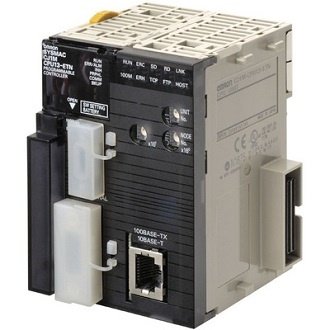 Omron CJ1M-CPU12-ETN PLC CPU Ethernet Unit CJ1MCPU12ETN $1,080.00Add to cart
- Omron CJ1W-AD041-V1 PLC Input Module CJ1WAD041V1 $798.00Add to cart
- Omron CJ1W-OD212 PLC DC Digital Output Module CJ1WOD212 $298.00Add to cart
- Omron CJ2M-CPU12 I/O Control Communication Unit CJ2MCPU12 $698.00Add to cart
- Omron CJ2M-CPU31 PLC Ethernet IP CPU Unit 40 I/O CJ2MCPU31 $1,200.00Add to cart
- Omron Communication Module CS1W-SCB41-V1 $680.00Add to cart
- Omron Communication Module DRT1-COM $710.00Add to cart
- Omron Communications Option Board NX1W-CIF11 $58.00Add to cart
- Omron Communications Option Board NX1W-CIF12 $86.00Add to cart
- Omron CP1L-EM30DR-D PLC CPU Unit I/O Module CP1LEM30DRD $480.00Add to cart
- Omron CP1L-EM30DT-D PLC CPU Unit CP1LEM30DTD $680.00Add to cart
- Omron CP1L-M60DT1-D PLC CPU Unit Logic Module CP1LM60DT1D $830.00Add to cart
- Omron CP1W-32ER Expansion Output Module Unit CP1W32ER $550.00Add to cart
- Omron CP1W-40EDT1 PLC I/O Expansion Module CP1W40EDT1 $420.00Add to cart
- Omron CP1W-8ED 8-Channel DC Digital Input Module CP1W8ED $260.00Add to cart
- Omron CP1W-8ET1 DC Digital Output Expansion Module CP1W8ET1 $145.00Add to cart
- Omron CP1W-DAM01 PLC LCD Option Board CP1WDAM01 $280.00Add to cart
- Omron CPU Control Logic Unit CP1E-E10DT-D $150.00Add to cart
- Omron CPU I/O MODULE Unit CJ2M-CPU11 $450.00Add to cart
- Omron CPU Unit CP1E-N40SDR-A $410.00Add to cart
- Omron CPU Unit CP1H-X40DR-A $680.00Add to cart
- Omron CPU Unit CP1L-M30DT-A $480.00Add to cart
- Omron CS1 PLC Rack Base Unit CS1W-BC103 $450.00Add to cart
- Omron CS1W-AD081-V1 Analog Input Module CS1WAD081V1 $1,050.00Add to cart
- Omron CS1W-EIP21 EtherNet Analog Communication Module CS1WEIP21 $880.00Add to cart
- Omron DeviceNet Communications Unit GRT1-DA2C $510.00Add to cart
- Omron Digital I/O Unit GT1-ID16 $280.00Add to cart
- Omron Digital I/O Unit GT1-ID16-1 $405.00Add to cart
- Omron Digital I/O Unit GT1-ID16DS $310.00Add to cart
- Omron Digital I/O Unit GT1-ID16ML $350.00Add to cart
- Omron Digital I/O Unit GT1-ID16ML-1 $370.00Add to cart
- Omron Digital I/O Unit GT1-ID16MX $360.00Add to cart
- Omron Digital I/O Unit GT1-ID16MX-1 $370.00Add to cart
- Omron Digital I/O Unit GT1-ID32ML $510.00Add to cart
- Omron Digital I/O Unit GT1-ID32ML-1 $520.00Add to cart
- Omron Digital I/O Unit GT1-OD16 $402.00Add to cart
- Omron Digital I/O Unit GT1-OD16-1 $430.00Add to cart
- Omron Digital I/O Unit GT1-OD16DS $420.00Add to cart
- Omron Digital I/O Unit GT1-OD16DS-1 $420.00Add to cart
- Omron Digital I/O Unit GT1-OD16ML $420.00Add to cart
- Omron Digital I/O Unit GT1-OD16ML-1 $420.00Add to cart
- Omron Digital I/O Unit GT1-OD16MX $350.00Add to cart
- Omron Digital I/O Unit GT1-OD16MX-1 $410.00Add to cart
- Omron Digital I/O Unit GT1-OD32ML $480.00Add to cart
- Omron Digital I/O Unit GT1-OD32ML-1 $495.00Add to cart
- Omron Digital Input Module CJ1W-ID261 $705.00Add to cart
- Omron Expansion I/O Unit ZEN-8E1AR $115.00Add to cart
- Omron Expansion Unit CP1W-MAD44 $580.00Add to cart
- Omron Expansion Unit XWT-OD08-1 $260.00Add to cart
- Omron GRT1-DRT DeviceNet Communications Unit GRT1DRT $2,600.00Add to cart
-
 Omron GRT1-ID8 Digital Input Output Module GRT1ID8 $190.00Add to cart
-
Omron GRT1-ID8-1 DC Digital Input Output Module GRT1ID81 $190.00Add to cart
- Omron GT1-AD04 Digital Input Output Module GT1AD04 $900.00Add to cart
- Omron GT1-AD08MX Analog Input Output Module GT1AD08MX $600.00Add to cart
- Omron GT1-DA04MX Analog Input Output Unit Module GT1DA04MX $720.00Add to cart
- Omron GT1-ID16DS-1 Digital Input Output Unit GT1ID16DS1 $900.00Add to cart
- Omron HMC-EF183 128MB Compact Flash Memory Card HMCEF183 $130.00Add to cart
- Omron I/O Module CJ2M-MD211 $298.00Add to cart
- Omron I/O Terminal Block SRT2-OD16 $408.00Add to cart
- Omron I/O Terminal Block SRT2-OD16-1 $420.00Add to cart
- Omron Input Unit CJ1W-IA111 $330.00Add to cart
- Omron IO-Link Master Unit NX-ILM400 $380.00Add to cart
- Omron Mixed I/O Unit CJ1W-MD231 $410.00Add to cart
- Omron Mixed I/O Unit CJ1W-MD233 $410.00Add to cart
- Omron NX-ID3417 PLC 4 Digital Input Module NXID3417 $280.00Add to cart
- Omron NX-OD4121 PLC 8 Digital Output Module NXOD4121 $130.00Add to cart
- Omron NX-OD5256 PLC Expansion Output Module NXOD5256 $398.00Add to cart
- Omron NX1P2-1140DT CPU Input Output Module NX1P21140DT $2,450.00Add to cart
- Omron NX1P2-1140DT1 PLC Input Output Module NX1P21140DT1 $2,460.00Add to cart
- Omron NX1W-CIF01 Communications Option Board NX1WCIF01 $88.00Add to cart
- Omron NX1W-DAB21V Analog Input Output Module NX1WDAB21V $200.00Add to cart
- Omron PLC 8 Slot Back Plane C200HW-BC081-V1 $310.00Add to cart
- Omron PLC 8PT Isolated RTU Input Unit CS1W-PTS56 $1,590.00Add to cart
- Omron PLC Adapter CP1W-EXT01 $110.00Add to cart
- Omron PLC Analog I/O Module CJ1W-AD081-V1 $940.00Add to cart
- Omron PLC Analog I/O Module CP1W-MAD11 $350.00Add to cart
- Omron PLC Analog Input Module CJ1W-AD04U $610.00Add to cart
- Omron PLC Analog Module CJ1W-MAD42 $660.00Add to cart
- Omron PLC Analog Output Unit CS1W-DA08C $1,300.00Add to cart
- Omron PLC Applicable Connector C500-CE404 $84.00Add to cart
- Omron PLC Backplane CS1W-BC083 $430.00Add to cart
- Omron PLC Battery CP1W-BAT01 $30.00Add to cart
- Omron PLC Battery CS1W-BAT01 $109.00Add to cart
- Omron PLC Board CP1W-CIF11 $52.00Add to cart
- Omron PLC Cable CS1W-CN114 $138.00Add to cart
- Omron PLC Cable CS1W-CN118 $140.00Add to cart
- Omron PLC Cable CS1W-CN713 $210.00Add to cart
- Omron PLC CJ-series Quick-response Input Unit CJ1W-IDP01 $430.00Add to cart
- Omron PLC CJ1W-PA202 $200.00Add to cart
- Omron PLC Communication Unit CJ1W-SCU31-V1 $650.00Add to cart
- Omron PLC Communications Module CJ1W-SCU41-V1 $620.00Add to cart
- Omron PLC Communications Module Unit CJ1W-SRM21 $386.00Add to cart
- Omron PLC Control Logic CP1H-X40DT-D $810.00Add to cart
- Omron PLC Control Logic CP1H-XA40DR-A $1,040.00Add to cart
- Omron PLC Control Logic CP1H-XA40DT-D $1,020.00Add to cart
- Omron PLC Control Logic CP1H-XA40DT1-D $1,060.00Add to cart
- Omron PLC CONTROL LOGIC CP1H-Y20DT-D $990.00Add to cart
- Omron PLC Control Logic CP1L-EL20DR-D $420.00Add to cart
- Omron PLC Control Logic CP1L-EM40DR-D $690.00Add to cart
- Omron PLC CONTROL LOGIC CP1L-EM40DT-D $670.00Add to cart
- Omron PLC Control Logic CP1L-L14DR-A $325.00Add to cart
- Omron PLC CONTROL LOGIC CP1L-L14DR-D $340.00Add to cart
- Omron PLC Control Logic CP1L-L14DT-A $390.00Add to cart
- Omron PLC CONTROL LOGIC CP1L-L14DT-D $330.00Add to cart
- Omron PLC CONTROL LOGIC CP1L-L14DT1-D $330.00Add to cart
- Omron PLC Control logic CP1L-L20DR-A $410.00Add to cart
- Omron PLC CONTROL LOGIC CP1L-L20DR-D $330.00Add to cart
- Omron PLC CONTROL LOGIC CP1L-L20DT-D $410.00Add to cart
- Omron PLC CONTROL LOGIC CP1L-L20DT1-D $396.00Add to cart
- Omron PLC CONTROL LOGIC CP1L-M30DR-A $430.00Add to cart
- Omron PLC CONTROL LOGIC CP1L-M30DR-D $440.00Add to cart
- Omron PLC CONTROL LOGIC CP1L-M30DT-D $452.00Add to cart
- Omron PLC Control Logic CP1L-M40DR-A $610.00Add to cart
- Omron PLC Control Logic CP1L-M40DR-D $650.00Add to cart
- Omron PLC Control Logic CP1L-M40DT-D $605.00Add to cart
- Omron PLC Control Logic CP1L-M40DT1-D $605.00Add to cart
- Omron PLC Control Logic CP1L-M60DR-D $850.00Add to cart
- Omron PLC CONTROL LOGIC EIP CJ2M-CPU32 $1,300.00Add to cart
- Omron PLC Control Logig CP1L-M30DT1-D $600.00Add to cart
- Omron PLC CP1E-E30SDR-A $216.00Add to cart
- Omron PLC CP1E-E40SDR-A $598.00Add to cart
- Omron PLC CP1E-N60S1DR-A $442.00Add to cart
- Omron PLC CPU Unit CJ1M-CPU21 $960.00Add to cart
- Omron PLC CPU Unit CJ2H-CPU64-EIP $3,010.00Add to cart
- Omron PLC CPU Unit CJ2M-CPU13 $885.00Add to cart
- Omron PLC CPU Unit CJ2M-CPU33 $1,270.00Add to cart
- Omron PLC CPU Unit CP1E-E10DR-A $190.00Add to cart
- Omron PLC CPU Unit CP1E-N20DR-A $280.00Add to cart
- Omron PLC CPU Unit CP1E-N20DT-D $310.00Add to cart
- Omron PLC CPU Unit CP1E-N20DT1-A $330.00Add to cart
- Omron PLC CPU Unit CP1E-N20DT1-D $280.00Add to cart
- Omron PLC CPU Unit CP1E-N30DT-A $356.00Add to cart
- Omron PLC CPU Unit CP1E-N30DT-D $380.00Add to cart
- Omron PLC CPU Unit CP1E-N30DT1-A $380.00Add to cart
- Omron PLC CPU Unit CP1E-N30DT1-D $330.00Add to cart
- Omron PLC CPU Unit CP1E-N30SDR-A $350.00Add to cart
- Omron PLC CPU Unit CP1E-N40DR-A $530.00Add to cart
- Omron PLC CPU Unit CP1E-N40DR-D $510.00Add to cart
- Omron PLC CPU Unit CP1E-N40DT-A $510.00Add to cart
- Omron PLC CPU Unit CP1E-N40DT-D $500.00Add to cart
- Omron PLC CPU Unit CP1E-N40DT1-A $490.00Add to cart
- Omron PLC CPU Unit CP1E-N40DT1-D $560.00Add to cart
- Omron PLC CPU Unit CP1E-NA20DR-A $530.00Add to cart
- Omron PLC CPU Unit CP1E-NA20DT-D $520.00Add to cart
- Omron PLC CPU Unit CP1L-EM30DT1-D $600.00Add to cart
- Omron PLC CPU Unit CP1L-M60DR-A $820.00Add to cart
- Omron PLC CPU Unit CP1L-M60DT-D $590.00Add to cart
- Omron PLC CPU Unit CS1G-CPU44H $1,550.00Add to cart
- Omron PLC CPU Unit ZEN-10C3DR-D-V2 $165.00Add to cart
-
 Omron PLC CPU Unit ZEN-20C3DR-D-V2 $205.00Add to cart
- Omron PLC DC Input Module CJ1W-ID232 $298.00Add to cart
- Omron PLC DeviceNet Master Unit CJ1W-DRM21 $640.00Add to cart
- Omron PLC Digital Output Module CJ1W-OD261 $550.00Add to cart
- Omron PLC END PLATE Module CJ1W-TER01 $125.00Add to cart
- Omron PLC Ethernet Module CJ1W-ETN21 $1,190.00Add to cart
- Omron PLC Ethernet Option Board CP1W-CIF12 $105.00Add to cart
- Omron PLC Ethernet Option Board CP1W-CIF41 $298.00Add to cart
- Omron PLC Expansion Backplane CS1W-BI103 $480.00Add to cart
- Omron PLC Expansion Module CP1W-16ET1 $270.00Add to cart
- Omron PLC Expansion Module CP1W-20EDR1 $300.00Add to cart
- Omron PLC Expansion Module CP1W-20EDT $225.00Add to cart
- Omron PLC Extension Module CP1W-8ET $140.00Add to cart
- Omron PLC I/O Cable CP1W-CN811 $85.00Add to cart
- Omron PLC I/O Control Unit CJ1W-IC101 $210.00Add to cart
- Omron PLC I/O Module CP1W-20EDT1 $300.00Add to cart
- Omron PLC I/O Module CP1W-40EDR $496.00Add to cart
- Omron PLC I/O Unit CJ1W-II101 $245.00Add to cart
- Omron PLC Input Module CJ1W-B7A14 $530.00Add to cart
- Omron PLC Input Module CJ1W-ID211 $300.00Add to cart
- Omron PLC Input Module CJ1W-ID231 $380.00Add to cart
- Omron PLC Input Module CJ1W-ID262 $520.00Add to cart
- Omron PLC Input Module CJ1W-PTS52 $695.00Add to cart
- Omron PLC Input Module CP1W-8ER $210.00Add to cart
- Omron PLC Input Module CP1W-AD041 $420.00Add to cart
- Omron PLC Input Module CP1W-TS001 $305.00Add to cart
- Omron PLC Input Module CP1W-TS002 $350.00Add to cart
- Omron PLC Input Module CP1W-TS101 $280.00Add to cart
- Omron PLC Input Module CS1W-ID211 $318.00Add to cart
- Omron PLC Input Module NX-ID3317 $107.00Add to cart
- Omron PLC Input Module NX-ID3343 $152.00Add to cart
- Omron PLC Input Module NX-ID3443 $150.00Add to cart
- Omron PLC Input Module NX-ID4342 $126.00Add to cart
- Omron PLC Input Module NX-ID4442 $126.00Add to cart
- Omron PLC Input Module NX-ID5142-1 $230.00Add to cart
- Omron PLC Input Module NX-ID5342 $165.00Add to cart
- Omron PLC Input Module NX-ID5442 $167.00Add to cart
- Omron PLC Input Module NX-ID6142-5 $315.00Add to cart
- Omron PLC Input Module NX-ID6142-6 $395.00Add to cart
- Omron PLC Input Module NX-OD2154 $118.00Add to cart
- Omron PLC Input Module NX-OD2258 $128.00Add to cart
- Omron PLC Logic Control CP1H-X40DT1-D $830.00Add to cart
- Omron PLC Module CJ1W-SCU21-V1 $599.00Add to cart
- Omron PLC Module CP1W-40EDT $370.00Add to cart
- Omron PLC Module NX-IA3117 $108.00Add to cart
- Omron PLC Module NX-ID3344 $170.00Add to cart
- Omron PLC Module NX-ID3444 $210.00Add to cart
- Omron PLC Module NX-ID5142-5 $199.00Add to cart
- Omron PLC Module NX1P2-1040DT $1,490.00Add to cart
- Omron PLC Module NX1P2-1040DT1 $1,650.00Add to cart
- Omron PLC Module NX1P2-9024DT $850.00Add to cart
- Omron PLC Module NX1P2-9024DT1 $996.00Add to cart
- Omron PLC Output Expansion Module XWT-OD16-1 $295.00Add to cart
- Omron PLC Output Module CJ1W-DA021 $656.00Add to cart
- Omron PLC Output Module CJ1W-DA08C $840.00Add to cart
- Omron PLC Output Module CJ1W-DA08V $830.00Add to cart
- Omron PLC Output Module CJ1W-OC211 $310.00Add to cart
- Omron PLC Output Module CJ1W-OD211 $260.00Add to cart
- Omron PLC Output Module CJ1W-OD231 $250.00Add to cart
- Omron PLC Output Module CJ1W-OD232 $430.00Add to cart
- Omron PLC Output Module CJ1W-OD262 $520.00Add to cart
- Omron PLC Output Module CP1W-DA021 $320.00Add to cart
- Omron PLC Output Module CP1W-DA041 $310.00Add to cart
- Omron PLC Output Module CS1W-OC211 $398.00Add to cart
- Omron PLC Output Module NX-OD3121 $108.00Add to cart
- Omron PLC Output Module NX-OD3153 $168.00Add to cart
- Omron PLC Output Module NX-OD3256 $95.00Add to cart
- Omron PLC Output Module NX-OD3257 $170.00Add to cart
- Omron PLC Output Module NX-OD3268 $205.00Add to cart
- Omron PLC Output Module NX-OD4256 $116.00Add to cart
- Omron PLC Output Module NX-OD5121 $168.00Add to cart
- Omron PLC Output Unit CJ1W-OC201 $210.00Add to cart
- Omron PLC Output Unit CP1W-16ER $240.00Add to cart
- Omron PLC Position Control Module CJ1W-NC413 $1,660.00Add to cart
- Omron PLC Power Supply C200HW-PA204 $400.00Add to cart
- Omron PLC Power Supply C200HW-PA204S $699.00Add to cart
- Omron PLC Power Supply CJ1W-PA205R $260.00Add to cart
- Omron PLC Power Supply CJ1W-PD022 $140.00Add to cart
- Omron PLC Power Supply CJ1W-PD025 $270.00Add to cart
- Omron PLC Power Supply S8VM-15024CD $320.00Add to cart
- Omron PLC Power Supply Unit CJ1W-PA205C $400.00Add to cart
- Omron PLC RS-232C Option Board CP1W-CIF01 $60.00Add to cart
- Omron PLC Temperature Control CJ1W-TC002 $810.00Add to cart
- Omron PLC Temperature Control Module CJ1W-TC101 $810.00Add to cart
- Omron Programmable Relay ZEN-10C2AR-A-V2 $150.00Add to cart
- Omron Relay Output Unit GT1-ROS16 $640.00Add to cart
- Omron Remote I/O Terminal SRT2-OD04 $250.00Add to cart
- Omron Remote Terminal Module SRT2-ROC08 $355.00Add to cart
- Omron Remote Terminal SRT2-ID08 $310.00Add to cart
- Omron Remote Terminal SRT2-ID16 $280.00Add to cart
- Omron S8VM-100 24CD PLC Power Supply S8VM100 $280.00Add to cart
- Omron Special I/O Module CJ1W-CT021 $910.00Add to cart
- Omron Temperature Control Unit NX-AUX02 $24.00Add to cart
- Omron Temperature Control Unit NX-TC2405 $405.00Add to cart
- Omron Temperature Control Unit NX-TC2406 $350.00Add to cart
- Omron Temperature Control Unit NX-TC2407 $420.00Add to cart
- Omron Temperature Control Unit NX-TC2408 $396.00Add to cart
- Omron Temperature Control Unit NX-TC3405 $580.00Add to cart
- Omron Temperature Control Unit NX-TC3406 $520.00Add to cart
- Omron Temperature Control Unit NX-TC3407 $615.00Add to cart
- Omron Temperature Control Unit NX-TC3408 $640.00Add to cart
- Omron Turnback Unit GRT1-TBL $120.00Add to cart
- Omron Turnback Unit GRT1-TBR $64.00Add to cart
- Omron XWT-ID16-1 DC Digital Inputs Expansion Unit XWTID161 $350.00Add to cart

Leave a Reply